GEN PRO Tool V2.0.2.23 7.5 Free Download for PC Fastboot to EDL [2027]
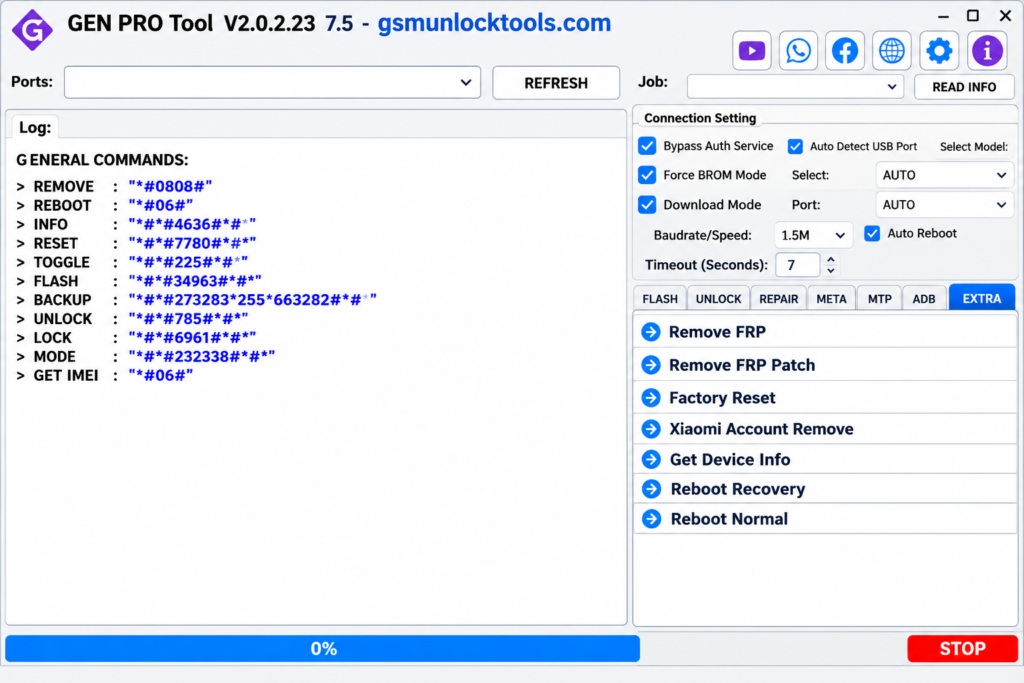
When you are struggling with an Android phone that has software issues, boot problems, or needs firmware restoration. GEN-PRO Tool provides an all-in-one solution for authorized mobile servicing and repair. It helps technicians manage supported tasks such as firmware flashing, device formatting, diagnostics, and boot management from one interface. Designed for compatible Android devices, it simplifies professional repair workflows and reduces the need for multiple tools.
What is the Gen Pro Tool?
Gen Pro Tool is a Windows-based Android servicing utility designed for mobile technicians and advanced users. It provides a single interface for firmware flashing, device diagnostics, formatting, and software repair. The tool simplifies authorized Android device servicing across compatible brands and models.
Key Features of the Gen Pro Tool
FRP Functions
The tool helps technicians perform supported FRP-related servicing operations on authorized devices. It simplifies common device reset and maintenance workflows.
Firmware Flashing
The tool flashes compatible firmware to fix boot loops, software errors, and system problems. It helps restore device functionality using the correct firmware.
Factory Reset
The tool resets supported Android devices and resolves certain software-related issues. It helps technicians prepare devices for a fresh software setup.
Bootloader Management
The tool supports bootloader operations for device maintenance and repair. It provides useful options for compatible Android models.
eMMC Functions
The tool provides storage formatting and selected eMMC servicing operations. These functions help technicians handle supported storage-related repair tasks.
Multi-Brand Support
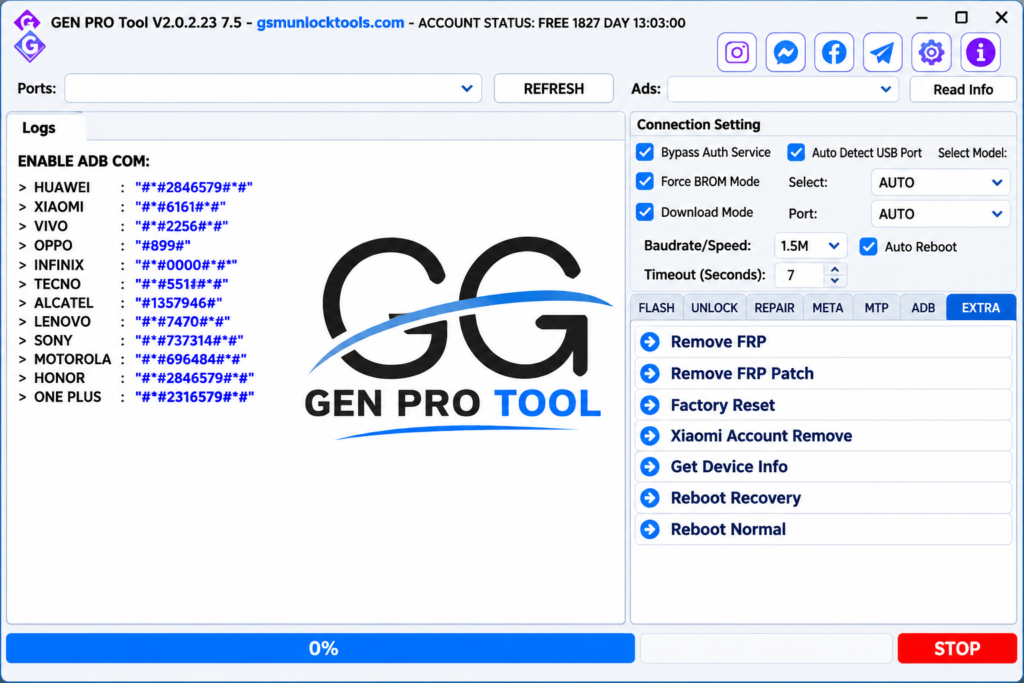
The tool Works with compatible Xiaomi, Redmi, POCO, OPPO, vivo, Huawei, and OnePlus devices. It brings multiple brand-servicing options into one Windows interface.
What’s New in the Gen Pro Tool?
- Advanced Android Servicing Features
- Enhanced Multi-Brand Device Compatibility
- Improved Firmware Flashing Capabilities
- Advanced Device Repair and Maintenance Options
- Expanded Xiaomi, Redmi, and POCO Support
- Improved Bootloader Management Functions
- Enhanced eMMC Formatting Operations
- Updated Device Diagnostics and Repair Tools
- Better Windows Interface and User Experience
- Additional Android Software Servicing Options
System Requirements
| Component | Minimum Requirements |
| Operating System | Windows 7, 8, 10, 11 |
| Processor | Intel / AMD Dual-Core |
| RAM | 4GB (8GB Recommended) |
| Storage | 2 GB Free Space |
| Architecture | 64-bit Recommended |
| USB Drivers | Android USB Drivers |
| USB Connection | Working USB Port |
| Internet | Stable Internet Connection |
| Permissions | Administrator Access |
| Software | .NET Framework (if required) |
| Password | MobileTeam |
How to Download & Install the Gen Pro Tool?
- Download the compatible GEN-PRO Tool version from a trusted source and extract the ZIP file on your Windows PC.
- Install the necessary USB and device drivers to ensure proper communication between your Android phone and computer.
- Open the extracted folder and launch the GEN-PRO Tool application with the required Windows permissions.
- Connect your Android phone using a quality USB cable and select the appropriate connection mode.
- Choose the supported device brand and model to access the available servicing functions.
- Select the required operation, such as firmware flashing, factory reset, diagnostics, or supported repair functions.
- Follow the on-screen instructions and wait for the operation to finish without disconnecting your device.
Pros & Cons
| Pros | Cons |
| All-in-One Android Servicing | Limited Developer Updates |
| Multi-Brand Device Support | Some Qualcomm Functions Not Working |
| Firmware Flashing Options | Limited Model Compatibility |
| Multiple Repair Functions | Requires USB Drivers |
| Easy-to-Use Interface | Some Features Need Login Access |
| Useful for Mobile Technicians | Compatibility Varies by Device |
| Xiaomi, Redmi & POCO Support | Occasional Software Errors |
Also check: Miracle Thunder v2.82 Free Download for PC [2027]
Conclusion
GEN-PRO Tool is a useful Windows-based Android servicing solution for mobile technicians and advanced users. With features like firmware flashing, factory reset, device diagnostics, bootloader management, and multi-brand support, it brings several repair functions into one place. It supports compatible Xiaomi, Redmi, POCO, OPPO, vivo, Huawei, and OnePlus devices. Overall, GEN-PRO Tool makes authorized Android repair and maintenance easier, faster, and more convenient.
FAQ’s
Is Gen Pro Tool available for free?
Some public versions of GEN-PRO Tool are available for free download. However, login requirements, licensing conditions, and feature availability may vary depending on the version and download source.
Which devices does Gen Pro Tool support?
GEN-PRO Tool supports selected Android devices from popular brands, including Xiaomi, Redmi, POCO, OPPO, vivo, Huawei, and OnePlus. Actual compatibility depends on the device model, chipset, and software version.
Is Gen Pro Tool safe to use?
The safety of GEN-PRO Tool depends on the download source and the integrity of the software files. Always scan downloaded files with reputable security software and avoid modified installers from unknown websites.
Can Gen Pro Tool fix Android software problems?
GEN-PRO Tool provides supported firmware flashing, formatting, and maintenance options that can help resolve certain software-related problems. Always select firmware that exactly matches your device model and region.
Does Gen Pro Tool require an internet connection?
An internet connection may be required for certain online functions, login authentication, or supported services. However, some local servicing operations may work without an active internet connection, depending on the version.