Alien Tool v1.0.16 Free Download Setup for Windows Latest Version [2027]
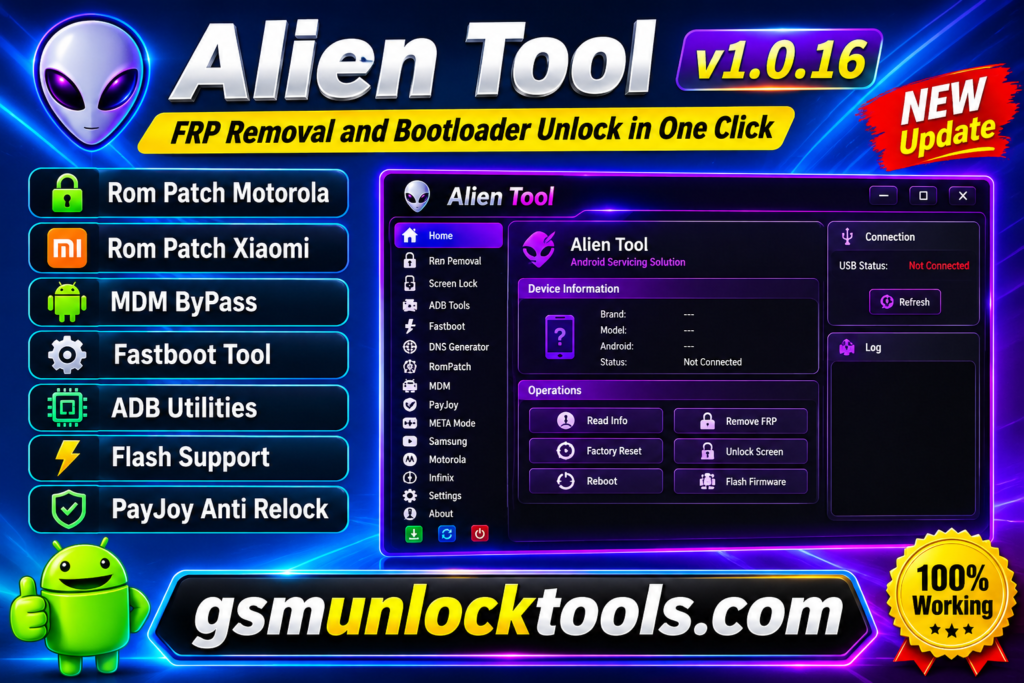
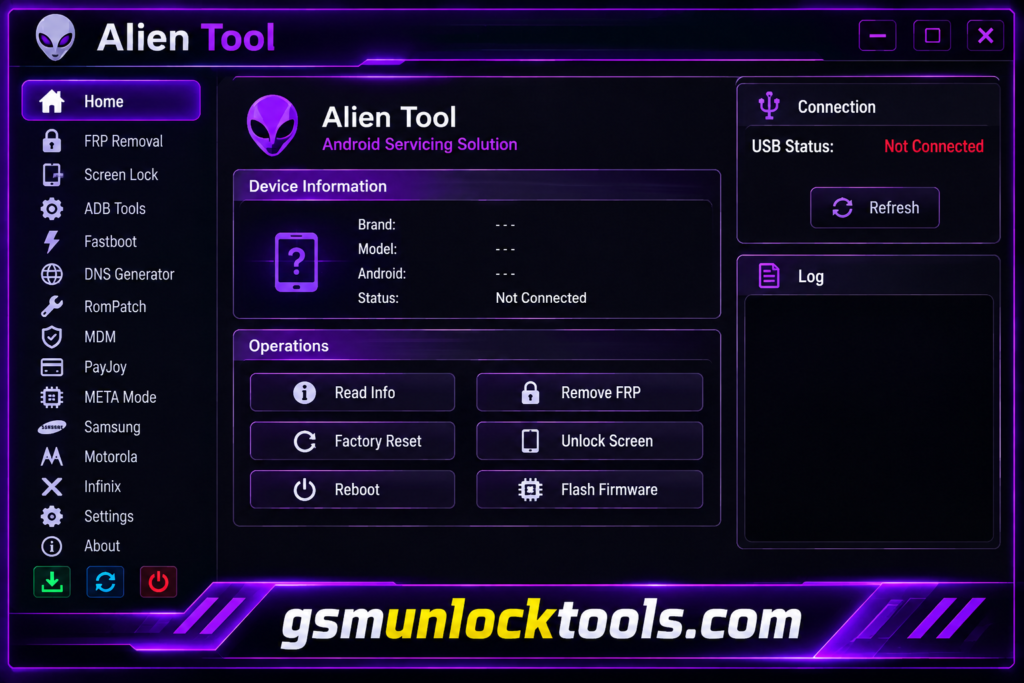
When you have Google FRP locks, forgotten screen PINs, pattern passwords, or Android software issues, smartphones can be difficult to access and repair. Alien Tool provides an all-in-one Android servicing solution to help technicians perform supported FRP removal, screen lock operations, ADB activation, Fastboot commands, and firmware flashing. With dedicated support for Motorola, Infinix, Samsung, MediaTek, and Unisoc devices, it offers features such as META Mode, DNS Generator, RomPatch, MDM, and PayJoy operations.
What is the Alien Tool?
Alien Tool is an Android mobile servicing and unlocking software designed to help users and mobile technicians solve common smartphone security and software problems. It offers multiple functions, including Google FRP removal, screen lock operations, ADB, Fastboot, firmware flashing, and device maintenance. With dedicated modules for Motorola, Infinix, Samsung, MediaTek, and Unisoc devices, Alien Tool combines various Android repair utilities in one place.
Key Features of the Alien Tool 2027
FRP Removal
The tool helps remove Google FRP locks from supported Android devices. It provides useful solutions for smartphones stuck on Google account verification after a factory reset.
Screen Lock Removal
The tool supports selected PIN, pattern, and password unlocking operations. It helps technicians troubleshoot screen-lock issues on compatible devices.
DNS Generator
The tool provides DNS generation features for supported operations. It adds another useful utility to the Android servicing toolkit.
RomPatch Support
The tool includes ROM patching-related functionality. It helps technicians perform supported firmware and software modifications.
MDM Operations
The tool provides selected Mobile Device Management-related functions. It supports device management and servicing operations for compatible devices.
PayJoy Functions
The tool includes PayJoy-related servicing options for supported devices. Feature availability depends on device compatibility and authorization.
What’s New in the Alien Tool?
- Expanded support for Android 13, 14, 15, 16, and 17.
- Dedicated Motorola and Infinix servicing modules.
- Improved ADB and USB debugging operations.
- Added MediaTek META Mode support.
- Additional Unisoc device servicing functions.
- Integrated Fastboot tools and operations.
- Added RomPatch functionality.
- MDM and PayJoy servicing options.
- Built-in DNS Generator utility.
- Flash File and firmware-related support.
- Additional Samsung servicing and Odin flashing options.
System Requirements
| Requirements | Minimum / Recommended |
| Operating System | Windows 7, 8, 10, or 11 |
| Processor | Intel or AMD Dual-Core |
| RAM | 4 GB minimum |
| Storage | 500 MB free space |
| Architecture | 32-bit / 64-bit |
| USB Port | USB 2.0 or USB 3.0 |
| Internet | Required for online operations |
| USB Drivers | Device-specific USB drivers |
| Smartphone | Supported Android devices |
| Connection | USB Data Cable |
How to Download, Install & Use the Alien Tool?
- Visit a trusted website offering the Alien Tool download.
- Download the latest available Alien Tool ZIP or RAR file.
- Extract the downloaded archive using WinRAR or 7-Zip.
- Install the required USB drivers for your Android device.
- Open the extracted folder and locate the Alien Tool executable.
- Run the software as administrator if required.
- Connect your Android smartphone to the PC using a USB cable.
- Select the appropriate mode, such as ADB, Fastboot, or META Mode.
- Choose your device brand (e.g., Motorola, Infinix, or Samsung).
- Select the required supported operation and follow the on-screen instructions.
- Wait for the process to complete successfully.
- Disconnect your smartphone safely after completion.
Pros & Cons
| Pros | Cons |
| Multiple Android servicing features in one tool. | Some features may not support every device. |
| Supports Motorola, Infinix, Samsung, and other brands. | Requires a Windows PC for operation. |
| Includes ADB and Fastboot functions. | USB drivers may need manual installation. |
| Offers MediaTek and Unisoc support. | Certain operations require test points or special modes. |
| Supports firmware and Flash File operations. | Incorrect flashing may damage device software. |
| Includes DNS Generator and RomPatch features. | Some functions may be limited by security patch levels. |
| Supports selected Android 13–17 devices. | Compatibility depends on the device model and chipset. |
| Combines multiple servicing options in one interface. | Official updates and support may be limited. |
Also check: Qualcomm Master Tool v1.2 Free Download Latest Version [2027]
Conclusion
Alien Tool is a useful Android mobile servicing solution that brings multiple unlocking, FRP removal, firmware flashing, and device maintenance features into one toolkit. With support for selected Motorola, Infinix, Samsung, MediaTek, and Unisoc devices, it offers convenient ADB, Fastboot, META Mode, DNS Generator, and RomPatch functions. Its compatibility with selected Android 13, 14, 15, 16, and 17 devices makes it a helpful option for mobile technicians.
FAQ’s
Is Alien Tool free to download?
Alien Tool is advertised as a free Android servicing tool. However, verify the download source and check whether any features require activation or payment.
Does Alien Tool support MediaTek and Unisoc chipsets?
Yes, it includes dedicated MediaTek and Unisoc sections, with features such as META Mode for supported devices.
Does Alien Tool require a computer?
Yes, Alien Tool is designed to run on a Windows PC and connect to compatible Android smartphones through a USB cable.
Is Alien Tool safe to install?
Download it only from a trusted source and scan the installation files with antivirus software before running them. Its safety has not been independently verified.