Advance Turbo Flasher Tool v12.70 Download Setup (All Versions)
Firmware failures, boot problems, and forgotten security codes can make older Nokia phones difficult to recover. Advance Turbo Flasher Tool v12.70 provides a technician-focused solution through the ATF Box, supporting firmware flashing, USB servicing, device information, and recovery across BB5, DCT4, MeeGo, and selected MediaTek platforms.
What is Advance Turbo Flasher Tool?
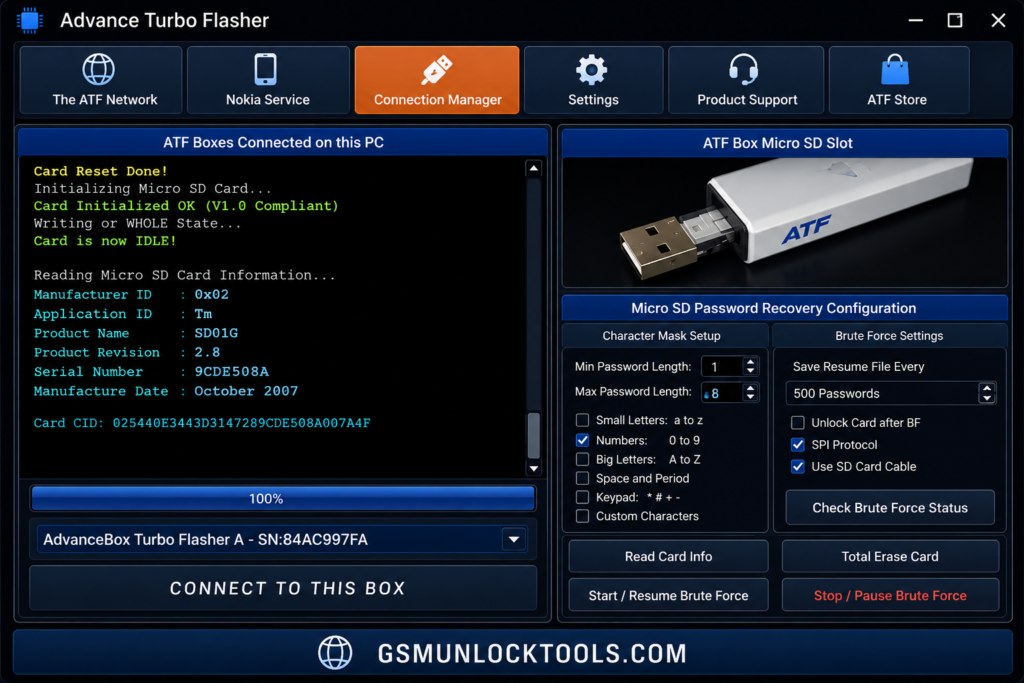
Advance Turbo Flasher Tool, also known as Advance Box Turbo Flasher, is a Nokia mobile servicing tool designed for feature phones. It works with the ATF Box and Windows software to flash firmware, reinstall flash files, read device information, reset supported security codes, and troubleshoot software failures. ATF mainly targets Nokia BB5, DCT4, MeeGo, and selected MediaTek-based devices. Unlike modern Android utilities, it is designed primarily for Nokia servicing and requires compatible ATF Box hardware for advanced operations.
Key Features of Advance Turbo Flasher Tool
Firmware Flashing
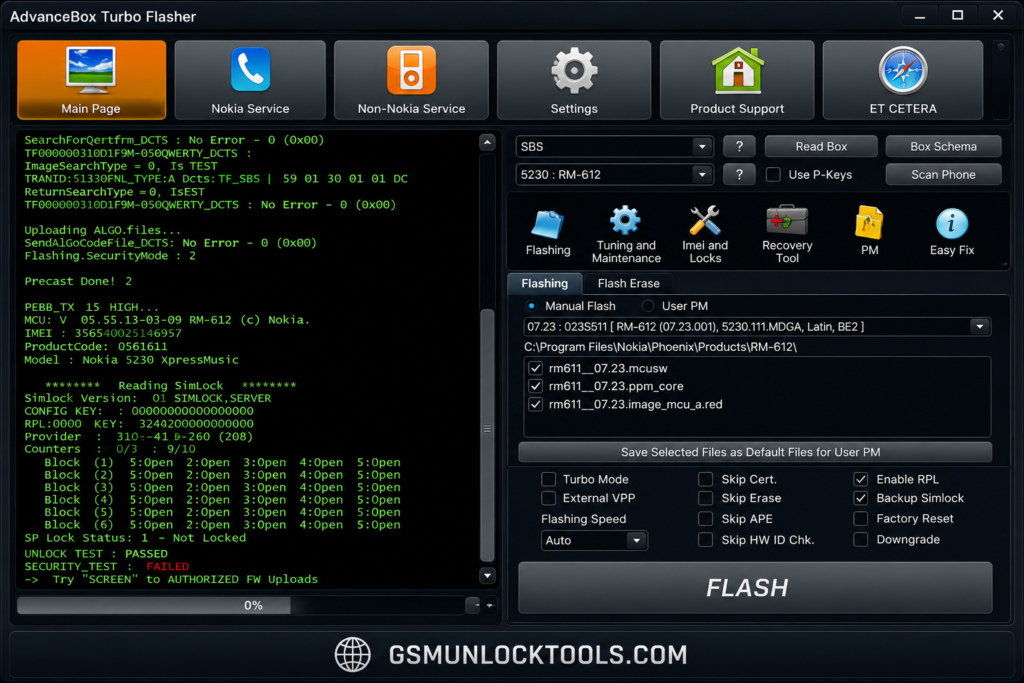
Advance Turbo Flasher Tool lets technicians flash or reinstall compatible Nokia firmware and flash files on devices. Recover phones affected by corrupted software, boot failures, failed updates, or other firmware-related problems during servicing.
User Lock Reset
Advance Turbo Flasher can reset Nokia user or security codes, helping technicians regain access when a device code is forgotten. Availability depends on the Nokia model, firmware generation, and connected ATF Box hardware.
Multi-Platform Support
ATF was developed for various Nokia platform families, including BB5, DCT4, MeeGo, and selected MediaTek-based devices. Support varies by model and firmware, so technicians should verify device compatibility before beginning service.
Read & Write Flash Memory
Advance Turbo Flasher Tool supports reading and writing compatible flash memory and firmware files on supported Nokia phones. Technicians can use these operations for firmware backup, software recovery, and reinstalling appropriate flash files during device servicing.
USB Flashing Support
Advance Turbo Flasher enables technicians to flash Nokia devices via USB, allowing firmware and flash files to be transferred between the Windows PC and supported handsets during servicing.
Hardware-Based Security
ATF uses the Advance Box Turbo Flasher (ATF Box) as dedicated servicing hardware. The box provides access to ATF functions and helps communication between the software, hardware, and Nokia devices.
System Requirements
| Requirement | Minimum / Recommended Details |
| Operating System | Windows XP, Windows 7, Windows 8/8.1, or Windows 10; 32-bit and 64-bit versions are documented for ATF v12.70. |
| Processor | A basic Windows-compatible Intel or AMD processor is sufficient; ATF is a legacy servicing application rather than a resource-intensive modern tool. |
| RAM | 2 GB minimum is a practical baseline; 4 GB or more is recommended for smoother Windows operation. |
| Storage | Keep at least 1 GB of free disk space for ATF software, drivers, firmware files, and temporary servicing data. |
| USB Port | A working USB port is required to connect the ATF Box and a compatible Nokia device. |
| ATF Box | Original Advance Box Turbo Flasher hardware is required for hardware-dependent ATF servicing functions. |
| USB Drivers | ATF Box USB drivers are required. v12.70 documentation lists driver 2.12.06 for Windows 7–10 and 2.8.30.0 for Windows XP. |
| Internet Connection | Internet may be required for software updates, driver delivery, server-based functions, or online services. Windows 10 could obtain ATF drivers through Windows Update. |
| Connection Cable | A compatible USB cable is needed between the ATF Box, PC, and supported handset, depending on the servicing method. |
| Firmware Files | Compatible Nokia flash/firmware files are required for firmware installation or recovery operations. |
Download Information
| Information | Details |
| Tool Name | Advance Turbo Flasher (ATF) |
| Version | v12.70 |
| Release Date | 31 March 2017 |
| File Size | 418.5 MB (≈419 MB) |
| File Format | ZIP Archive |
| Developer / Team | ATF / Advance-Box |
Also check: iRemove Tool Download Latest Version 2026 – iCloud Bypass
How to Download and Install Advance Turbo Flasher Tool
- Download ATF v12.70: Get the compatible Advance Turbo Flasher package and save the ZIP file on your Windows PC.
- Extract the Package: Right-click the downloaded ZIP archive and extract its contents to a convenient folder.
- Run the Installer: Open the extracted folder and launch the ATF setup file to begin installation.
- Install USB Drivers: Install the included ATF Box USB drivers so Windows can properly recognize the servicing hardware.
- Connect ATF Box: Connect the Advance Box Turbo Flasher to a working USB port and confirm that Windows detects it correctly.
- Launch ATF: Open the installed ATF software and select the appropriate Nokia platform, such as BB5, DCT4, MeeGo, or MediaTek, when supported.
- Prepare Firmware: Open the Flashing section and load the compatible Nokia firmware or flash files for your exact device model.
- Start Flashing: Connect the supported Nokia phone in the required flash mode, verify the selected files, and start the flashing process.
- Complete Servicing: Wait until the operation finishes successfully, then disconnect the device and restart it to verify the software installation.
Pros and Cons
| Pros | Cons |
| Reliable choice for servicing older Nokia feature phones. | Limited compatibility with modern Android smartphones. |
| Supports firmware flashing and software recovery. | Advanced functions generally require the original ATF Box. |
| Can reset supported user/security codes. | Not designed for Android FRP or screen-lock removal. |
| Works across BB5, DCT4, MeeGo, and selected MediaTek platforms. | Its interface feels dated compared with newer servicing tools. |
| Useful for professional mobile repair technicians working with compatible Nokia devices. | Unofficial or cracked ATF versions may create security and reliability risks. |
Conclusion
Advance Turbo Flasher Tool v12.70 a useful servicing solution for technicians working on Nokia feature phones. It supports firmware flashing, software recovery, device information retrieval, and user code resets across platforms such as BB5, DCT4, MeeGo, and MediaTek. However, ATF is a legacy platform that depends on the correct ATF Box, USB drivers, compatible firmware, and device support, making it less suitable for modern Android servicing.
FAQ’s
Why is Advance Turbo Flasher Tool not detecting my Nokia phone?
Common causes include missing or incorrect ATF Box USB drivers, USB connection issues, or an unsupported device mode. ATF v12.70 uses specific drivers for different Windows versions.
Does Advance Turbo Flasher require an ATF Box?
Yes. Many ATF servicing functions depend on the Advance Box Turbo Flasher hardware being connected and properly initialized with the software.
Can ATF repair a Nokia phone that fails to boot?
Yes, ATF can perform firmware flashing and recovery operations on supported Nokia models. Success depends on the device model, firmware, connection mode, and hardware condition.
Which Nokia phones are supported by ATF v12.70?
ATF supports various Nokia BB5 and legacy platforms, with selected support for Lumia and Nokia Android/X-series devices. Compatibility varies by model, firmware, and ATF module.
Why does ATF show a flash-file or firmware error?
Flashing can fail when the selected firmware is incorrect, corrupted, or incompatible with the device. Using the correct flash files for the exact Nokia model is essential for successful servicing.