Miracle Thunder v2.82 Free Download for PC [2027]
When mobile devices face problems such as corrupted software, boot failures, bricked systems, or the need to restore official firmware, technicians need a reliable solution that supports multiple chipset platforms and simplifies complex repair workflows. Miracle Thunder is a professional Windows-based mobile servicing solution that helps diagnose supported devices, flash stock firmware, restore software, read device information, and perform maintenance across platforms including MediaTek, Qualcomm, Spreadtrum, CoolSand, and MSTAR.
What is MiracleThunder?
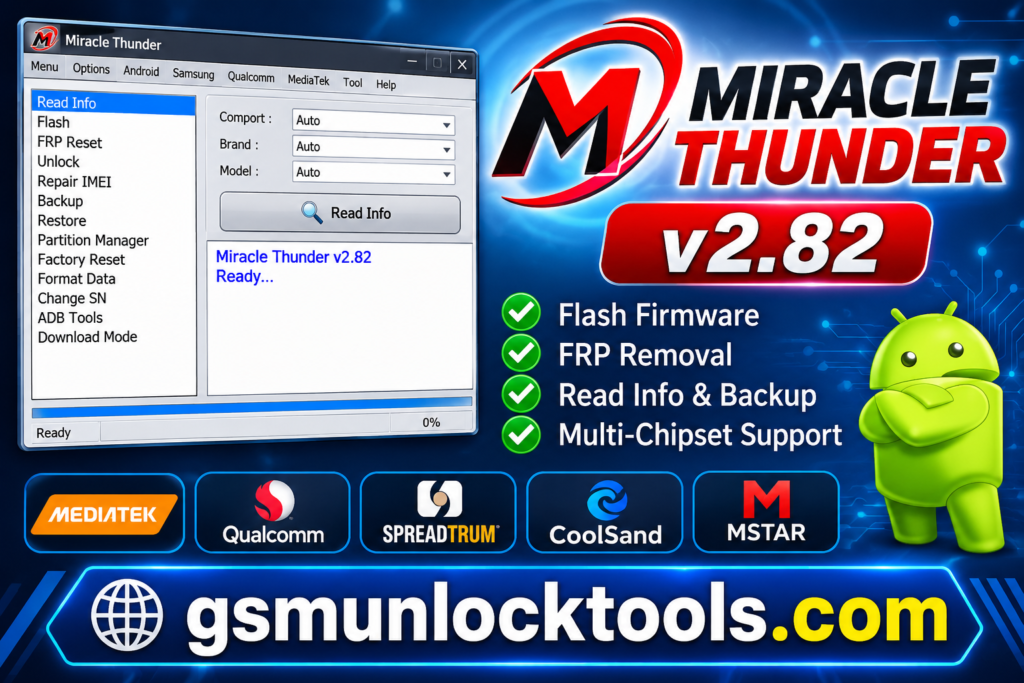
Miracle Thunder is a professional Windows-based mobile servicing and software repair tool that helps technicians diagnose, flash, and maintain supported Android phones and feature phones. It supports multiple chipset platforms, including MediaTek (MTK), Qualcomm, Spreadtrum (SPD), CoolSand, and MSTAR, and offers useful features such as stock firmware flashing, device information reading, software restoration, and supported device maintenance.
Key Features of the MiracleThunder
Stock Firmware Flashing
MiracleThunder helps technicians flash compatible stock firmware to restore devices affected by software corruption, boot loops, or system errors.
FRP & User Lock Servicing
The tool includes servicing functions for supported FRP and user-lock scenarios. These operations should only be performed on devices owned by the user or with proper authorization.
Software Repair & Recovery
MiracleThunder provides useful functions for troubleshooting software-related problems, including devices that fail to boot or experience firmware issues.
Device Information Reading
Technicians can retrieve device details to identify the phone and its chipset before starting repair operations. This helps select the appropriate servicing procedure.
USB Dongle Compatibility
The tool works with its compatible USB dongle, licensed software access, and supported servicing features. The dongle enables the tool and its authorized functionality.
Backup & Partition Management
The tool’s supported backup functions help technicians save important device partitions. This can provide a recovery option if something goes wrong.
What’s New in the Miracle Thunder?
- Improved MediaTek Operations
- New Oppo & Realme Methods
- Spreadtrum/Unisoc Improvements
- Updated Qualcomm Loaders
- Expanded Device Support
- Bug Fixes & Stability
System Requirements
| Requirement | Minimum Specification |
| Operating System | Windows 7, 8, 10, or 11 (compatibility may vary) |
| Processor | Intel Pentium Dual-Core or equivalent |
| RAM | 2 GB minimum |
| Hard Disk Space | 500 MB free space recommended |
| USB Port | USB 2.0 or USB 3.0 |
| Drivers | MTK, Qualcomm, and SPD USB drivers as required |
| Software | Miracle Thunder compatible version |
| Hardware | Original Miracle Thunder USB dongle |
| Internet Connection | Required for downloads and online activation, where applicable |
| Display | 1024 × 768 resolution or higher |
How to Download, Install & Use the Miracle Thunder?
- Visit a trusted source and download the required Miracle Thunder software version.
- Extract the downloaded ZIP file using WinRAR or 7-Zip.
- Open the extracted folder and run the setup file as Administrator.
- Follow the installation instructions to complete the setup.
- Install the required USB drivers (MTK, Qualcomm, or SPD).
- Restart your computer if necessary.
- Connect the original Miracle Thunder USB dongle to your computer.
- Launch the Miracle Thunder software.
- Connect your Android phone using a USB cable.
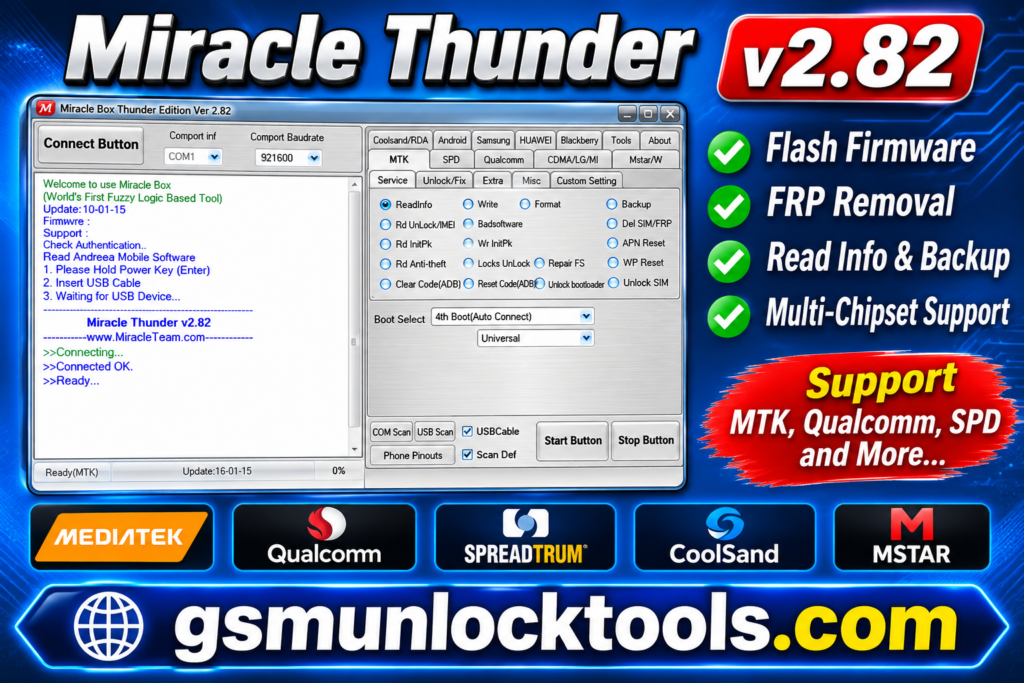
- Select the appropriate chipset and click Read Info to detect the device.
- Choose the required servicing function, such as flashing, FRP servicing, or software repair.
- Load the correct firmware if required and click Start.
- Wait for the operation to complete successfully before disconnecting the phone.
Pros & Cons
| Pros | Cons |
| Supports multiple chipsets. | Limited support for newer smartphone models. |
| Offers multiple mobile servicing functions. | Requires a compatible USB dongle. |
| Supports firmware flashing and software repair. | Requires proper USB drivers and configuration. |
| Provides FRP and selected IMEI repair functions. | Incorrect operations may damage device software. |
| Includes various tools in one interface. | Unofficial cracked versions may contain malware. |
Also check: SM Tool V1.0 Free Download for PC Qualcomm Unlocking Latest Version [2027]
Conclusion
Miracle Thunder is a useful mobile phone servicing tool for technicians who need firmware flashing, FRP servicing, device information reading, and software repairs. Its support for multiple chipsets, including MTK, Qualcomm, and SPD, makes it a convenient solution for various Android devices. Overall, Miracle Thunder can be a helpful choice for mobile repair professionals, especially those working with older supported devices.
FAQ’s
Is Miracle Thunder free to download?
Some versions may be available for download, but official use may require an original USB dongle and activation.
Is Miracle Thunder safe to use?
The original software from a trusted source is preferable. Unofficial cracked versions and keygens may contain malware.
Can Miracle Thunder repair IMEI?
It includes selected IMEI-related servicing functions for supported devices. Any repair must restore the device’s original, legally assigned IMEI.
Who should use Miracle Thunder?
It is primarily intended for mobile phone technicians and experienced users performing authorized Android software servicing.