Auth Flash Tool V1.2: Bypass MTK Authentication and Flash Firmware Easily
Facing FRP locks, boot loops, or firmware flashing issues on your MediaTek (MTK) device? Auth Flash Tool V1.2 is a free Windows utility that bypasses MTK authentication, flashes stock firmware, removes FRP locks, performs factory resets, and supports the latest MTK V5 & V6 security for fast and reliable device repair.
What is the Auth Flash Tool?
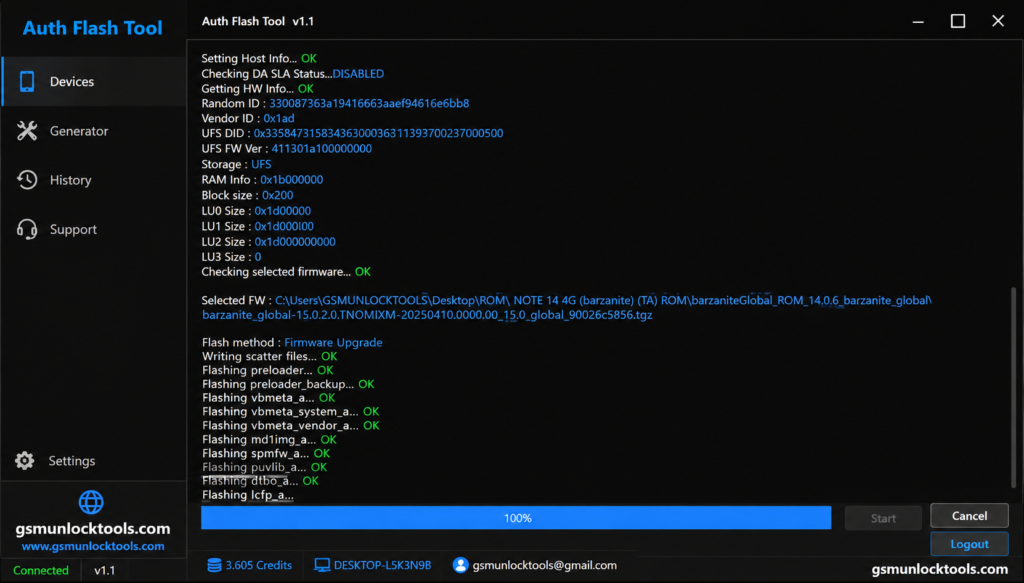
Auth Flash Tool is a Windows-based utility intended for MediaTek-powered Android devices. This utility helps bypass secure authentication, work with devices in BROM Mode, and carry out operations such as firmware flashing, FRP removal, factory reset, and others.
Why Do You Need to Use an Auth Flash Tool?
MediaTek requires authentication to flash the firmware; the Auth Flash Tool can make the procedure. It can solve software problems you may have, wipe the FRP if supported by your device, and improve your chances of successful firmware flashing.
Features of Auth Flash Tool
Auth Flash Tool comes with a set of strong servicing features for MediaTek (MTK) devices. It is a good tool for managing the firmware, recovering, and repairing the software. For example, it can be used for MTK authentication bypass, FRP removal, and stock firmware flashing. Here are some of its features.
MTK Auth Bypass
This feature is responsible for communication between the tool and MTK devices with V5 & V6 security measures implemented. It provides access to servicing activities such as flashing the firmware and device maintenance.
Flash Stock Firmware
The Flash Stock ROM (Firmware) feature of the Auth Flash Tool allows flashing the official Stock ROM (Firmware) files onto compatible Android devices. The feature helps to restore the original software, fix software bugs, and unlock the device from boot loops.
Remove FRP Lock
The FRP feature implemented in the tool is responsible for servicing the supported MTK devices after a genuine factory reset.
Factory Reset
The Factory Reset function deletes user data and resets supported Android smartphones to their original software settings. It serves to fix software-related problems and a phone for reuse or testing its performance.
Read Device Information
With the Auth Flash Tool, one can obtain essential information about the hardware and software of connected devices based on MediaTek. The data includes chip version, software version, and memory settings.
Safe Format
Safe Format ensures selected partitions are cleaned effectively without the danger of tampering with critical system files. Used appropriately, it will help in resolving problems with the software without performing an entire firmware installation.
User-Friendly Interface
The user interface of the Auth Flash Tool is very straightforward, enabling users to undertake various services. Its options are clearly laid out, it detects devices quickly, and it supports Windows 10 and Windows 11 operating systems.
What’s New in Auth Flash Tool V1.2?
- Newer process of MTK authentication
- Increased flashing speed
- Better Windows compatibility
- Device detection optimization
- New Devices Supported
The new version improves compatibility with the newer MediaTek V5 and V6 devices from famous Android brands.
Also Check: Download Cheetah Tool Pro v2026.05.02.177.1 Latest Setup for Windows (2026 Update)
System Requirements for Auth Flash Tool
| Requirement Category | Details |
| Compatible Windows OS | Windows 7, Windows 8, Windows 10, Windows 11 (preferably 64-bit) |
| Needed USB Drivers | Latest MediaTek (MTK) USB VCOM Drivers |
| Processor (CPU) | Dual-core processor or higher |
| RAM | 4 GB RAM or above |
| Storage Space | Minimum 500 MB free disk space |
| USB Port | At least one working USB port |
| Internet Connection | Required for certain operations and updates |
How to Download the Auth Flash Tool
Downloading the latest version of Auth Flash Tool ensures better device compatibility, improved stability, enhanced performance, and access to the latest security updates.
Download Details
- Download the latest version of Auth Flash Tool V1.2.
- Always use a trusted source to avoid corrupted or modified files.
- Verify the downloaded file before installation.
- If the primary download link is unavailable, use the alternative download link.
Download Auth Flash Tool V1.2
Download the latest release to take advantage of MTK V5/V6 support, faster flashing speeds, FRP removal, and authentication bypass features.
How to Install Auth Flash Tool
Installing the Auth Flash Tool is simple and only takes a few minutes when the required drivers are already installed.
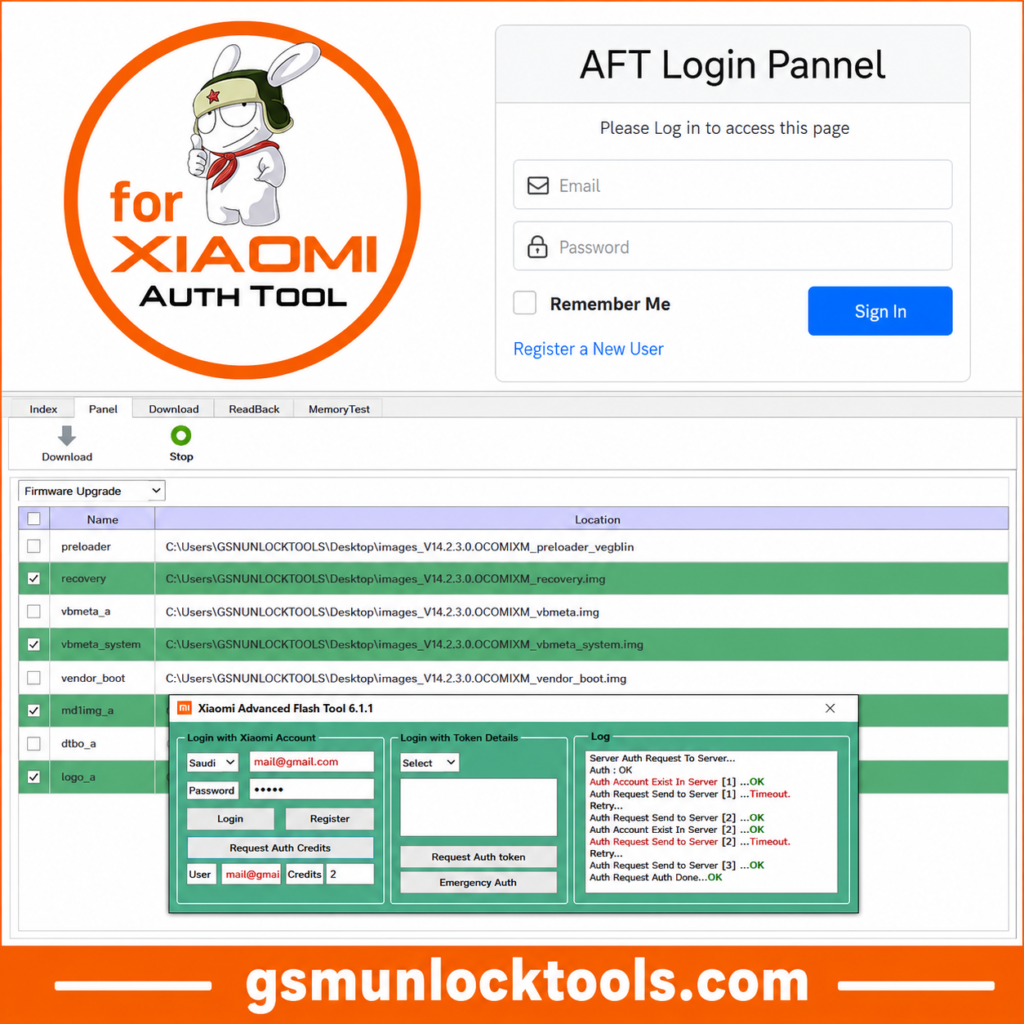
Install Required Drivers
- Download and install the latest MediaTek USB VCOM Drivers.
- Restart your computer if required.
- Connect your device only after the driver installation is complete.
Installation Steps
- Download the Auth Flash Tool package.
- Extract the ZIP/RAR file using WinRAR or 7-Zip.
- Open the extracted folder.
- Right-click the tool executable file.
- Select Run as Administrator.
- Wait for the application to launch.
First Launch Setup
- Allow any Windows security or firewall notifications.
- Check that your MediaTek device is detected correctly.
- Ensure all required drivers are working before performing flashing, FRP reset, or MTK authentication bypass operations.
Conclusion
Auth Flash Tool V1.2 is an ideal program for flashing Android phones equipped with a MediaTek processor. The application combines various functionalities like authentication override, firmware flashing, FRP control, and phone repair capabilities within one program. Using the new version, appropriate USB drivers, and matching firmware will increase the efficiency of performing the procedures.
FAQ’s
Is Auth Flash Tool Free?
Yes, the tool can be used for free for its supported features, depending on the version released.
Is it compatible with MTK V6?
Yes, the latest version has been designed to provide better compatibility with supported MediaTek V6 phones.
Can It Erase FRP?
The tool comes with FRP functionality related to supported MediaTek devices. To make sure you use this feature only from your own device.
Is Logging In Required?
Whether logging in is necessary depends on the specific version released.
![GSM Flasher Tool Free Download for Windows | All Devices [2026]](https://gsmunlocktools.com/wp-content/uploads/2026/09/gsm-flasher-tool-free-download.png)