Download Cheetah Tool Pro v2026.05.02.177.1 Latest Setup for Windows (2026 Update)
Are you facing FRP locks, screen lock issues, boot loops, or firmware errors on your Android device? Cheetah Tool Pro v2026.05.02.177.1 is a Windows-based servicing tool that supports Qualcomm (QCOM), MediaTek (MTK), Unisoc, and Samsung Exynos devices. It helps to solve issues, including firmware flashing, FRP removal, device unlocking, and other supported repair operations, making it a practical choice for mobile technicians and repair professionals.
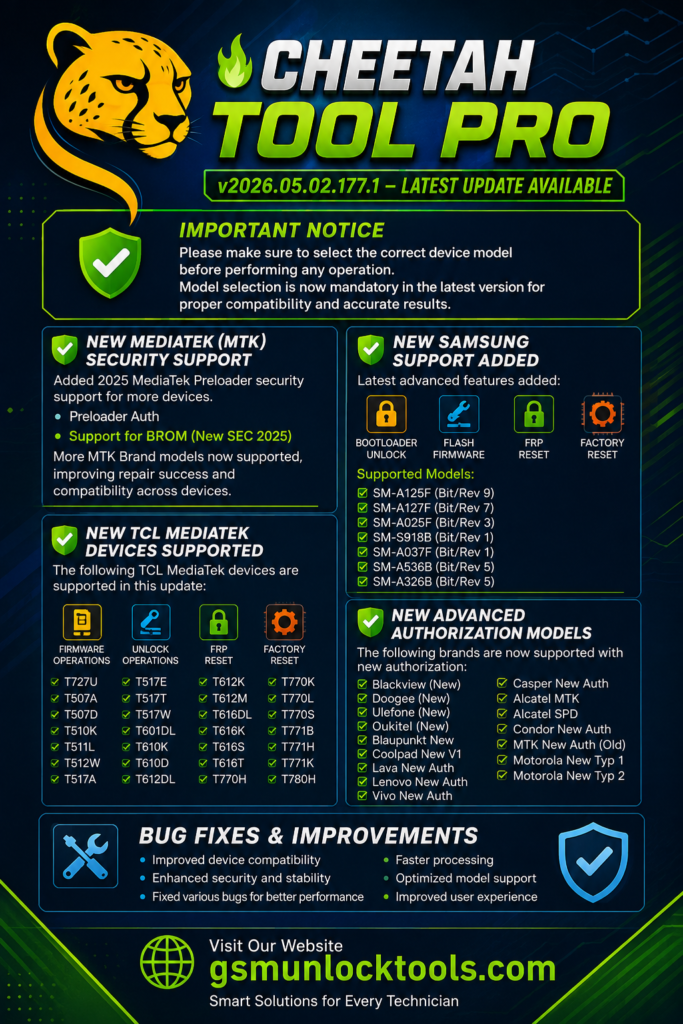
What Is The Cheetah Tool Pro?
Cheetah Tool Pro is a Windows-based Android servicing software designed for mobile repair technicians. It supports Android devices with chipsets from Qualcomm (QCOM), MediaTek (MTK), and Samsung Exynos. The tool works through ADB, Fastboot, EDL, and Download Mode to perform software repair and maintenance tasks.
It prevents Android issues, such as Factory Reset Protection (FRP) lock, screen lock removal, firmware flashing, factory reset, bootloader operations, device information reading, and supported IMEI service functions. Cheetah Tool Pro is widely used in GSM repair shops to simplify Android software servicing with a single Windows application.
Key Features of Cheetah Tool Pro
Device Unlocking
Cheetah Tool Pro removes PIN, pattern, password, and screen locks on Android devices through ADB, Fastboot, or service modes, helping technicians restore device access efficiently.
FRP Removal
When the device owner forgets their Google Account credentials after a factory reset, Cheetah Tool Pro helps remove Factory Reset Protection (FRP) on Android devices, including those from Samsung, Xiaomi, Redmi, OPPO, Vivo, Nokia, and Huawei. This makes it easier for owners to access their accounts.
Firmware Flashing
The Cheetah tool makes it easier to reinstall the firmware to manage bug fixes. It helps by fixing software issues, recovering soft-bricked devices, removing bugs, and restoring factory software. You can flash compatible firmware files, including Scatter and PAC files, on multiple devices.
Multi-Brand Support
Cheetah Tool Pro supports multiple Android brands, including Samsung, Xiaomi, Redmi, Huawei, OPPO, Vivo, Nokia, Infinix, Tecno, Google Pixel, and LG, making it suitable for a wide range of devices
ADB and fastboot support
The best feature is that it comes with ADB and Fastboot support, which makes it easier to make a connection between your devices to repair.
Device Information Reader
The tool shows you device info when you make the connection with the PC, making the repairing process easier according to device, Device Model, Android Version, Security Patch Level, IMEI Information, Build Number, Hardware Details.
Advanced Repair Functions
The Advanced Repair Function comes with additional adjustments to repair the system by resolving software errors, boot problems, firmware corruption, and other system issues.
Fast Processing Engine
The tool needs a small amount of resources for the repair process. It’s lightweight and comes with faster operations, lower resource usage, improved stability, and better performance.
Simple Dashboard
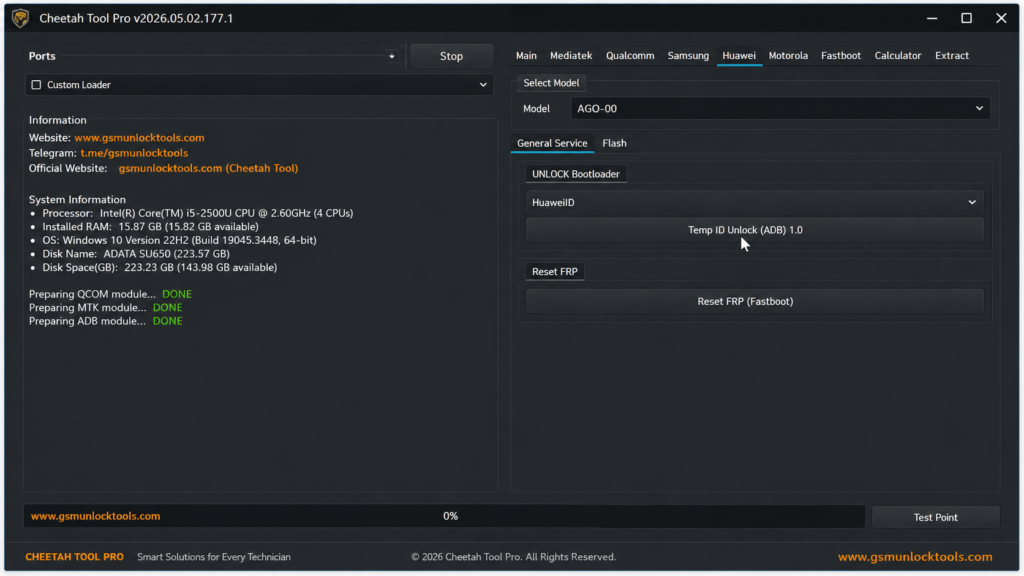
The tool has a simple, user-friendly interface that makes it easier for a beginner to operate the process efficiently.
Supported Brands and Chipsets
Cheetah Tool Pro supports popular Android brands, including Samsung, Xiaomi, Redmi, Huawei, OPPO, Vivo, Nokia, Infinix, Tecno, LG, and Google Pixel. It is compatible with MediaTek (MTK), Qualcomm, Unisoc (Spreadtrum), and Samsung Exynos chipsets for supported servicing, flashing, and maintenance operations.
Improvements & Fixes in Latest Version
The latest version comes with various improvements & fixes, including fixing various bugs, improved device compatibility, optimized model support, enhanced stability, better processing performance, and updated repair functions. Making the repair more efficient and easier.
System Requirements for Cheetah Tool Pro
| Component | Minimum Requirement | Recommended |
| Operating System | Windows 7, 8, 10, or 11 | Windows 10/11 |
| Processor | Intel Dual-Core or AMD Dual-Core | Intel/AMD Multi-Core |
| RAM | 4 GB | 8 GB or higher |
| Storage | 1 GB free disk space | 2 GB or more free space |
How to Download Cheetah Tool Pro?
- Visit gsmunlocktools.com or the official Cheetah Tool website.
- Open the Cheetah Tool Pro download page.
- Click the Download Here button.
- Ignore any advertisement download buttons.
- Wait for the download to finish.
- Locate the downloaded setup file on your Windows PC.
Also Check: KS Tool V4.6 Complete Mobile Repair Solution Free Download
Latest Updates in Version of Cheetah Tool Pro
| Version | Release Date | Key Highlights |
| V2026.06.30.183.0 | June 30, 2026 | Added firmware flashing, network unlock, carrier relock for Samsung Galaxy S25/S24, MCK Reset, security rebuild, Qualcomm and UNISOC support, plus overall stability improvements. |
| V2026.06.06.180.0 | June 6, 2026 | Introduced Samsung MediaTek V6 authorization, bootloader decode/lock functions, expanded Samsung BIT revisions, and Motorola MDM Reset support. |
| V2026.05.23.178.0 | May 23, 2026 | Added mandatory device model selection, MediaTek MT6835 security support, TCL and Alcatel firmware operations, plus authorization for Ulefone, Doogee, Oukitel, and Blackview devices. |
| V2026.05.02.177.1 | May 2, 2026 | Added 2025 MediaTek Preloader security support, Tecno, Infinix, iTel, Motorola, Xiaomi & Samsung (QDL/9008) firmware flashing, FRP Reset, Factory Reset, and Meta File Manager. |
| V2026.05.02.177.0 | May 2, 2026 | Expanded Samsung Galaxy A Series support, improved bootloader unlock, and fixed MediaTek (MTK)-related bugs. |
| V2026.04.15.176.0 | April 15, 2026 | Added Qualcomm chipset support, improved FRP reset for OPPO and realme, and enhanced firmware flashing stability. |
Conclusion
Cheetah Tool Pro v2026.05.02.177.1 is a reliable Android servicing tool for firmware flashing, FRP removal, screen lock removal, and other supported repair functions. With support for Qualcomm, MediaTek (MTK), Unisoc, and Samsung Exynos devices, it provides a practical solution for mobile technicians who need a single tool for everyday software servicing.
FAQ’s
Does Cheetah Tool Pro require a dongle or box?
No. Cheetah Tool Pro is a software-based tool that works with an active license and does not require a hardware box or dongle.
Does Cheetah Tool Pro require credits?
Yes. Some server-based functions, such as selected Xiaomi and Samsung services, require credits depending on the operation.
What should I do if Cheetah Tool Pro is not detecting my device?
Make sure the correct USB drivers are installed, use a compatible USB cable, enable the required connection mode (ADB, Fastboot, or EDL), and update to the latest version.
![MRT Tool V6.1.0 Free Download Setup for Windows Latest Version [2026]](https://gsmunlocktools.com/wp-content/uploads/2026/09/mrt-tool-v6-1-0-768x576.png)