UMT Tool v13.6 Download Setup 100% Working Solution [2026]
When your Android phone is stuck in a boot loop, shows an FRP lock, has firmware issues, or stops responding properly. UMT Tool provides a practical solution for mobile technicians and users, supporting selected Qualcomm, MediaTek, Samsung, and other Android devices. With features for FRP servicing, firmware flashing, factory reset, device information, formatting, and software repair. UMT Tool brings essential Android servicing functions together in one Windows application.
What is the UMT Tool?
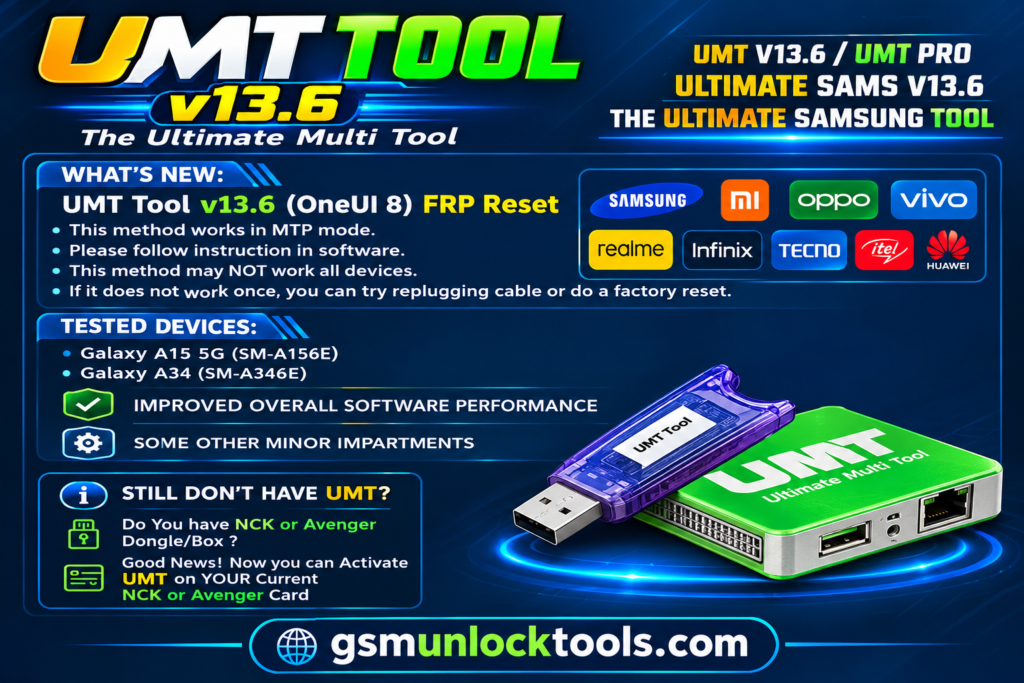
UMT GSM Tool is a Windows-based mobile servicing tool. It is designed to help mobile technicians diagnose and resolve software-related problems on supported Android smartphones. When a device faces FRP locks, screen lock issues, firmware corruption, or software errors, UMT GSM provides various servicing and repair functions. The tool supports Qualcomm, MediaTek, Samsung Exynos, Spreadtrum, and HiSilicon.
Key features of the UMT Tool
MediaTek Support
The tool includes various MTK servicing functions for supported MediaTek-powered devices. Technicians can use available options for factory reset, FRP servicing, device formatting, and other software-related operations.
Samsung FRP Servicing
UMT GSM offers selected Samsung FRP servicing functions. It helps authorized technicians handle Factory Reset Protection issues on compatible Samsung smartphones, depending on the Android version and security patch.
Screen Lock & Factory Reset
UMT GSM provides selected screen-lock servicing and factory-reset options. These functions help technicians troubleshoot lock and software issues on supported devices. Some operations may erase user data.
HiSilicon Device Support
The application also provides selected servicing capabilities for compatible HiSilicon-powered smartphones and tablets, expanding its coverage across different Android platforms.
IMEI & Network Repair
Selected UMT GSM modules include IMEI, Bluetooth address, and Wi-Fi MAC address repair functions. These advanced services should only be used for lawful repairs on devices you own or are authorized to service.
What’s new in the UMT Tool?
- Added Oppo Privacy Lock Disable functionality.
- Added Spreadtrum Enable DIAG support.
- Updated IMEI repair functions.
- Added Bluetooth address repair.
- Added Wi-Fi MAC address repair.
- Added factory reset in DIAG mode.
- Improved COM port communication.
- Added Spreadtrum USB driver to the installer.
- Improved selected Samsung FRP servicing functions.
- Added additional Motorola network repair support.
- Expanded supported device models and servicing options.
System Requirements
| Requirement | Details |
| Operating System | Windows 7 / 10 / 11 |
| Architecture | 32-bit / 64-bit |
| RAM | 4 GB minimum |
| Recommended RAM | 8 GB |
| Storage | 1–2 GB free space |
| Processor | Intel / AMD Dual-Core |
| USB Connection | Required |
| USB Drivers | Compatible Android USB drivers |
| Hardware | UMT Box or Dongle |
| Internet Connection | Required for applicable activation services |
| Password | gsmtoollab.com |
How to Download & Install the UMT Tool?
- Download the UMT Tool from a trusted source.
- Click on the download link.
- Wait until the download is complete.
- Extract all files to your Desktop.
- Open the extracted folder.
- Enable USB debugging when using ADB functions.
- Open the tool that is downloaded.
- Run the tool as an administrator.
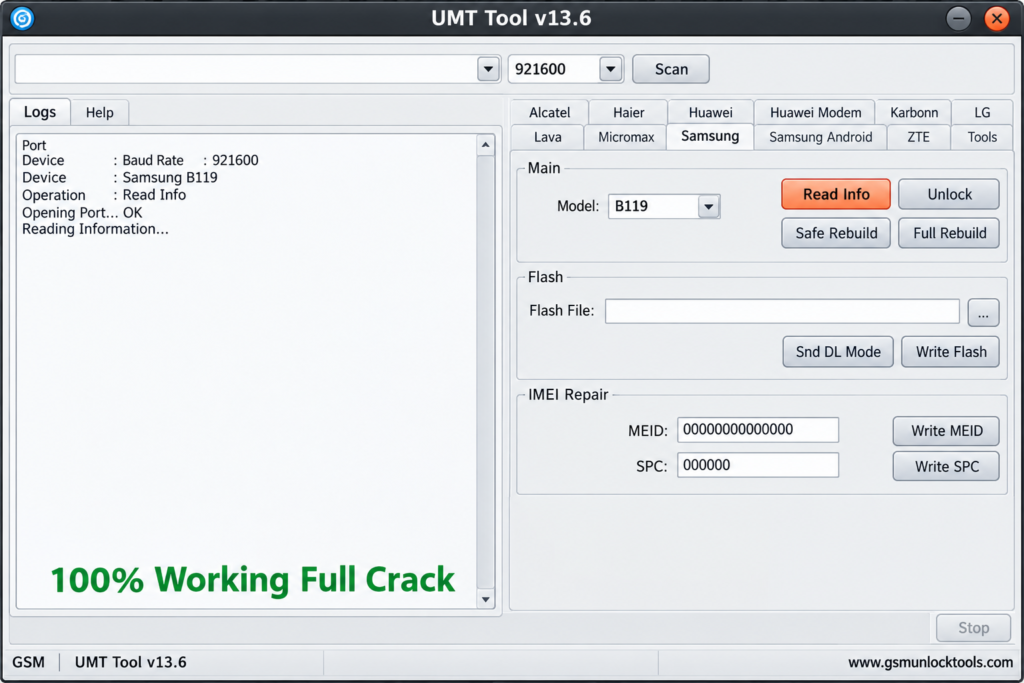
- The tool will open on your PC screen.
- Enjoy using the tool.
Pros & Cons
| Pros | Cons |
| Supports multiple chipset platforms | Requires UMT Box or Dongle |
| Qualcomm and MTK servicing | Activation may be required |
| Firmware flashing support | Compatibility varies by model |
| Multiple Android servicing functions | Requires compatible USB drivers |
| Supports Samsung and other brands | Advanced functions require technical knowledge |
| Provides different servicing modules | Some operations erase device data |
Also check: FRT Tool v1.7.5 Free Download Latest Version [2026]
Conclusion
UMT GSM Tool is an Android servicing tool. It is developed for mobile technicians and users. It provides various solutions for supported Qualcomm, MediaTek, Samsung Exynos, Spreadtrum, and HiSilicon devices. With features covering firmware flashing, FRP servicing, device formatting, factory reset, and additional maintenance operations, it offers several useful tools in one Windows application.
FAQ’s
Does UMT GSM Tool support Qualcomm devices?
Yes, it supports selected Qualcomm-powered smartphones and provides firmware flashing, FRP servicing, and other maintenance functions.
Does UMT GSM Tool support MediaTek devices?
Yes, UMT GSM includes MediaTek servicing options for compatible smartphones, including selected formatting and firmware-related operations.
Does UMT GSM Tool require a Dongle?
Yes, the GSM module requires compatible UMT Box or Dongle hardware and appropriate activation to access its functions.
Does UMT GSM Tool support Samsung devices?
Yes, it includes selected Samsung servicing functions. Available operations depend on the device model, Android version, and security level.
Is UMT GSM Tool suitable for mobile technicians?
Yes, it is designed for mobile servicing professionals and advanced users who perform authorized Android firmware repair, device maintenance, and software troubleshooting.
![GSM Flasher Tool Free Download for Windows | All Devices [2026]](https://gsmunlocktools.com/wp-content/uploads/2026/09/gsm-flasher-tool-free-download.png)