MultiFlash Tool V3.0 Free Download: Latest Version [2026]
If you are stuck with a phone that won’t boot or refuses to flash properly. That’s how difficult that moment feels. You search for a reliable tool that works without confusion. The MultiFlash tool makes things so much easier by offering many repair options in one place. It is very useful for technicians and Android users. In the end, you will know exactly how fast this tool works and how safe it is.
What is the MultiFlash Tool?
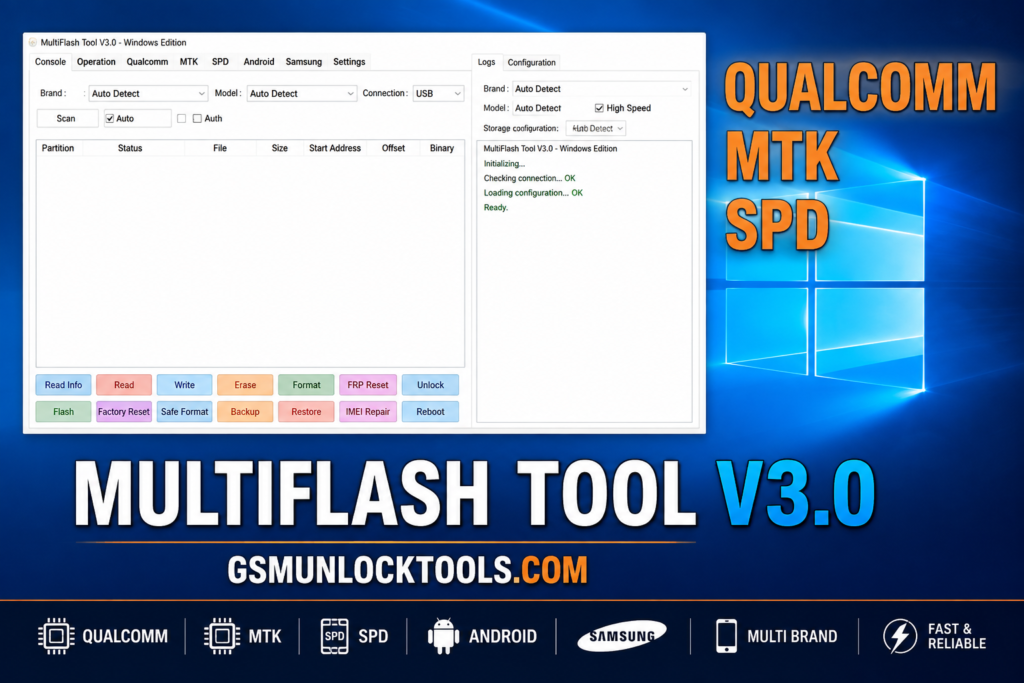
The MultiFlash Tool is a professional Android servicing utility designed to flash, read, write, and manage partitions on multiple smartphone platforms. It brings together flashing, repair, and boot‑control options for Qualcomm, MediaTek, and Spreadtrum devices in a single window. It brings many features under one interface; it saves time and reduces guesswork. In this, you can reboot, keep data, wipe data, erase partitions, or even fix FRP-related issues.
Key Features Of MultiFlash Tool
Qualcomm Platform Support
- EDL 9008 flashing
- Sahara V2/V3
- Firehose protocol support
- Automatic UFS/eMMC detection
- GPT reading
- Partition read/write/erase operations
MediaTek Platform Features
- BROM and Preloader modes
- Automatic chipset detection
- Scatter-file support
- Partition management
- Firmware flashing
- Userdata-related options
Spreadtrum / Unisoc Support
- PAC firmware handling
- Partition read/write/erase
- PAC extraction
- NV management
- IMEI-related operations.
Advanced Partition Management
- Partition management
- UFS
- eMMC storage selection
Fastboot and EDL Operations
- Slot switching
- Payload extraction
- Partition operations
- Supported FRP-related workflows.
Firmware and File Support
- XML
- PAC
- OFP
- OZIP
- Other firmware-related files
NV and IMEI Management
- Reading and writing IMEI information
- Backing up NV data
- Restoring NV data
What’s new in MultiFlash Tool
- Expanded Multi-Platform Support
- Improved Qualcomm EDL & Partition Management
- More Advanced Fastboot Functions
- Dedicated EDL Operations
- Enhanced MediaTek Platform Module
- Dedicated Spreadtrum / Unisoc Support
- NV & IMEI Management
- Built-In Driver & System Utilities
Pros & Cons
| Pros | Cons |
| Multi-Chipset Support | Advanced Operations Can Be Risky |
| Qualcomm EDL Support | Limited Official Documentation |
| MediaTek (MTK) Functions | Compatibility Varies by Device |
| Spreadtrum/Unisoc Support | Third-Party Download Sources |
| Fastboot and EDL Operations | Repetitive Competitor Content |
| Partition Management | — |
How to download the MultiFlash Tool?
- Find the file you want to download.
- Click on the download link.
- Download the file.
- Wait for the download to complete.
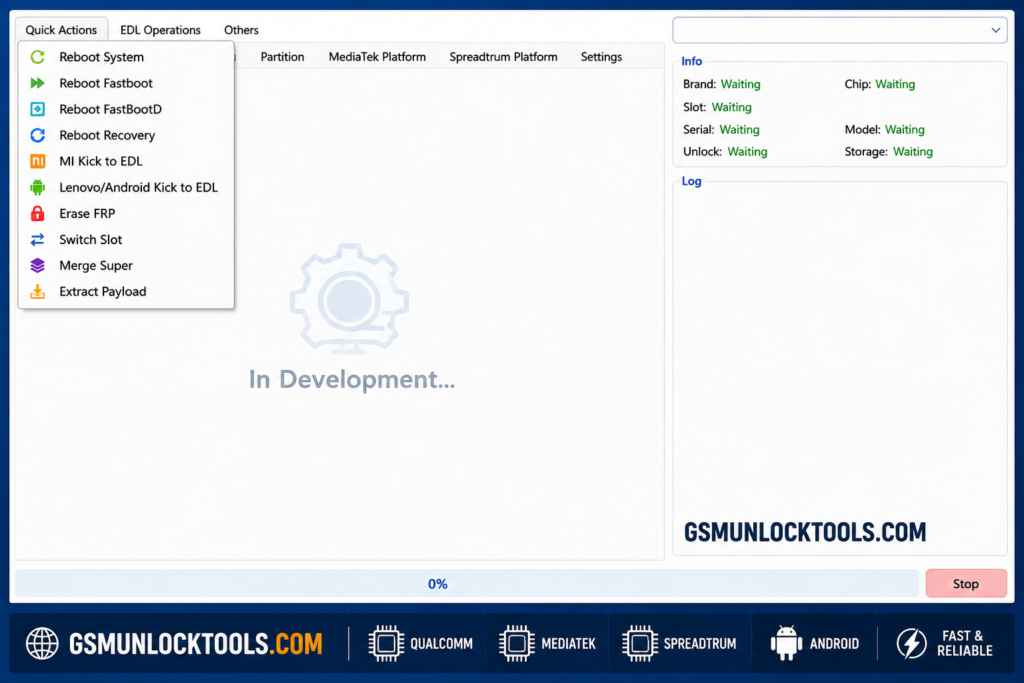
How to Use the MultiFlash Tool?
- Open the tool that is downloaded.
- Run the tool’s admin.
- The tool will open on your PC screen.
- Enjoy using the tool.
Download Information
| Information | Details |
| App Name | MultiFlash Tool |
| Latest Version | V3.0 |
| Platform | Windows / PC |
| Category | Mobile Servicing & Repair Tool |
| Content Rating | Not specified |
| App Type | Utility / Android Device Servicing |
| Primary Use | Android firmware flashing, partition management, EDL, Fastboot, and chipset-based servicing |
| Supported Platforms | Qualcomm, MediaTek (MTK), and Spreadtrum/Unisoc |
| Connection | USB |
| Target Users | Mobile Repair Technicians and Advanced Android Users |
Also check: TF AIO Tool V1 Free Setup Download by Techno Fayez
Conclusion
Multi Flash Tool is a Windows-based Android servicing utility that performs many functions. It supports workflows such as firmware flashing, partition operations, and user data handling. It is very useful for technicians and Android users. It brings many features under one interface; it saves time and reduces guesswork. With this, you can reboot, keep data, wipe data, erase partitions, or even fix FRP-related issues.
FAQ’s
Can I use this on my main personal phone?
I would suggest using it on a spare or broken phone first.
Which Chipsets Does Multiflash Tool Support?
Multiflash Tool Supports Qualcomm, MediaTek, and Spreadtrum Chipsets.
Can Multiflash Tool erase FRP locks?
Yes, Multiflash Tool includes Erase FRP and EDL Erase FRP options for supported devices.
Do I Always Need To Read GPT Before Flashing?
Reading GPT is not required, but it is strongly recommended. Reading the GPT gives you the exact partition table structure and helps you image correctly for write partition and erase partition operations.
![Sony Flash Tool V0.9.36.0 Free Download Latest Version [2026]](https://gsmunlocktools.com/wp-content/uploads/2026/09/Sony-Flash-Tool-V0.9.36.0-768x576.png)