QPST Tool v2.7.496 Download Latest Version for Windows 2026
Boot loops, EDL (Error Detection and Location) errors, and failed firmware updates can render Qualcomm Snapdragon devices unusable. The QPST Tool v2.7.496, combined with QFIL, XML firmware, and the Qualcomm HS-USB QDLoader 9008 driver, provides a trusted solution for flashing stock ROMs, software recovery, and device servicing, making it one of the most widely used Qualcomm software tools among repair technicians.
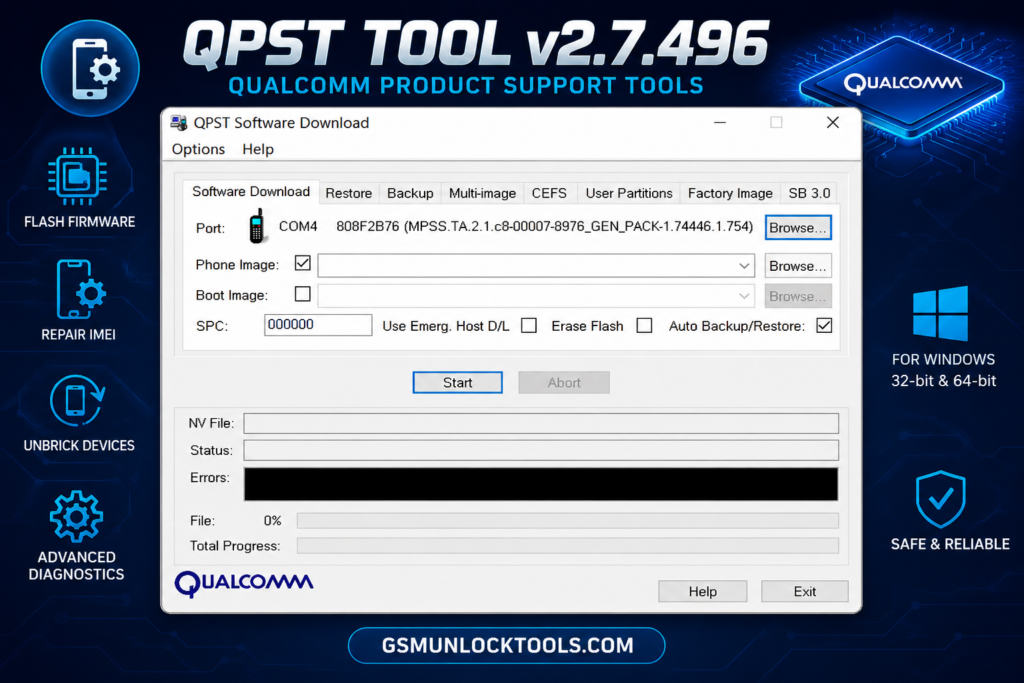
What is the QPST Flash Tool v2.7.496?
QPST flash tool is a Windows software for Qualcomm Snapdragon devices. It allows you to flash XML firmware, restore stock ROM, repair software issues, remove FRP, and diagnose devices using QFIL, EDL (Qualcomm HS-USB QDLoader 9008), and Diagnostic Mode. Technicians use the QPST Tool to recover boot loops, unbrick supported smartphones, and flash firmware on Qualcomm-powered Android devices.
When is the QPST Tool v2.7.496 required?
Use the QPST Tool when Fastboot can’t flash firmware or your Qualcomm Snapdragon device requires EDL Mode for recovery. It is used to restore stock firmware, fix boot loops, unbrick devices, and recover Qualcomm smartphones when standard flashing tools or OEM utilities are not supported.
Key Features of the QPST Tool v2.7.496
Firmware flashing
QPST Tool, you flash stock firmware on Qualcomm Snapdragon devices using QFIL and XML firmware files. It helps update or restore firmware, restore the original operating system, fix boot loops, resolve software errors, and recover devices that fail to boot after an update or firmware corruption.
Device Programming
QPST Tool includes Service Programming and RF NV Manager to read and manage NV (Non-Volatile) data on Qualcomm Snapdragon devices. These software tools help technicians configure network settings, restore device parameters, and perform audit programming during software servicing.
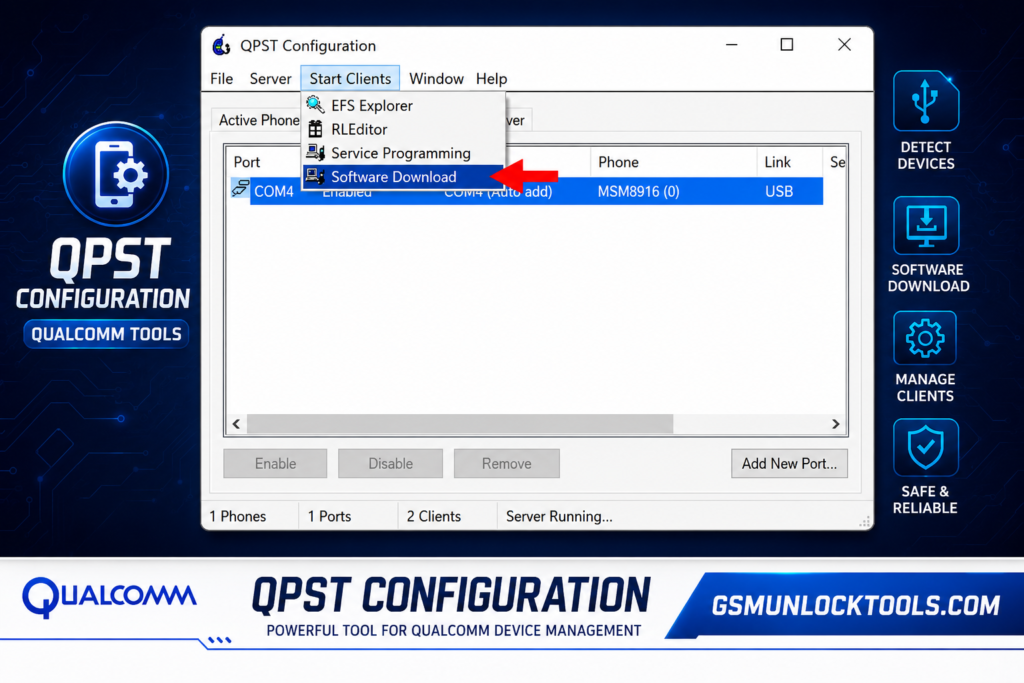
QPST Configuration
QPST Configuration lets you detect connected Qualcomm Snapdragon devices, monitor active clients, and manage available COM ports. It ensures stable communication between the PC and the device before firmware flashing, diagnostics, or other QPST operations.
NOR and NAND Flash Support
QPST Tool supports NOR and NAND flash memory used in Qualcomm devices. Through QFIL, it can write firmware images to flash storage, making firmware installation and software recovery easier during device servicing.
How to Download QPST Tool v2.7.496
- Download and extract the QPST Tool and your device’s stock firmware on your Windows PC from the official website.
- Install the Qualcomm HS-USB QDLoader 9008 USB Driver on your device.
- Open QFIL (Qualcomm Flash Image Loader) from the QPST package.
- Load the required Firehose Programmer, XML firmware, and other firmware files.
- Boot your Qualcomm Snapdragon device into EDL (9008) Mode and connect it via USB.
- Verify that QFIL detects the device on the correct COM port.
- Click Download to start flashing the firmware.
- Wait until the process finishes, then reboot the device.
Download information for QPST Tool v2.7.496
| Specification | Details |
| Tool Name | QPST Tool |
| Latest Version | v2.7.496 |
| File Size | 36.34 MB |
| Developer | Qualcomm |
| Supported OS | Windows 7, 8, 10, and 11 (32-bit & 64-bit) |
| Supported Chipset | Qualcomm Snapdragon |
| License | Free |
| File Password | None |
Also Check: EMC Activator v1.5.2 Reloaded Powerful MEID & GSM Tool 2026
Conclusion
QPST Tool v2.7.496 is a reliable Qualcomm servicing utility for Qualcomm Snapdragon devices. It supports QFIL, EDL (Qualcomm HS-USB QDLoader 9008), XML firmware flashing, NV data backup, and software recovery. If you need a backup stock ROM or to fix a boot loop, QPST provides a better solution for Qualcomm smartphones and tablets.
FAQ’s
Can QPST Tool Unbrick a Qualcomm Device?
Yes. QPST Tool with QFIL can recover many Qualcomm Snapdragon devices stuck in a boot loop, soft brick, or EDL (Qualcomm HS-USB QDLoader 9008) Mode by flashing the correct stock firmware and Firehose/XML files. Compatibility depends on the device model and firmware package.
Is QPST Tool Free?
Yes. QPST Tool is an official Qualcomm utility available free for servicing supported Qualcomm Snapdragon devices.
Is QPST Tool Safe to Use?
Yes. QPST Tool is safe when downloaded from a trusted source and used with the correct Qualcomm USB Driver and compatible firmware.
Which Devices Does the QPST Tool Support?
QPST Tool supports Qualcomm Snapdragon smartphones and tablets from multiple brands. It runs on Windows 7, 8, 10, and 11.
Does QPST Tool Require Qualcomm USB Drivers?
Yes. You must install the Qualcomm HS-USB QDLoader 9008 USB Driver before using QFIL or other QPST modules for firmware flashing.