Adanichell Tool V3.4 Free Download Latest Version [2026]
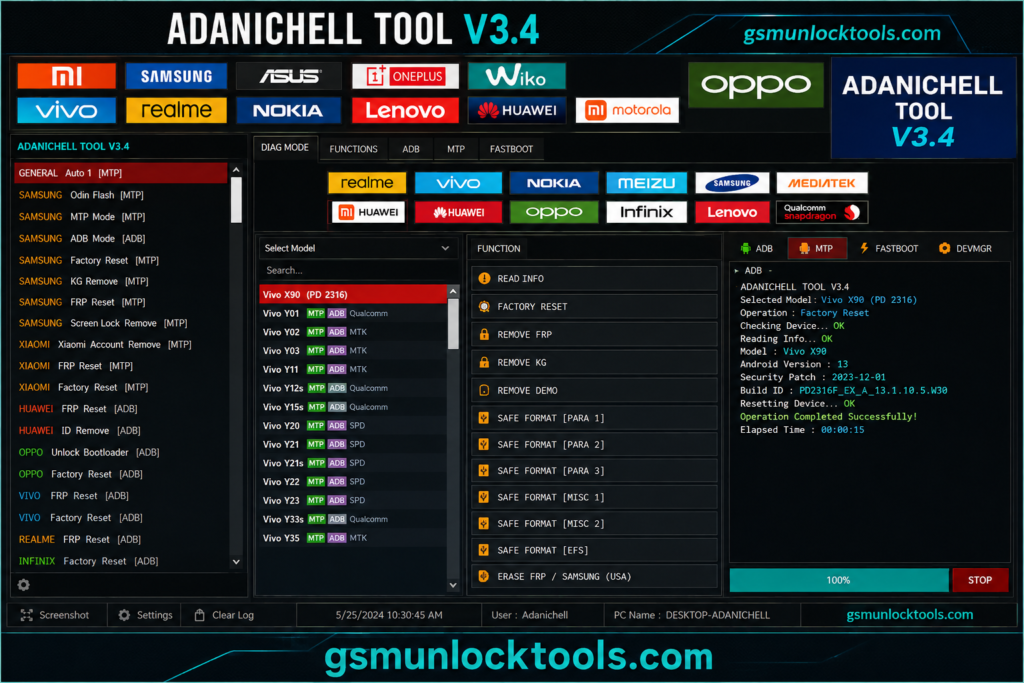
When you are facing FRP locks, bootloader errors, firmware issues, MTK errors, or a phone that will not boot, Adanichell Tool provides a solution for supported MediaTek, Qualcomm, Samsung, Xiaomi, OPPO, Realme, and other Android devices. Adanichell Tool brings Android servicing functions together in one place. With support for selected MTK and Qualcomm devices, users can access features such as FRP servicing, safe format, factory reset, bootloader operations, firmware flashing, partition management, MTP servicing, and EDL functions.
What is the Adanichell Tool?
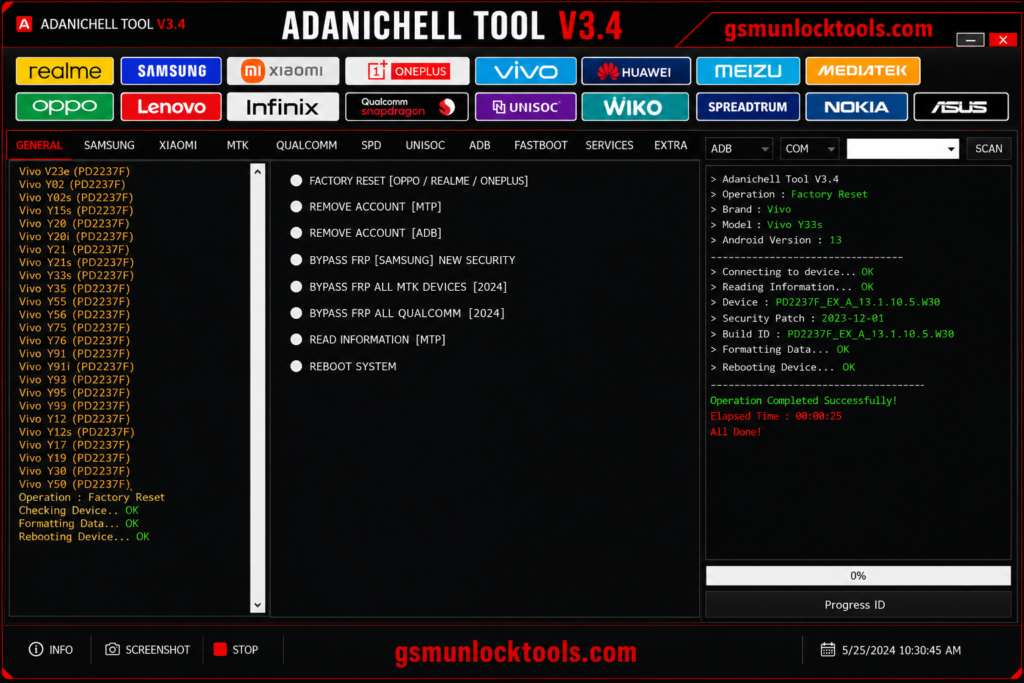
Adanichell Tool is a multi-brand Android servicing tool. It combines MTK, Qualcomm, MTP, Fastboot, and EDL functions in one interface, so users can manage different device operations without constantly switching between separate programs. Its actual features depend on the device model and security level.
Key Features of Adanichell Tool
MediaTek Device Support
Adanichell Tool MTK section is designed for compatible MediaTek smartphones. It can provide tools for detecting devices, checking information, accessing supported boot modes, and carrying out selected formatting and servicing operations.
FRP Servicing
Adanichell provides FRP-related servicing options for compatible Android phones. The available functions depend on the device model, Android release, security level, and chipset.
User Data & Factory Reset
Adanichell Tool handles user data and factory resets on supported devices. It can be useful during software troubleshooting, device preparation, and certain repair workflows.
Bootloader Options
Adanichell offers bootloader-related functions, including supported unlock and relock operations. Users can use these options when a device’s software maintenance procedure requires bootloader access.
Qualcomm Servicing
Adanichell also provides a Qualcomm module for supported Snapdragon-powered devices. Depending on the model, users may find connection, device information, firmware, and other software servicing functions.
EDL Mode Functions
Adanichell Tool is compatible with Qualcomm phones and can be accessed through Emergency Download (EDL) mode for supported servicing workflows. EDL functions can be useful when normal Android or Fastboot communication is unavailable.
Firmware & Flashing Tools
The firmware section is designed for software installation and device recovery tasks on compatible models. Technicians can work with supported firmware packages when resolving software corruption, boot issues, or failed updates.
Partition Tools
Adanichell provides utilities for working with device partitions and GPT information on supported hardware. Depending on the device, available functions may include reading partition information, backup-related operations, and selected partition management tasks.
Vivo Device Options
The tool also includes servicing functions for selected Vivo smartphones. Available operations can differ between models and software versions, so they should be checked before starting a procedure.
Demo Device Support
Adanichell includes demo-device servicing options for certain supported OPPO and Vivo models. Whether a particular demo-related function works depends on the device generation and installed software.
Device Information & Diagnostics
Adanichell uses supported tools to determine the appropriate servicing method before making software changes.
What’s New in Adanichell Tool?
- Multi-brand Android device support
- MTK Universal servicing tools
- Boot Information and GPT functions
- Meta Mode support
- Multiple FRP servicing options
- Samsung MTP servicing
- Xiaomi device servicing features
- OPPO and Realme Download Mode repair
- Demo-device servicing functions
- Partition management tools
- NV and Persist operations
- Qualcomm device servicing
- EDL mode-related functions
- Bootloader unlock and relock options
Pros & Cons
| Pros | Cons |
| Supports multiple Android brands in one servicing tool. | Some functions are limited to specific device models and Android versions. |
| Includes MTK, Qualcomm, MTP, Fastboot, and EDL-related functions. | Requires a Windows PC for operation. |
| Offers FRP, firmware, partition, and bootloader servicing options. | Compatible USB drivers may be required for different devices. |
| A simple interface makes common servicing tasks easier to access. | Newer security patches may affect certain servicing functions. |
| Useful for both routine diagnostics and software repair workflows. | Incorrect firmware or partition operations can cause device software issues. |
How to Download the Adanichell Tool?
- Download Advance Turbo Flasher Tool v12.70.
- Click on the download link.
- Wait until the download is complete.
- Extract all files to your Desktop
- Open the extracted folder
- Enable USB debugging when using ADB functions.
- Open the tool that is downloaded.
- Run the tool as admin.
- The tool will open on your PC screen.
- Enjoy using the tool.
System Requirements
| Requirement | Minimum |
| Operating System | Windows 7 / 8 / 10 / 11 |
| Architecture | 32-bit / 64-bit |
| RAM | 2 GB or more |
| .NET Framework | .NET Framework 4.0 or later |
| Connection | USB port for connecting the Android device |
| USB Drivers | Compatible device USB drivers may be required |
| Storage | Sufficient free space for the tool and required firmware files |
| Android Modes | MTP, Fastboot, Meta Mode, or EDL, depending on the required operation |
| Additional Hardware | No special box is generally required for basic software functions; hardware requirements may vary by servicing operation |
Also check: SAM SKIP TOOL v47 Free Download: ADB, MTP, & FRP Solutions
Conclusion
Adanichell Tool is a multi-brand Windows software. It combines MTK, Qualcomm, MTP, Fastboot, and EDL functions in one interface, so users can manage different device operations without constantly switching between separate programs. Its actual features depend on the device model and security level.
FAQ’s
Can Adanichell Tool fix a dead phone?
It includes selected service and firmware functions for compatible devices, including specific Oppo and Realme DL repair options. However, success depends on the exact model and cause of the failure.
Is Adanichell Tool completely free?
Yes, the official setup file is totally free for anyone to download right now. You do not need to buy any server credits to use the main servicing features.
How do I fix a dead OPPO with this software?
Open the service section and select the appropriate Fix DL OPPO option for your supported phone model. Connect the device to your PC and follow the tool’s instructions for the required servicing process.
Can this tool bypass a locked Mi account?
The dashboard includes Xiaomi-related servicing options for supported devices. Available functions depend on the specific model, software version, security level, and supported service mode.