SAM SKIP TOOL v47 Free Download: ADB, MTP, & FRP Solutions
Locked Samsung phones, FRP errors, MTP connection failures, and ADB issues can slow down everyday Android servicing. SAM SKIP Tool v47 offers MTP, ADB, FRP reset, driver fixes, and Download Mode support in one Windows utility, helping technicians handle common Samsung Galaxy and Huawei servicing problems more efficiently.
What is SAM SKIP TOOL v47?
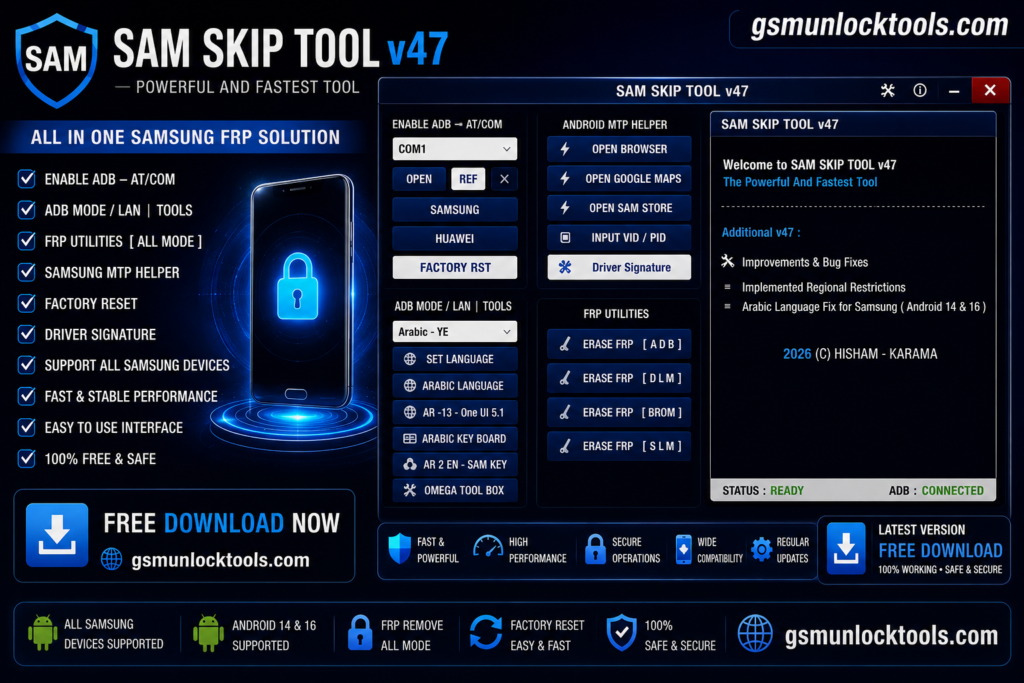
The SAM SKIP TOOL is Windows software used for Android servicing. The tool works on mobile brands, including Samsung Galaxy and Huawei Android devices & uses various modes to connect to the device, such as ADB, Fastboot Mode, COM Port, etc. The tools works on FRP Lock, MTP Connection Problems, and Restricted System problems faced by technicians in their daily routine.
Key Features Of SAM SKIP Tool
Enable ADB
The ADB Mode helps build a bridge between the mobile and PC, enabling a better, more reliable connection.
FRP Reset & Erase Options
The tool allows technicians to bypass the FRP locks and recover the data after a factory reset and reboot.
VID (Vendor ID) / PID (Product ID) Input Support
These IDs tell your computer’s operating system exactly what hardware is plugged in, so it can assign the correct communication drivers.
Driver Signature Fix
It is designed specifically to solve Windows-side driver blockages that stop your system from communicating with the device.
Bit-Level Binary Selection
The diagnostic feature allows technicians to select specific firmware bit levels, such as Bit 1 for the A7 model.
Brand support
The SAM TOOL mainly supports Samsung and Huawei devices to operate and fix problems.
Download Information
| Specification | Details |
| Tool Name | SAM SKIP Tool |
| Latest Version | v47 |
| File Size | Approx. 140 MB |
| Platform | Windows PC |
| License | Full Version / Free |
| Main Purpose | Samsung FRP & Android Servicing |
| Supported Modes | ADB, MTP, Download Mode, DM Mode |
| Main Functions | FRP Reset, ADB Enable, MTP Helper, Factory Reset |
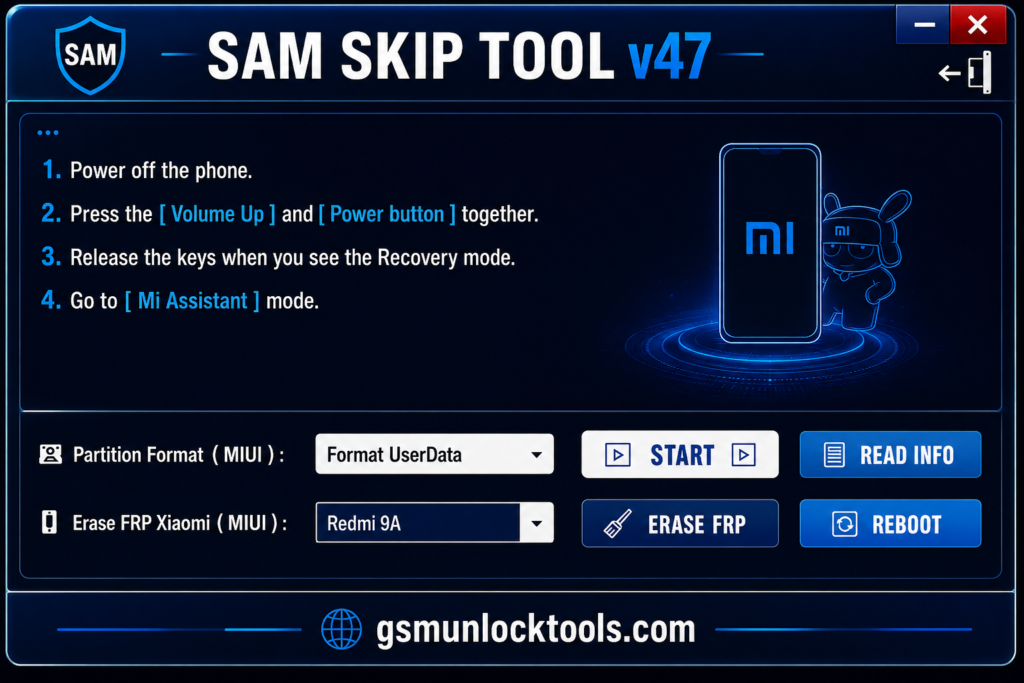
| Device Support | Mainly Samsung; some versions include Xiaomi/Huawei utilities |
| Release Status | Updated in 2026 |
Also check: Phantom Tool V1.0 Free Download: Latest Version [2026]
How To Download & Install SAM SKIP Tool?
- Download the Latest version of the SAM SKIP Tool from a trusted source or download it from the given link.
- Extract the ZIP/RAR package.
- Install the required Android USB drivers.
- Run the tool as Administrator.
- Connect your Android device using a USB cable.
- Select ADB, MTP, or the required mode.
- Perform the required operation.
Pros and Cons
| Lightweight software | Proper drivers are required |
| Easy-to-use interface | Mainly focused on Samsung devices |
| ADB and MTP support | Limited compatibility with other brands |
| Useful FRP utilities | Advanced functions require technical knowledge |
| Language management options | — |
| Helpful for Samsung technicians | — |
| Built-in Android shortcuts | — |
Conclusion
SAM Skip Tool is a practical solution when you are repairing Samsung and Huawei devices. It is specifically designed for these two brands provide a reliable solution for routine work. The SAM Skip Tool Lst updated in 2026, and the developers improved issues including Regional Restrictions, Arabic Language Fix, Arabic language fixes up to Android 14 and 16, making it an ideal solution for repairs.
FAQ’s
Can SAM SKIP Tool remove Samsung FRP?
Yes. FRP removal is one of its main reported functions. Depending on the version and device, it may provide FRP operations through ADB, MTP, Download/DM modes, or other supported service modes.
Does the SAM SKIP Tool work on all Samsung phones?
No. Compatibility varies by Samsung model, Android version, security patch, chipset, and available service mode. Community posts show specific Samsung models being tested rather than universal support.
Can SAM SKIP Tool enable ADB when USB debugging is disabled?
Some versions include ADB Enable via AT Command and related ADB utilities. This is particularly useful when a Samsung device is not normally exposing ADB during servicing.
Does SAM SKIP Tool support MTP mode?
Yes. Recent versions include Android MTP Helper and MTP device-detection functions. Version 42, for example, was reported to include fixes for device-information reading in MTP mode.
What should I do if SAM SKIP Tool does not detect my Samsung phone?
First, check the USB cable, Samsung/Android USB drivers, connection mode, COM port, and device mode. Some releases also include options such as COM port selection, VID/PID input, and driver-signature fixes.