MDM Fix Tool v1.1.0.2 Free Download Latest Version [2026]
If your smartphone is facing Android MDM locks, Samsung KG restrictions, IT Admin limitations, or other software-related issues. MDM Fix Tool offers various servicing solutions for compatible smartphones. It supports chipsets, including Samsung, Xiaomi, Qualcomm, and MediaTek. With features such as MDM servicing, FRP reset, ADB operations, firmware flashing, DIAG functions, and device maintenance. It helps handle different Android software servicing tasks.
What is the MDM Fix Tool?
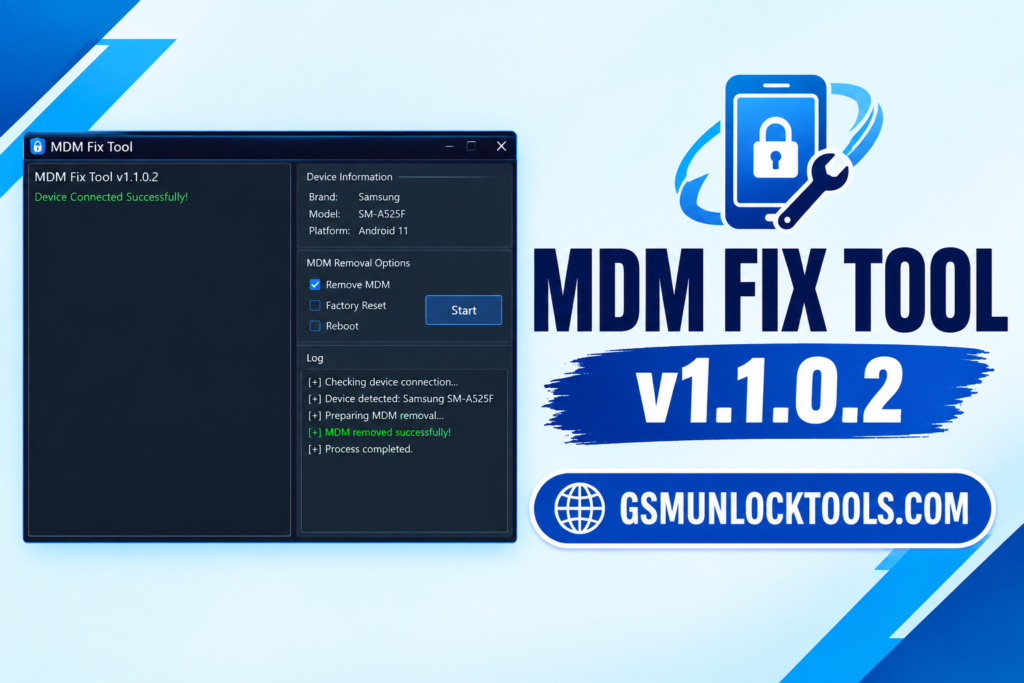
MDM Fix Tool is a Windows-based Android servicing tool. It is developed for mobile technicians and users. It provides functions for handling supported MDM restrictions, Samsung Knox Guard, IT Admin locks, FRP issues, and firmware-related problems. The tool supports different connection modes, including ADB, MTP, Fastboot, and EDL.
Key features of the MDM Fix Tool
Samsung KG Operations
It includes Samsung Knox Guard-related servicing options. It supports selected KG operations on compatible Samsung smartphones.
IT Admin Removal
The tool offers a function to bypass supported IT Admin restrictions. It helps service compatible devices with limitations in organization management.
ADB & MTP Support
The tool supports ADB and MTP connection modes for device communication. It allows technicians to connect and perform supported servicing operations.
EDL & 9008 Support
The tool includes Qualcomm EDL-related servicing operations. It supports selected emergency download and device repair functions.
Xiaomi Servicing
The tool includes Mi Account, FRP, and other supported Xiaomi functions. It provides additional servicing options for compatible Xiaomi models.
DIAG Functions
The tool includes DIAG-related operations for supported smartphones. Helps technicians perform selected diagnostic and maintenance tasks.
What’s new in the MDM Fix Tool?
- Expanded Samsung KG servicing support
- Updated MDM-related functions
- Improved IT Admin servicing options
- Enhanced Qualcomm EDL support
- Updated Xiaomi Mi Account functions
- Additional MediaTek servicing options
- Improved ADB and MTP operations
- Expanded Android device compatibility
System Requirements
| Requirement | Details |
| Operating System | Windows 7/10/11 |
| Architecture | 64-bit recommended |
| RAM | 4 GB minimum |
| Recommended RAM | 8 GB |
| Storage | 1–2 GB free |
| Processor | Intel / AMD Dual-Core |
| USB Connection | Required |
| Drivers | Compatible USB drivers |
How to Download & Install the MDM Fix Tool?
- Download the MDM Fix Tool from a trusted source.
- Click on the download link.
- Wait until the download is complete.
- Extract all files to your Desktop.
- Open the extracted folder.
- Enable USB debugging when using ADB functions.
- Open the tool that is downloaded.
- Run the tool as an administrator.
- The tool will open on your PC screen.
- Enjoy using the tool.

Pros & Cons
| Pros | Cons |
| Supports multiple Android brands | Some functions require activation |
| Samsung KG and MDM servicing | Compatibility varies by model |
| MTK and Qualcomm support | Requires compatible USB drivers |
| Multiple connection modes | Advanced functions need technical knowledge |
| Firmware and FRP servicing | Some operations require an internet connection |
Also check: HalabTech Tool v1.1 Free Download for MTK & Qualcomm [2026]
Conclusion
MDM Fix Tool is a multi-functional Android servicing tool. It offers various solutions for supported Samsung, Xiaomi, and other Android devices. With features covering MDM servicing, KG operations, FRP reset, firmware flashing, ADB, EDL, and MTK/Qualcomm support, it provides mobile technicians with several device maintenance options.
FAQ’s
Does MDM Fix Tool support Samsung devices?
Yes, it provides various Samsung servicing functions, including supported KG, MDM, and FRP operations.
Does this tool support Xiaomi?
Yes, selected versions include Xiaomi Mi Account, FRP, and other servicing functions.
Does MDM Fix Tool support Qualcomm?
Yes, it offers selected Qualcomm servicing functions, including EDL-related operations.
Does it support MediaTek devices?
Yes, certain versions provide MediaTek chipset-related servicing functions.
Can MDM Fix Tool remove MDM locks?
It includes MDM servicing functions for compatible devices, subject to authorization and device restrictions.
Is MDM Fix Tool suitable for mobile technicians?
Yes, it is designed for mobile technicians and advanced users who perform authorized Android software servicing and maintenance.
![QCN Tool V1 Free Download for QCN Edit & IMEI [2026]](https://gsmunlocktools.com/wp-content/uploads/2026/09/QCN-Tool-V1-Free-Download-for-QCN-Edit-IMEI-2026-768x576.png)
![IMEI Write Tool R3.0.0001 Free Download for Windows [2026]](https://gsmunlocktools.com/wp-content/uploads/2026/09/imei-write-tool-r3-0-0001-768x576.png)