Miracle Advanced Android Tool V1.35 Free Download for windows [2026]
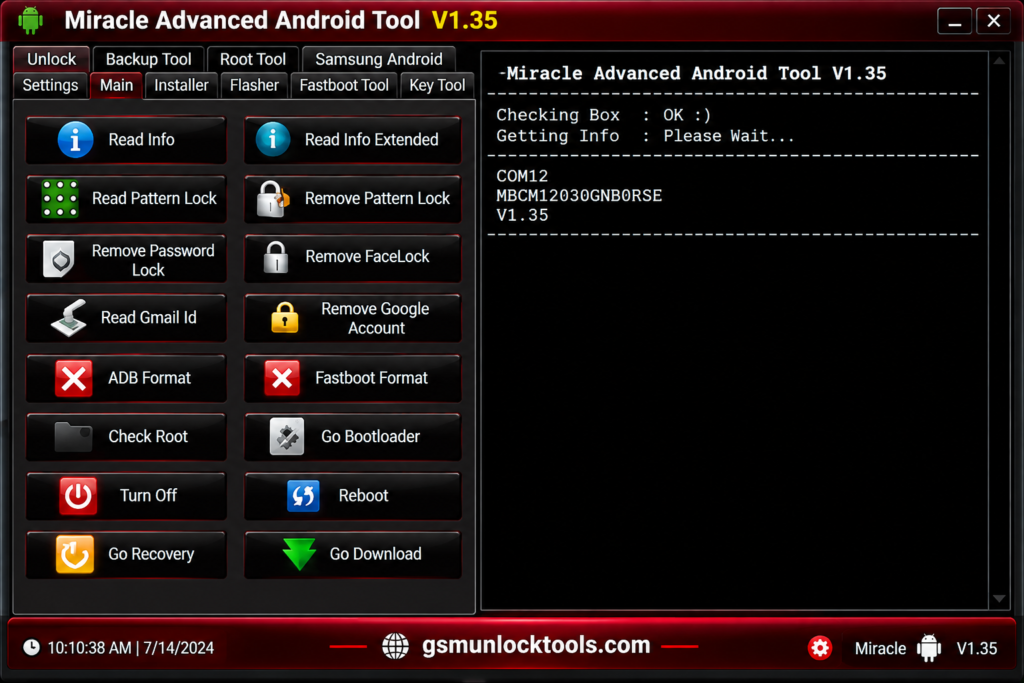
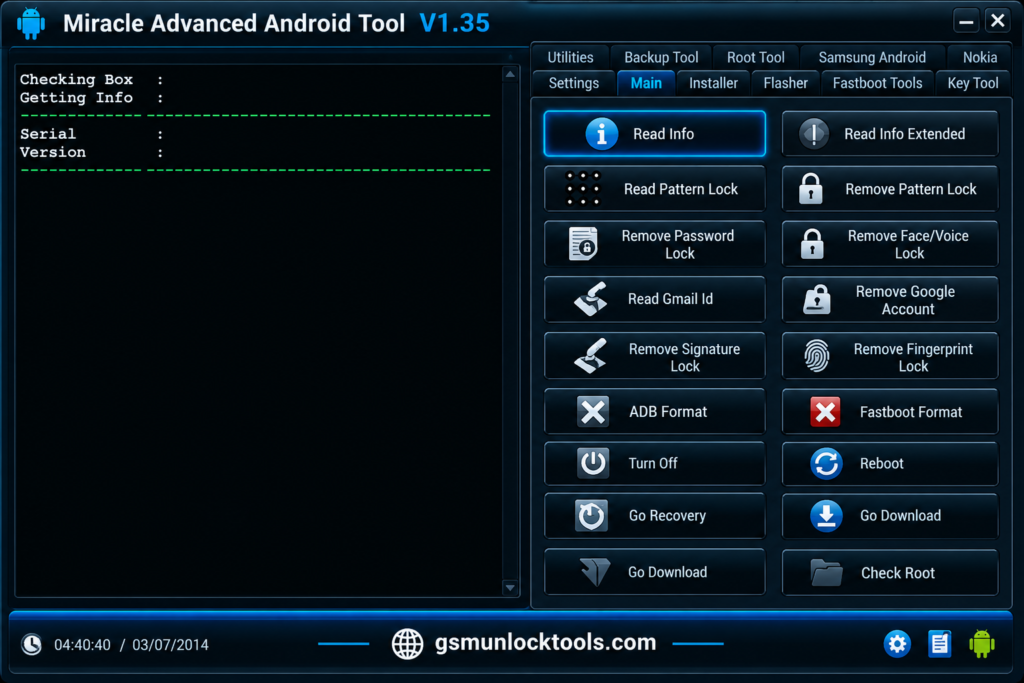
When you are dealing with forgotten screen locks, FRP or Google account locks, software errors, boot issues, or Android servicing tasks. It can make device repair slow and difficult. Miracle Advanced Android Tool provides an all-in-one Windows solution. It brings essential tools for reading device information, servicing supported patterns, PINs, passwords, fingerprints, face, and voice locks, handling FRP and Google account operations, formatting through ADB and Fastboot, entering recovery mode, and maintenance workflows.
What is the Miracle Advanced Android Tool?
Miracle Advanced Android Tool is a Windows-based Android repair and servicing tool. It is designed for mobile repair technicians and advanced Android users. It provides a set of tools for diagnosing and maintaining Android devices, including device information reading, supported screen-lock servicing, FRP and Google account operations, ADB and Fastboot functions, recovery mode, root-status checking, firmware flashing, and backup and restore tasks.
Key Features of the Miracle Advanced Android Tool
Device Information
The tool reads essential information from compatible Android devices. Get useful hardware and software details to identify the connected device.
Screen Lock Servicing
Miracle Advanced Android Tool manages supported pattern, PIN, password, fingerprint, face, and voice lock operations. Simplify common screen-lock servicing tasks on compatible devices.
Recovery Mode
The tool easily reboots compatible devices into recovery mode for troubleshooting and maintenance. Useful for performing supported software repair and recovery operations.
Root Status Check
The tool checks whether an Android device has active root access. Quickly verify the current root status before performing supported servicing tasks.
Firmware Flashing
The tool performs supported firmware and software maintenance operations. Flash compatible software files to help resolve certain Android system and software issues.
Backup & Restore
The tool backs up and restores supported device data and software components. Helps protect important information during compatible repair and maintenance procedures.
What’s New in the Miracle Advanced Android Tool?
- Improved Device Detection
- Enhanced Screen Lock Support
- FRP & Google Account Tools
- ADB & Fastboot Functions
- Recovery Mode Support
- Root Status Checking
- Firmware Flashing Support
- Backup & Restore Options
- Better Android Servicing Workflow
System Requirements
| Requirement | Minimum / Recommended |
| OS | Windows 7, 8, 8.1, 10, or 11 |
| Processor | Intel or AMD Processor |
| RAM | 2 GB or higher |
| Storage | 500 MB of free space |
| USB Port | Required |
| USB Drivers | Android / ADB / Fastboot Drivers |
| Internet Connection | Recommended for downloads and updates |
How to Download & Install the Miracle Advanced Android Tool?
- Download the Miracle Advanced Android Tool from a trusted source.
- Click on the download link.
- Wait until the download is complete.
- Extract the downloaded ZIP/RAR file on your PC.
- Install the required Android USB, ADB, or Fastboot drivers for your device.
- Open the Miracle Advanced Android Tool.
- Connect the compatible Android device to your computer using a reliable USB cable.
- Run the tool as an administrator.
- The tool will open on your PC screen.
- Enjoy using the tool.
Pros & Cons
| Pros | Cons |
| Easy-to-use Windows interface | Device support may vary |
| Multiple Android servicing tools | Some features may require specific drivers |
| Supports ADB & Fastboot functions | Compatibility can depend on Android version |
| Includes backup and restore options | Some operations may require technical knowledge |
| Useful for mobile repair technicians | Not all devices support every feature |
| Provides multiple tools in one application | Firmware files may need to be sourced separately |
Also check: CMD Tool v3.01 Free Download for Android ADB Tuning [2026]
Conclusion
Miracle Advanced Android Tool is a practical Windows-based solution for Android repair and servicing, offering features such as device information reading, lock servicing, FRP operations, ADB/Fastboot functions, recovery access, firmware maintenance, and backup and restore. For mobile repair technicians and advanced Android users, it brings multiple servicing utilities together in one convenient tool.
FAQ’s
Can I use it to read device information?
Yes, you can use the device information feature to identify supported connected Android devices.
Does Miracle Advanced Android Tool support FRP servicing?
Yes, it provides supported FRP and Google account servicing functions.
Can it remove Android screen locks?
It provides supported screen-lock servicing options for compatible Android devices.
Does the tool support firmware flashing?
Yes, supported firmware flashing and software maintenance operations are available.
Does it require USB drivers?
Yes, compatible Android, ADB, or Fastboot drivers may be required for proper device detection.
Can I use the tool for Android backup and restore?
Yes, it includes backup and restore functions for supported device data and software components.
Is Miracle Advanced Android Tool easy to use?
Its interface combines multiple Android servicing functions in one place, making common repair workflows more convenient.
![IMEI Write Tool R3.0.0001 Free Download for Windows [2026]](https://gsmunlocktools.com/wp-content/uploads/2026/09/imei-write-tool-r3-0-0001-768x576.png)