
TFT Unlock Tool v6.2 Free Download for Android: Latest Version [2026]
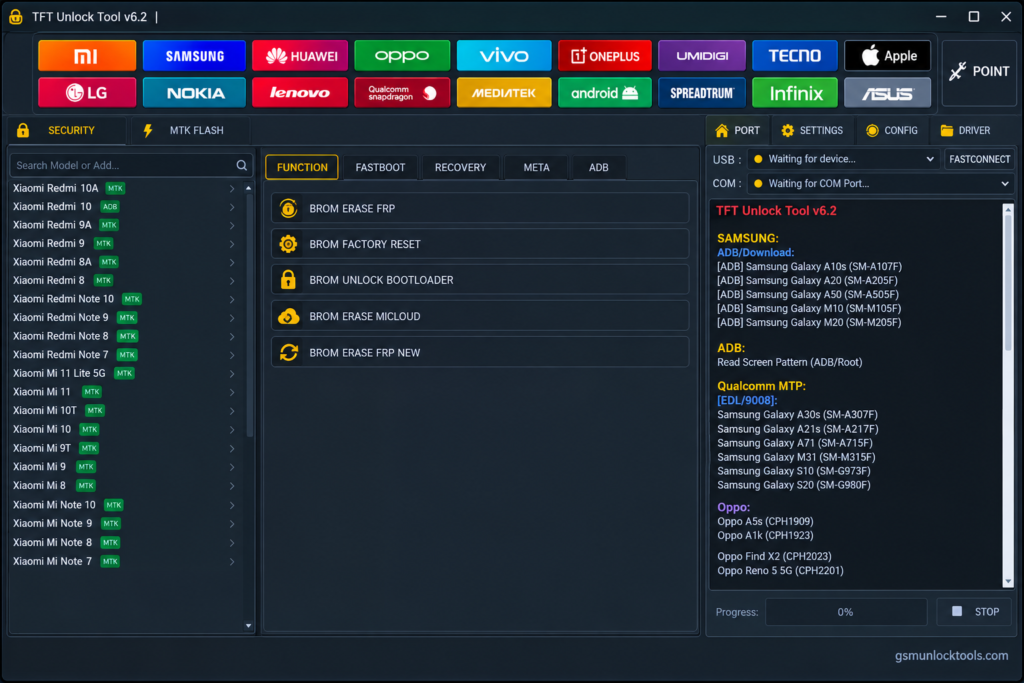
When Android phones face firmware errors, boot problems, FRP locks, or software detection issues. TFT Unlock Tool offers a Windows-based servicing solution for supported Android devices. Its features include ROM flashing, factory reset, device servicing, and selected FRP-related operations. It brings multiple repair functions into one interface.
What is the TFT Unlock Tool?
TFT Unlock Tool is a Windows-based mobile servicing tool. It helps users manage software-related issues on supported Android devices. It supports Samsung, Xiaomi, Huawei, OPPO, and Vivo. The features include firmware flashing, factory reset, device information, and selected service functions. It helps simplify Android servicing and troubleshooting tasks.
Key Features of the TFT Unlock Tool
Samsung Device Support
It provides selected servicing functions for compatible Samsung devices, helping technicians manage supported software maintenance tasks.
Xiaomi Support
The tool includes functions for selected Xiaomi devices, including supported firmware and software servicing operations.
Huawei Device Support
It offers selected maintenance features for compatible Huawei smartphones, depending on the device model and software version.
Factory Reset
The factory reset function helps restore supported devices to their default settings. This process may erase personal data.
FRP-Related Servicing
Some versions include FRP-related functions for supported devices. Use them only on devices you own or are authorized to service.
Device Connection Support
The tool communicates with compatible phones through supported connection modes. Correct USB drivers and a reliable data cable help improve device detection.
What’s new in the TFT Unlock Tool?
- Updated Samsung Device Support
- Enhanced Xiaomi Servicing Functions
- Improved FRP Servicing Options
- Updated Qualcomm Device Support
- Enhanced MediaTek Compatibility
- Improved Firmware Flashing Support
- Updated USB Device Detection
- Additional Android Device Support
System Requirements
| Requirement | Details |
| OS | Windows 7, 10, or 11 |
| RAM | 4 GB recommended |
| Processor | Intel or AMD |
| Storage | 500 MB free space |
| USB Drivers | Compatible Android USB drivers |
How to Download & Install the TFT Unlock Tool?
- Download the TFT Unlock Tool from a trusted source.
- Click on the download link.
- Wait until the download is complete.
- Extract all files to your Desktop.
- Open the extracted folder.
- Enable USB debugging when using ADB functions.
- Open the downloaded tool.
- Run the tool as admin.
- The tool will open on your PC screen.
- Enjoy using the tool.
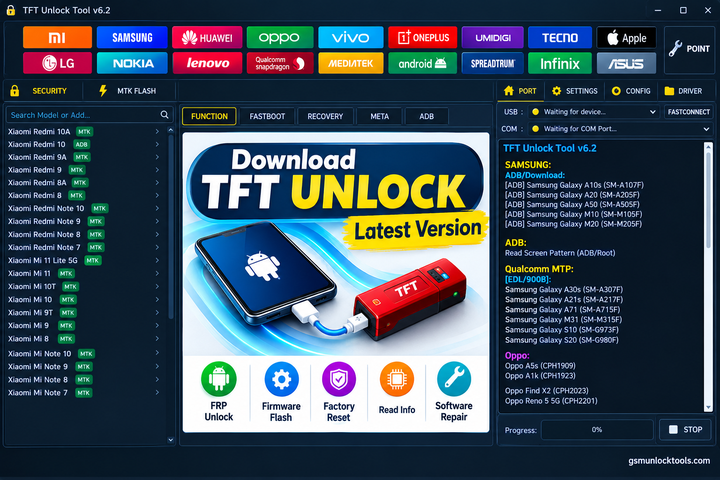
Pros & Cons
| Pros | Cons |
| Supports multiple Android brands | Limited support for some models |
| Offers stock firmware flashing | Incorrect firmware may cause errors |
| Includes factory reset functions | May erase personal data |
| Provides FRP-related servicing | Requires compatible USB drivers |
| Offers a simple Windows interface | Some features require technical knowledge |
Also check: Android Utility Tool V200.01.0001 Free Download Latest Version [2026]
Conclusion
TFT Unlock Tool is a useful Windows-based tool. Mobile technicians use it to manage software-related issues on supported Android devices. The features include firmware flashing, factory reset, device information, and selected service functions. It simplifies common repair tasks across multiple brands.
FAQ’s
What is TFT Unlock Tool used for?
It is used for Android device servicing, firmware flashing, factory reset, and selected software repair operations.
Is TFT Unlock Tool available for Windows?
Yes, this tool is a Windows-based application for compatible Android servicing tasks.
Can this tool read device information?
Supported versions may provide device information features to help identify a connected phone.
What is the purpose of the TFT Unlock Tool dashboard?
The Tool dashboard provides access to the application’s available servicing features and supported device operations.
Can TFT Unlock Tool identify a phone’s chipset?
It may display device or chipset information when the connected phone and selected connection mode are supported.
What Should I Do If TFT Unlock Tool Does Not Detect My Phone?
Check the USB cable, USB port, device connection mode, and required drivers. Reconnect the phone and restart the application if necessary. Also, confirm that your device and selected operation are supported by the installed version.
![Easy Multi Tool v1.2.0: Download the Latest Version for Windows [2026]](https://gsmunlocktools.com/wp-content/uploads/2026/08/easy-multi-tool-v1-2-0-768x576.png)
![Xiaomi Tool V2026.01.18 Free Download Latest Version [2026]](https://gsmunlocktools.com/wp-content/uploads/2026/09/xiaomi-tool-v2026-01-18-768x576.png)

One Comment