SamXTool V1.0.0 Free Download for Samsung Android 16 FRP [2027]
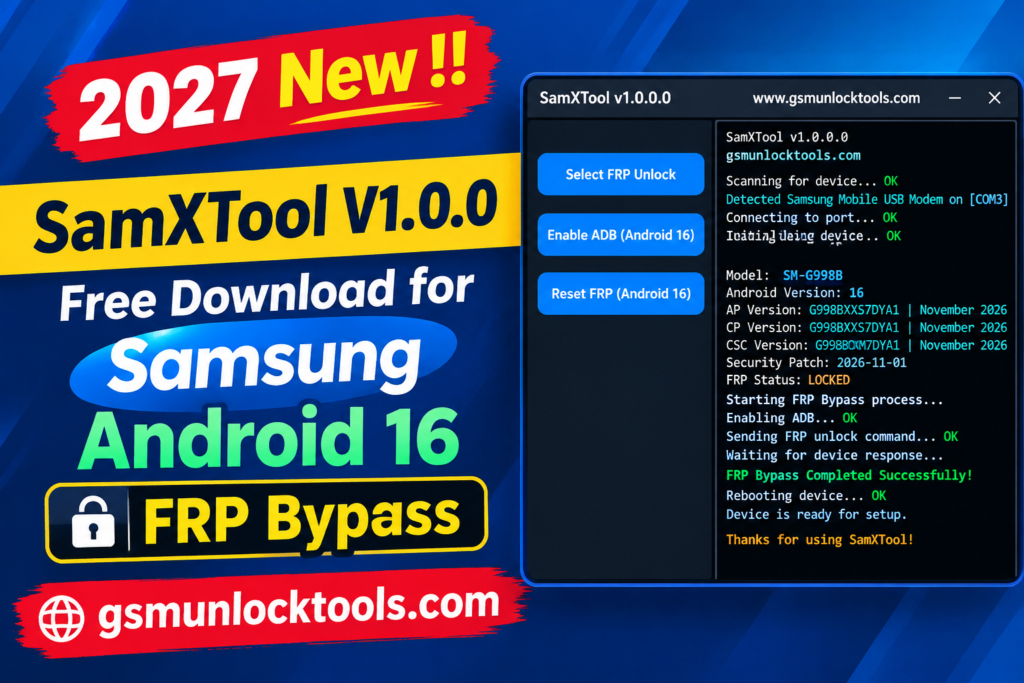
If your Samsung Galaxy phone has an FRP lock after a factory reset or won’t complete setup without the previously synced Google account, SamXTool is a Windows-based Samsung servicing tool. It offers FRP-related functions for supported devices, including Direct FRP Unlock, Enable ADB for Android 16, and Wipe FRP for Android 16.
What is SamXTool?
SamXTool is a Windows-based Samsung mobile servicing tool. It is designed to help users handle supported FRP issues. It offers features such as Direct FRP Unlock, enables ADB on Android 16, and Wipes FRP on compatible Samsung devices. The tool supports phones running newer Android versions and security updates.
Key Features of SamXTool
Direct FRP unlock
The tool advertises a Direct FRP Unlock function for supported Samsung smartphones. Compatibility depends on the device model and security patch level.
Samsung device support
The tool is designed primarily for compatible Samsung Galaxy smartphones. Not every Samsung model or Android version is guaranteed to work.
Recent security update support
The tool is promoted for Samsung devices with newer security updates, including the January 2026 security patch. Actual compatibility has not been verified across all devices.
Device detection
The advertised device recognition is for supported Samsung phones connected to a Windows PC. Proper USB drivers may be required for successful detection.
Windows-based utility
The tool runs on a compatible Windows computer for Samsung mobile servicing operations. Users should verify software compatibility before installation.
What’s New in SamXTool?
- Direct FRP Unlock option for supported Samsung devices
- Enable ADB function for Android 16
- Wipe FRP function for Android 16
- Advertised support for newer Samsung security updates
- Samsung device servicing improvements
- Windows-based interface for FRP-related operations
System Requirements
| Requirement | Specification |
| OS | Windows 10 or 11 |
| Processor | Intel or AMD processor |
| RAM | Sufficient memory to run the tool |
| Storage | Free disk space for tool files |
| USB drivers | Compatible Samsung USB drivers |
| Device compatibility | Supported Samsung Galaxy device |
| Android version | Supported Android version and security patch |
How to Download & Install SamXTool?
- Visit a trusted source and download the SamXTool v1.0.0 package.
- Unzip the package into a folder on your Windows PC.
- Check the downloaded files with security software before opening them.
- Install compatible Samsung USB drivers if required.
- Open SamXTool and connect your Samsung device.
- Confirm your model, Android version, and security patch support.
- Choose a supported servicing option and follow the on-screen instructions.
- Wait for the process to finish before disconnecting your phone.
Pros & Cons
| Pros | Cons |
| Offers Direct FRP Unlock functionality | Compatibility is not verified for all Samsung models |
| Includes Android 16 FRP-related options | Newer security patches may affect compatibility |
| Advertises ADB enable functionality | Requires a compatible Windows PC |
| Supports selected Samsung servicing operations | May require appropriate USB drivers |
| Designed for newer Samsung software versions | Verified changelog information is limited |
| Provides multiple FRP-related options | Third-party downloads may pose security risks |
Also check: Xsoft FRP Unlock Tool Free Download for Windows Latest Version [2027]
Conclusion
SamXTool is a Windows-based Samsung servicing utility that advertises FRP-related functions, including Direct FRP Unlock, Enable ADB, and Wipe FRP options for supported Android devices. It is promoted for selected Samsung phones running newer Android versions, including Android 16. Before using the tool, verify device compatibility, check the security patch level, and download files only from a trusted source.
FAQ’s
Which devices does SamXTool support?
SamXTool is primarily designed for supported Samsung smartphones. Compatibility may vary depending on the model, Android version, and security patch level. Not every Samsung Galaxy device is guaranteed to work.
Is SamXTool free to download?
Third-party websites provide download listings for SamXTool. Its licensing and download authenticity are not independently verified. Scan downloaded files before running them.
Does SamXTool require USB drivers?
Compatible Samsung USB drivers may be required for the tool to detect your phone. A working USB cable and port are also important. Install drivers from a trusted source before connecting your device.
Is SamXTool compatible with Windows 11?
It is described as a Windows-based utility, but exact Windows 11 compatibility is not confirmed. Requirements may depend on the tool package and installed drivers. Verify compatibility before installation.
Is it safe to use?
Safety depends on the download source and the operation performed. Scan the installer and avoid disabling antivirus protection to run unknown files. Use the tool only on devices you own or are authorized to service.
![IMEI Write Tool R3.0.0001 Free Download for Windows [2026]](https://gsmunlocktools.com/wp-content/uploads/2026/09/imei-write-tool-r3-0-0001-768x576.png)