Xsoft FRP Unlock Tool Free Download for Windows Latest Version [2027]
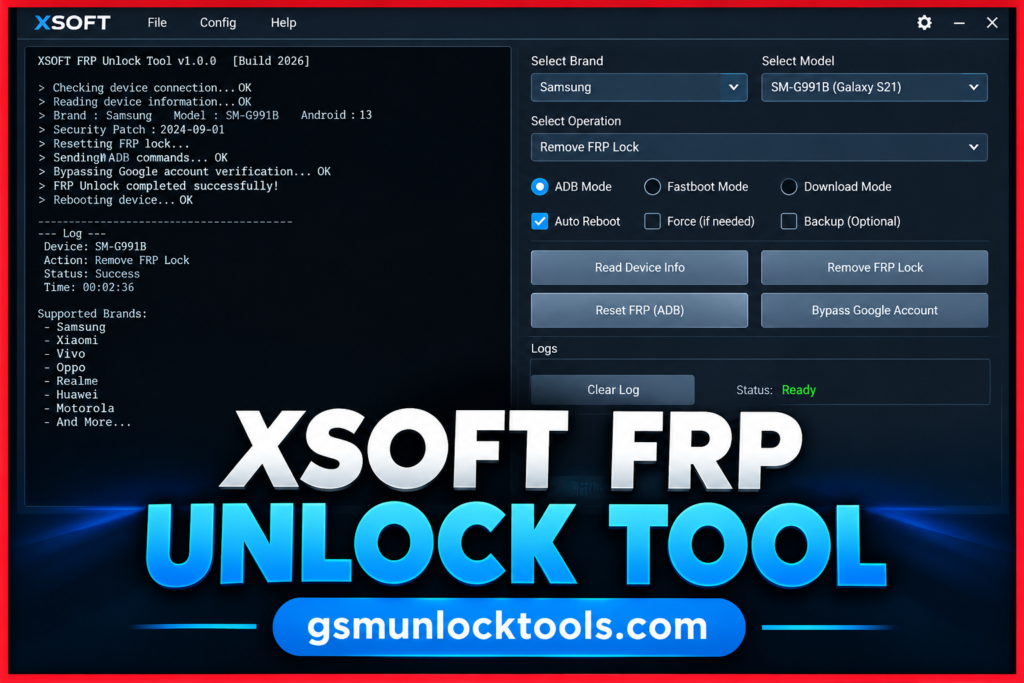
When your Android phone has FRP protection, Google Account verification errors, or a forgotten screen lock, Xsoft FRP Unlock Tool is your solution. XSoft FRP Unlock Tool is a Windows-based mobile servicing tool. It helps users perform supported FRP servicing, screen lock removal, gesture lock reading, security file writing, and Wi-Fi troubleshooting on compatible Samsung and other Android devices. The tool supports EDL, Download, ADB, and Fastboot modes, depending on the device and operation.
What is the Xsoft FRP Unlock Tool?
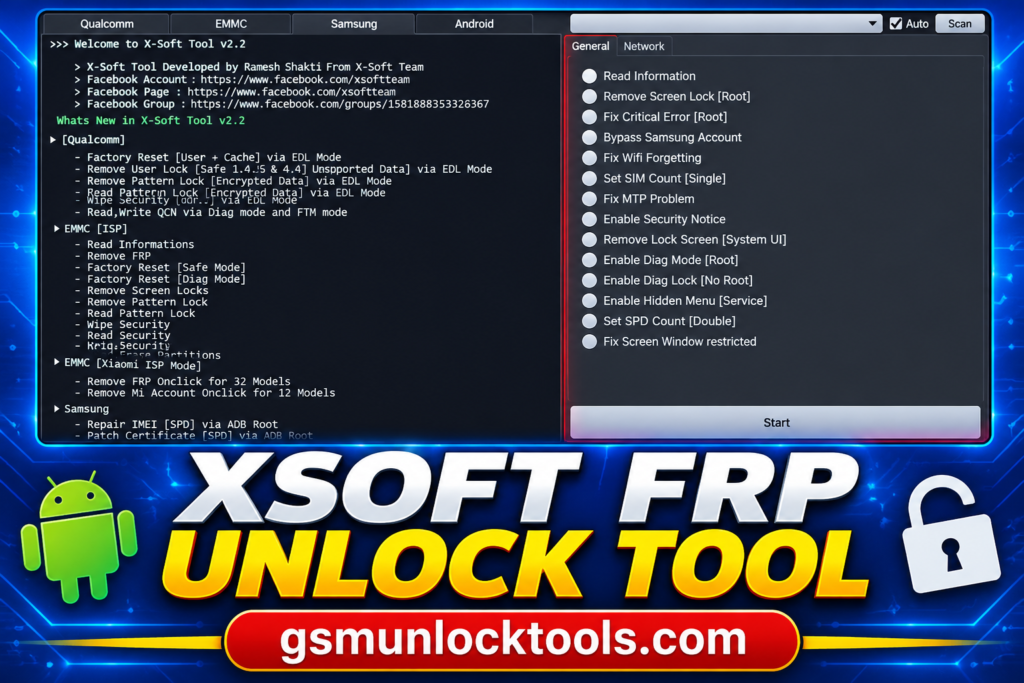
X-Soft FRP Unlock Tool is a Windows-based mobile servicing tool. It helps users perform supported servicing operations on Android devices, including FRP-related tasks, screen lock handling, and selected firmware or partition operations. X-Soft Tool features Qualcomm EDL devices, eMMC ISP operations, Xiaomi ISP servicing, and Samsung-related functions.
Key Features of the Xsoft FRP Unlock Tool
FRP servicing
The tool provides advertised FRP-related servicing functions for supported Android devices. Availability depends on the device model and software version.
Qualcomm EDL mode support
The tool includes factory reset and selected servicing operations for compatible Qualcomm devices in Emergency Download (EDL) mode.
Screen lock servicing
The tool advertises user-lock and pattern-lock operations for selected supported devices. Results depend on device compatibility and security configuration.
eMMC ISP operations
The tool supports selected eMMC ISP functions, including storage information reading and partition-related operations on compatible hardware.
Multiple connection modes
The tool supports advertised workflows using modes such as EDL, ADB, Download, Fastboot, and ISP, depending on the operation and device.
What’s New in the Xsoft FRP Unlock Tool?
- Qualcomm factory reset through EDL mode
- User lock and pattern lock operations for supported Qualcomm devices
- eMMC ISP information reading and partition management
- FRP and screen lock servicing through eMMC ISP
- Xiaomi ISP support for FRP and Mi Account servicing on listed models
- QCN reading and writing through Diag and FTM modes
- Samsung SPD ADB-root functions for IMEI repair and certificate patching
System Requirements
| Requirement | Specification |
| OS | Windows 7, 8, 10, or 11 |
| Processor | Intel or AMD |
| RAM | Sufficient memory to run the tool |
| Storage | Free space for tool files |
| USB drivers | Compatible Android device drivers |
| Connection | USB cable and supported device mode |
| Additional hardware | ISP equipment for supported ISP operations |
How to Download & Install the Xsoft FRP Unlock Tool?
- Visit a trusted source and download the X-Soft Tool package.
- Unzip the downloaded file into a folder.
- Install the compatible USB drivers for your device.
- Open the tool if the files are verified and safe.
- Connect your phone using the required supported mode.
- Choose a function compatible with your device.
- Follow the on-screen instructions and check the result.
Pros & Cons
| Pros | Cons |
| Offers FRP servicing for supported devices | Compatibility varies by device and Android version |
| Supports Qualcomm EDL mode operations | Requires compatible USB drivers |
| Includes eMMC ISP and partition operations | May require specialized ISP hardware |
| Provides QCN read/write functions | Requires appropriate Diag or FTM mode |
| Includes selected Xiaomi and Samsung servicing functions | Not all models and features are supported |
| Supports multiple device connection modes | Verified newer release information is limited |
| Offers several servicing functions in one tool | Third-party downloads may pose security risks |
Also check: OMH MTK Toolkit Tool V1.0 Free Download by OMH Min Htet [2027]
Conclusion
Xsoft FRP Unlock Tool is a Windows-based utility designed for supported Android device servicing. It offers advertised features such as FRP servicing, screen lock operations, Qualcomm EDL support, and eMMC ISP functions. Before downloading, verify the tool’s authenticity, install compatible drivers, and check device compatibility.
FAQ’s
Which devices does the Xsoft FRP Unlock Tool support?
The tool advertises selected servicing functions for Samsung, Xiaomi, and Qualcomm-based Android devices. Supported operations vary by model, chipset, and connection mode. Check compatibility before using it.
Does the Xsoft FRP Unlock Tool support eMMC ISP?
The tool advertises eMMC ISP information reading and partition-related operations. These functions may require specialized hardware and a suitable connection setup. Support depends on the device’s storage configuration.
Is the Xsoft FRP Unlock Tool free?
Some third-party websites provide downloadable X-Soft Tool packages. However, licensing and download authenticity are not independently verified. Scan downloaded files and avoid suspicious installers.
Which operating system does the Xsoft FRP Unlock Tool require?
X-Soft Tool is described as a Windows-based utility. Exact minimum system requirements for v2.2 are not confirmed by the provided sources. Compatible USB drivers may also be required.

![Xiaomi Tool V2026.01.18 Free Download Latest Version [2026]](https://gsmunlocktools.com/wp-content/uploads/2026/09/xiaomi-tool-v2026-01-18-768x576.png)
![Easy Multi Tool v1.2.0: Download the Latest Version for Windows [2026]](https://gsmunlocktools.com/wp-content/uploads/2026/08/easy-multi-tool-v1-2-0-768x576.png)