SM Tool V1.0 Free Download for PC Qualcomm Unlocking Latest Version [2027]
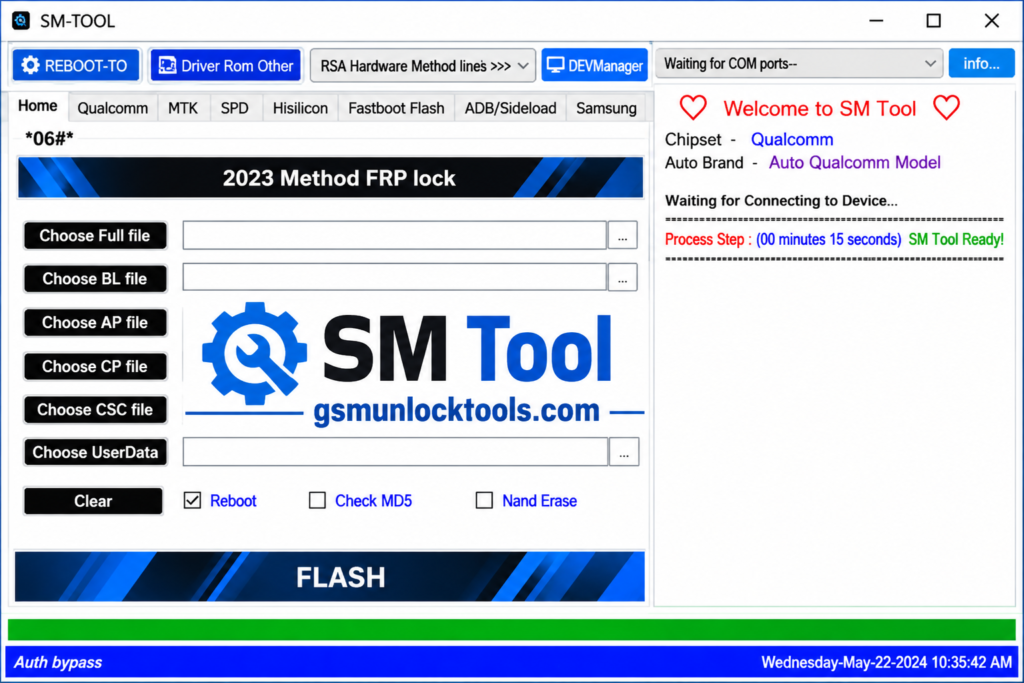
When your device faces Qualcomm Android problems like firmware errors, boot issues, EDL requirements, or servicing challenges. SM Tool Qualcomm Edition provides a centralized solution for diagnostics, firmware maintenance, flashing, backup/restore, and repair operations on supported devices. Built for technicians and advanced users, it helps simplify complex Android servicing workflows across compatible Qualcomm-powered devices.
What is the SM Tool?
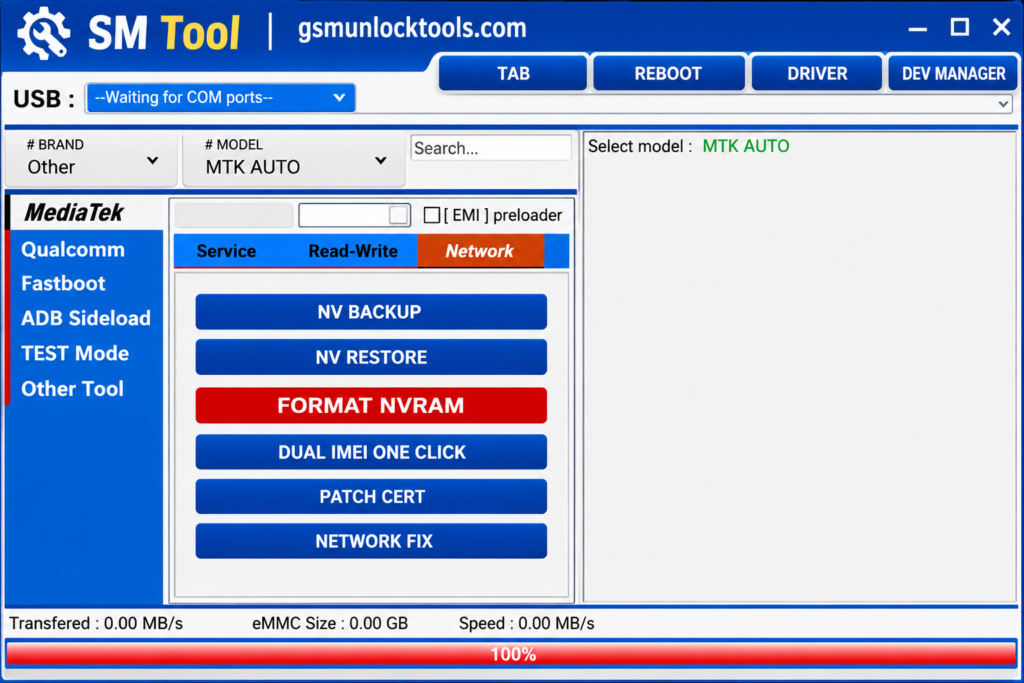
SM Tool is a Windows-based Android servicing utility designed for technicians and advanced users. It helps diagnose and troubleshoot common smartphone software issues, including firmware errors, boot problems, and device connectivity issues. The tool offers features such as Qualcomm EDL support, firmware flashing, factory reset, NV data backup and restore, and supported bootloader operations. With support for compatible devices from brands like Samsung, Xiaomi, Redmi, OPPO, Vivo, and OnePlus, SM Tool simplifies Android device maintenance and software repair workflows.
Key Features of the SM Tool
Qualcomm EDL Mode Support
The tool helps technicians communicate with supported Qualcomm devices in Emergency Download Mode for firmware servicing and recovery.
Firmware Flashing
The tool lets users flash compatible firmware to repair software errors and resolve certain boot-related issues.
Bootloader Operations
The tool offers bootloader functions for compatible devices, supporting advanced servicing and customization.
Factory Reset
The tool helps technicians perform supported factory reset operations to restore devices to their default settings.
NV Data Backup & Restore
The tool supports backing up and restoring NV data on compatible devices for maintenance and recovery.
Read, Write & Erase Functions
The tool provides device memory operations for supported platforms during firmware repair and servicing.
What’s New in the SM Tool?
- Improved Qualcomm EDL mode support.
- Enhanced firmware flashing capabilities.
- Updated bootloader servicing functions.
- Improved FRP-related operations.
- Expanded Samsung and Xiaomi device support.
- Enhanced NV data backup and restore options.
- Additional MediaTek (MTK) servicing features in selected versions.
- Improved device detection and communication.
- Optimized Windows compatibility.
- Better stability and overall performance.
System Requirements
| Requirements | Minimum Specifications |
| Operating System | Windows 7, 8, 10, or 11 |
| Architecture | 32-bit / 64-bit |
| Processor | Intel or AMD Dual-Core |
| RAM | 2 GB minimum |
| Storage | 500 MB free space |
| USB Port | USB 2.0 or USB 3.0 |
| Drivers | Compatible Qualcomm USB Drivers |
| Internet Connection | Required for downloads and driver installation |
| Software | SM Tool setup and extraction utility |
How to Download & Install the SM Tool?
- Visit a trusted source or the official developer website and download the compatible SM Tool version.
- Locate the downloaded ZIP or RAR file and extract it using WinRAR or 7-Zip.
- Install the necessary Qualcomm USB drivers for proper device detection.
- Open the extracted folder and launch the SM Tool executable as Administrator.
- Connect your supported Android smartphone to the PC using a USB cable.
- Choose the appropriate Qualcomm or supported MTK servicing option.
- Select the required operation, such as firmware flashing, diagnostics, backup, or factory reset.
- Follow the on-screen instructions and wait for the selected operation to complete.
- Once the operation finishes successfully, disconnect the device and restart it.
- Check whether the device boots correctly and the intended repair operation completes.
Pros & Cons
| Pros | Cons |
| Easy-to-use Windows interface | Supports only compatible devices |
| Qualcomm EDL mode support | Some features require technical knowledge |
| Firmware flashing capabilities | Incorrect flashing may damage device software |
| FRP servicing options | Not all models are supported |
| Bootloader-related functions | Compatibility varies by version |
| NV data backup and restore | Some operations may require authorized access |
| Supports multiple device brands | Updates and support may be limited |
| Useful for Android troubleshooting | Requires correct drivers and USB connection |
Also check: Avatar Auth Tool V1.0.5 Free Download Setup for PC Latest Version [2027]
Conclusion
SM Tool is a useful Windows-based Android servicing utility for technicians and advanced users who work with compatible Qualcomm-powered devices. With features like firmware flashing, EDL support, FRP servicing, bootloader operations, and NV data backup and restore. However, users should always verify device compatibility and download the software from a trusted source before performing any servicing operation.
FAQ’s
Is SM Tool free to download?
Some versions are advertised as free, but licensing and activation requirements may vary depending on the release.
Which operating systems support SM Tool?
SM Tool is primarily designed for Windows computers, with compatibility depending on the software version.
Which mobile brands does SM Tool support?
Selected versions support compatible devices from Samsung, Xiaomi, Redmi, OPPO, Vivo, OnePlus, and other brands.
Is SM Tool safe to use?
Download it only from a trusted source, scan the installer with antivirus software, and verify its compatibility before use.