
QGDP Tool v3.2.6 Free Download for Windows Latest Version [2027]
When your Coolpad smartphone has firmware errors, boot loops, or a stuck logo, QGDP Tool is a Windows-based firmware-flashing utility that installs compatible CPB stock firmware on supported Android devices, especially Coolpad smartphones. It helps technicians reinstall device software, recover from certain software-related problems, and perform firmware upgrades or downgrades using the appropriate CPB firmware package.
What is the QGDP Tool?
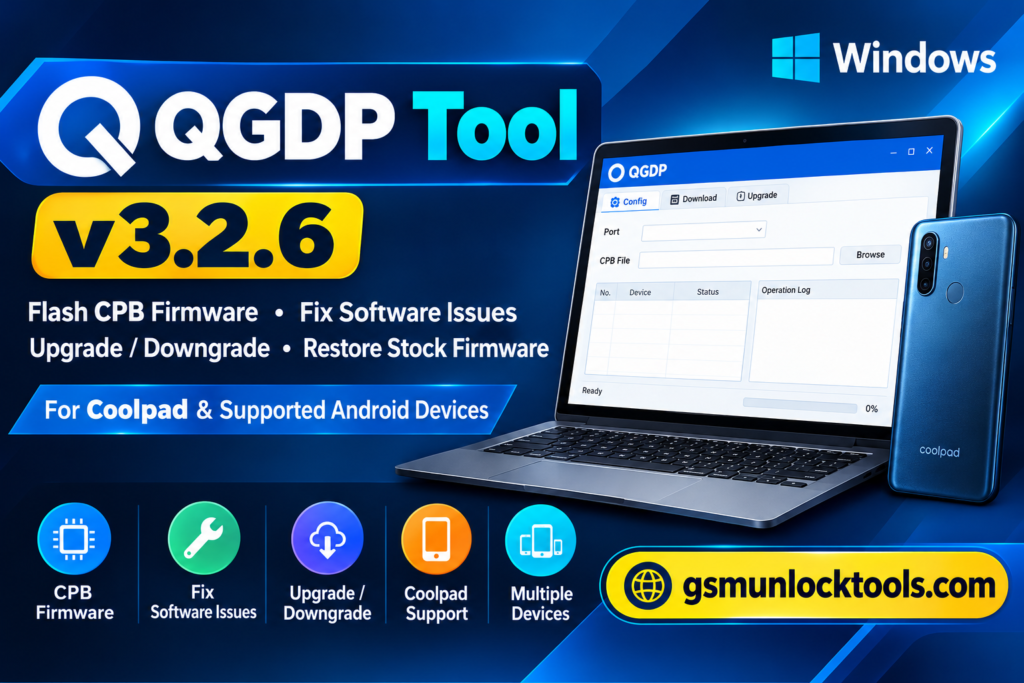
QGDP Tool is a Windows-based firmware flashing tool. It is associated with Coolpad and other specifically supported Android devices. It installs or restores stock firmware using compatible CPB firmware files. Mobile technicians use the QGDP Flash Tool to reinstall device software, recover from certain firmware-related boot problems, and perform supported software upgrades or downgrades. It comes in different editions, including Assembly, Customer, and SMT, with compatibility depending on the device model, firmware package, and tool version.
Key Features of the QGDP Tool
CPB Firmware Flashing
The tool allows users to flash compatible CPB stock firmware files on supported Android smartphones and tablets. It helps reinstall device software and restore supported devices to their stock firmware.
Multiple Tool Versions
Available in Assembly, Customer, and SMT editions for different firmware and servicing requirements. Users can select the appropriate edition depending on device compatibility.
Simple User Interface
The tool provides a graphical interface similar to the YGDP Tool. Its configuration panel makes firmware selection and flashing operations easier to manage.
Multi-Device Flashing
The tool supports simultaneous flashing of up to 15 devices in supported configurations. This feature can help mobile repair technicians manage multiple firmware installations more efficiently.
Coolpad Device Support
The tool primarily supports Coolpad smartphones and CPB-based firmware packages. Device support depends on the exact model and firmware file.
What’s New in the QGDP Tool?
- Introduced improved CPB firmware flashing support in newer QGDP versions.
- Added the QGDP SMT v3.2.6 edition for supported firmware operations.
- Added multiple editions, including Assembly, Customer, and SMT.
- Improved compatibility with selected CPB firmware packages.
- Added support for flashing up to 15 devices simultaneously in supported configurations.
- Added an advanced configuration panel for firmware selection and device information.
- Improved firmware progress monitoring and flashing log options.
System Requirements
| Requirement | Details |
| Operating System | Windows 7, 8, 10, 11 |
| Processor | Intel or AMD processor |
| RAM | 2 GB minimum |
| Storage | Sufficient free disk space |
| Architecture | 32-bit and 64-bit Windows support, depending on edition |
| USB Connection | Working USB port and data cable |
| Drivers | Compatible USB and device drivers |
| Firmware | Supported CPB firmware file |
| Password | 123 |
How to Download & Install the QGDP Tool?
- Download QGDP Tool SMT v3.2.6 from a trusted source.
- Extract the downloaded ZIP file using WinRAR or 7-Zip.
- Install the required USB drivers on your Windows PC.
- Open the extracted folder and launch the QGDP application.
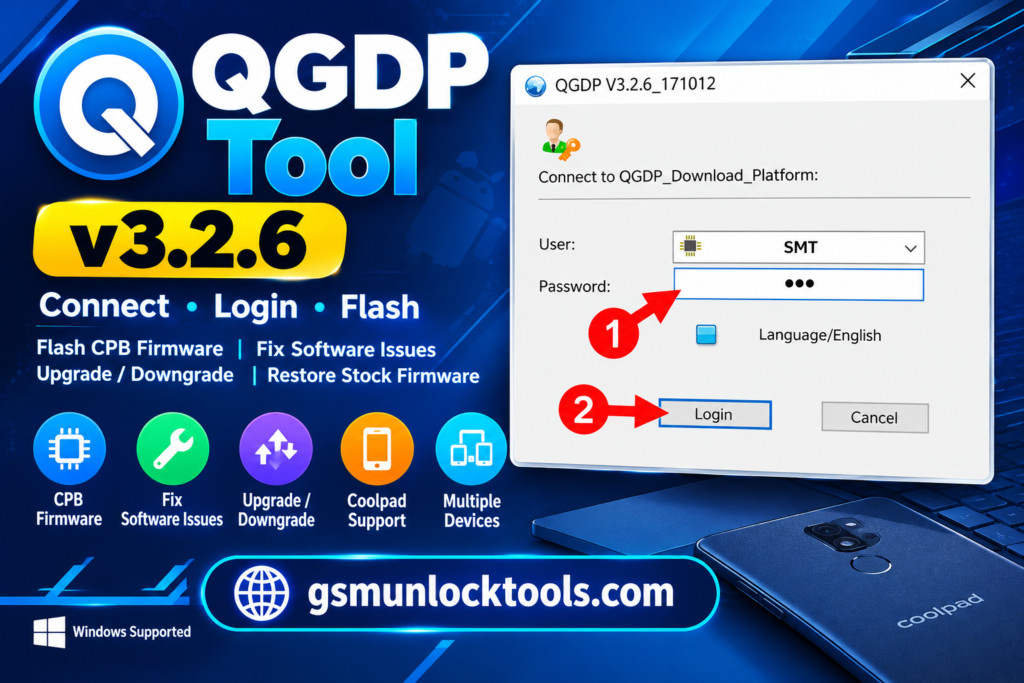
- Enter the required login password, if prompted.
- Click the Config button and select the compatible CPB firmware file.
- Click Apply to load the firmware into the tool.
- Connect your powered-off compatible smartphone to the PC.
- Click Start to begin the firmware flashing process.
- Wait until the tool displays Upgrade Successful.
- Disconnect and restart your smartphone.
Pros & Cons
| Pros | Cons |
| Supports CPB stock firmware flashing. | Works only with compatible CPB firmware files. |
| Offers Assembly, Customer, and SMT editions. | Primarily supports selected devices, especially Coolpad models. |
| Provides a simple and user-friendly interface. | Requires correct USB drivers for device detection. |
| Supports firmware upgrades and downgrades. | Incorrect firmware can cause device software problems. |
| Allows multiple devices to be flashed simultaneously in supported configurations. | Advanced flashing options may require technical knowledge. |
| Helps recover certain firmware-related boot issues. | Does not support every Android smartphone. |
| Available for Windows computers. | Compatibility may vary between tool versions and Windows systems. |
Also check: FRP Hijacker Tool Free Download for Windows 100% Working [2027]
Conclusion
QGDP Tool is a useful Windows-based firmware flashing utility for technicians working with compatible Android smartphones, particularly Coolpad devices. It supports CPB stock firmware installation, software recovery, and firmware upgrades or downgrades through a straightforward interface. With different editions, including Assembly, Customer, and SMT, it provides flexible options for supported servicing tasks. Before using the QGDP Tool, always verify firmware compatibility and create a backup to avoid unexpected data loss.
FAQ’s
What is a CPB firmware file?
A CPB file is a firmware package used by QGDP and YGDP flashing utilities. It contains the required software components for installing compatible stock firmware on supported devices.
Can QGDP Tool fix a stuck-on-logo problem?
QGDP Tool can help recover certain software-related boot problems by reinstalling compatible stock firmware. However, it cannot fix every boot issue, especially hardware-related faults.
Does QGDP Tool support FRP removal?
Some third-party websites advertise FRP-related capabilities, but CPB firmware flashing is its primary documented function. FRP removal should not be assumed to be a standard feature.
What is the difference between QGDP and YGDP Tool?
Both QGDP and YGDP are firmware flashing utilities associated with CPB firmware packages. QGDP is commonly presented as an alternative when users experience problems with YGDP.
Is QGDP Tool free to download?
Several third-party websites provide QGDP Tool downloads without charging for the setup. However, always verify the source and scan downloaded files before installation.


One Comment