Hunter Tool V4.6.5 Download – MTK & Qualcomm Latest Version [2026]
Problems like Locked Android phones, FRP issues, network errors, and flashing tasks can slow down mobile repair work. Hunter Tool V4.6.5 brings MediaTek (MTK), Qualcomm, Samsung, Xiaomi, Oppo, Vivo, and Huawei servicing into one Windows tool, helping technicians handle software repairs faster.
What is Hunter Tool V4.6.5?
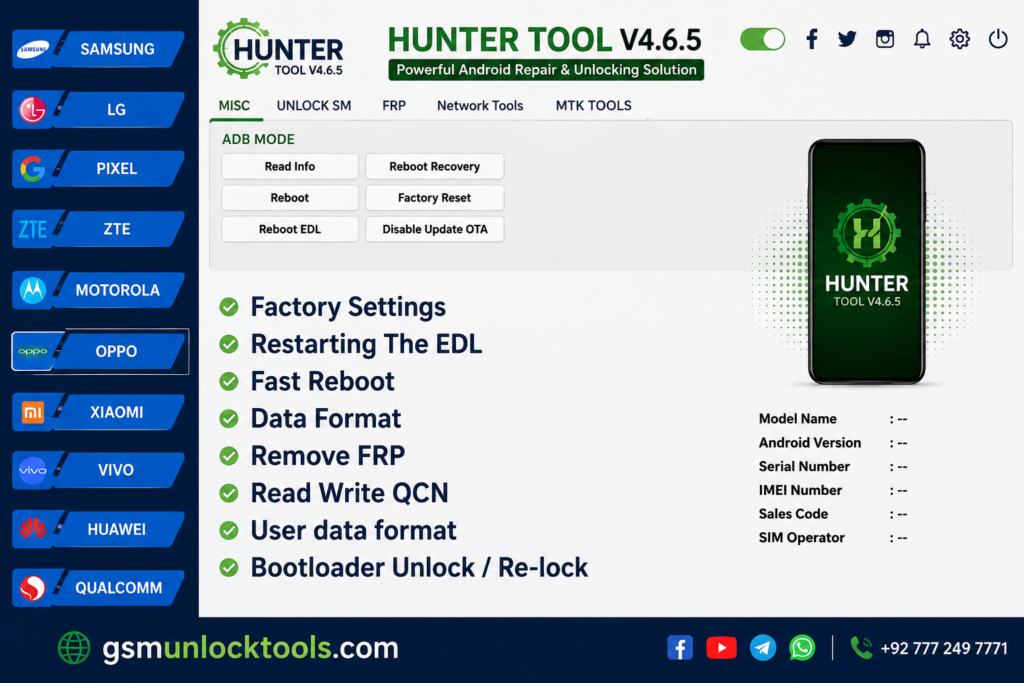
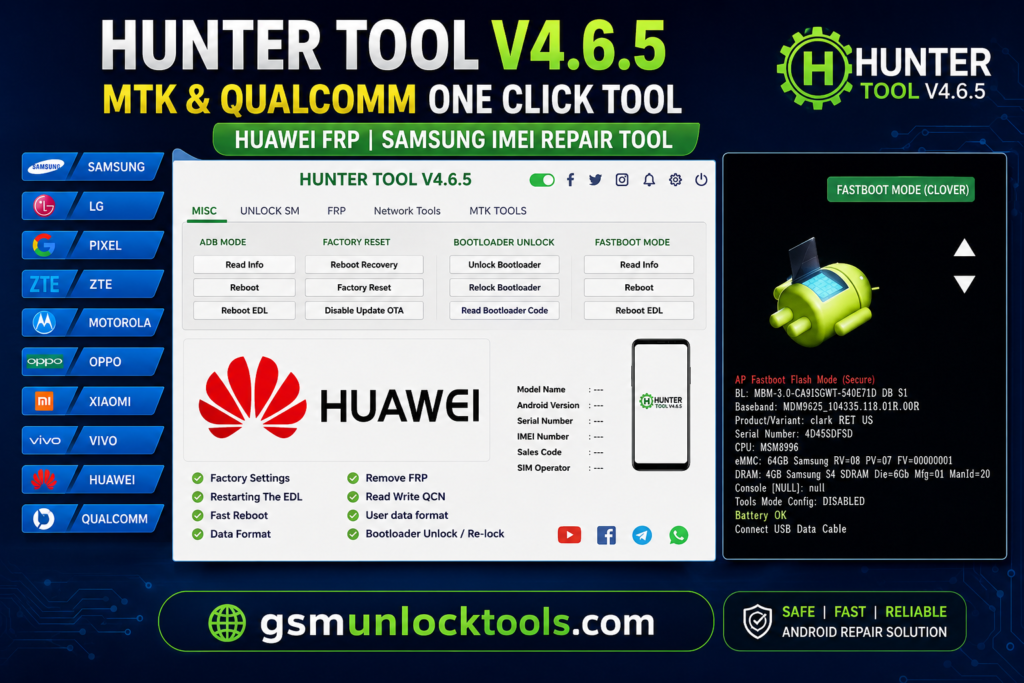
Hunter Tool is a Windows-based Android servicing tool for MediaTek (MTK) and Qualcomm devices. It helps technicians perform firmware flashing, factory resets, bootloader management, device information checks, SIM/network unlocking, etc. It supports various Android brands, including Vivo, Xiaomi, Oppo, etc with its simple interface and organized modules. It provides an easy all-in-one solution for Android software repair and maintenance.
Key Features Of Hunter Tool
User Lock Removal
The tool removes pattern locks, PINs, passwords, and other screen locks from MediaTek (MTK) and Qualcomm Android devices. This feature helps technicians restore access to locked phones during software servicing.
Samsung & LG Network Repair Operations
The tool can perform network servicing on supported Samsung and LG devices. The tool includes ADB and DIAG operations, Download Mode reboot options, and IMEI-related repair functions to help technicians fix selected network and baseband software issues.
Xiaomi, Oppo & Vivo Security Operations
This Tool provides security servicing options for Xiaomi, Oppo, Vivo, and Huawei devices. Available functions include demo mode removal, data formatting, FRP operations, and selected account-related service functions through dedicated brand modules.
NV Backup & Erase
The software can back up important NV data before servicing, restore existing backups when needed, or erase corrupted NV data. This feature helps technicians manage device network configurations and solve software network issues.
IMEI Repair
The Tool Hunter can repair IMEI information on Android devices during servicing. This feature can help technicians solve network identification and communication issues.
What’s New in Hunter Tool V4.6.5?
The latest version includes several improvements:
- Improved MTK device compatibility
- Enhanced Qualcomm servicing support
- Better FRP operations
- Improved IMEI repair functions
- Faster device detection
- Updated brand modules
- Improved stability and performance
- Better user interface
System Requirements
| Requirement | Details |
| Tool Version | Hunter Tool V4.6.5 |
| Platform | Windows PC |
| Processor | Standard Windows-compatible processor |
| RAM | Not officially specified |
| Storage | Around 110 MB reported |
| USB Connection | Required for device servicing |
| Device Support | Selected MTK & Qualcomm Android devices |
| USB Drivers | Android/MTK/Qualcomm drivers may be required |
| License | Version-specific; verify before installation |
| Download Format | Usually provided as a ZIP/RAR archive |
How to Download Hunter Tool V4.6.5?
- Download the Tool V4.6.5 setup file from the official or a trusted source.
- Extract the downloaded ZIP or RAR file.
- Install the required Android USB drivers on your computer.
- Run the setup file as Administrator and complete the installation.
- Open Hunter Tool on your Windows PC.
- Connect your supported Android device using a USB cable.
- Select the required function and follow the on-screen instructions.
Pros and Cons
| Pros | Cons |
| Combines multiple Android servicing functions in one tool | Available only for Windows computers |
| Supports selected MediaTek (MTK) and Qualcomm devices | Some advanced operations require technical experience |
| Offers various software repair and maintenance options | Feature support can vary by device model |
| Includes functions for multiple Android brands | Incorrect servicing may result in data loss |
| Simple interface with organized tool modules | Some functions may not work on every device |
| Helpful for mobile repair technicians | Proper drivers may be required for certain operations |
Also check: Adanichell Tool V3.4 Free Download Latest Version [2026]
Conclusion
Hunter Tool V4.6.5 makes Android servicing easier by consolidating repair functions into a single application. The software supports MediaTek and Qualcomm devices and offers functions like firmware flashing, screen lock removal, FRP servicing, IMEI repair, and network operations. Its simple interface saves time. This is useful for mobile technicians when working with Samsung, Xiaomi, Oppo, Vivo, Huawei, and other Android devices.
FAQ’s
Can Hunter Tool remove FRP from Android phones?
Yes, Tool includes FRP servicing options for selected MTK, Qualcomm, and Samsung devices. Support depends on the phone model and available service mode.
Does Hunter Tool work with Qualcomm EDL mode?
Yes. Hunter Tool provides Qualcomm-related functions such as EDL reboot, DIAG mode, QCN read/write, and selected FRP and network operations.
Can Hunter Tool read and write QCN files?
Yes, supported Qualcomm devices can use QCN read and write functions for network-related servicing. The exact operation depends on the device and its communication mode.
Can Hunter Tool unlock the bootloader?
Hunter Tool includes bootloader unlock and relock options for selected supported devices. Compatibility varies by brand, model, chipset, and software version.
Is Hunter Tool suitable for mobile repair technicians?
Yes. Its multi-brand modules and functions for MTK, Qualcomm, Samsung, Oppo, Vivo, Xiaomi, Huawei, Motorola, and other devices make it useful for Android servicing work.
![Sony Flash Tool V0.9.36.0 Free Download Latest Version [2026]](https://gsmunlocktools.com/wp-content/uploads/2026/09/Sony-Flash-Tool-V0.9.36.0-768x576.png)