Extra Tool V1.4.5 Free Download FRP & Unlock Tool [2026]
If your Android phone is facing an FRP lock, Google account verification, or other Android software issues. The Extra Tool helps solve these common problems in Android software, with support for MediaTek, Qualcomm, Samsung, LG, Oppo, and other compatible devices. It manages common software issues.
What is Extra Tool V1.4.5?
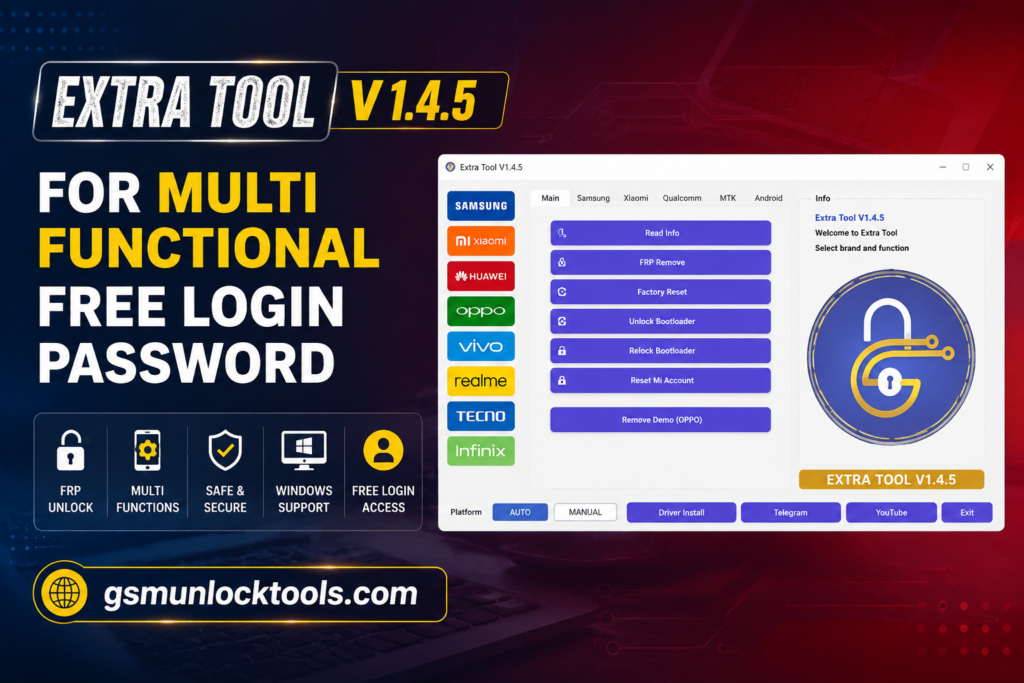
Extra Tool is a free Android servicing tool supporting compatible MediaTek, Qualcomm, Samsung, Oppo, LG, Vivo, and OnePlus devices for FRP servicing, unlocking, bootloader operations, userdata formatting, and software repair. Install the tool, connect your Android device via USB, enter the required mode, and select the FRP Reset option to service supported devices.
Key Features Of Extra Tool V1.4.5
FRP Lock & Google Verification Services
It provides FRP servicing for supported Android smartphones. It helps to resolve Google account verification issues that may appear after a factory reset.
MDM & Device Management Services
The Tool helps resolve issues with supported devices caused by enterprise management settings and restores normal device functionality.
Samsung Knox Guard & KG Services
It includes Samsung servicing capabilities for compatible Galaxy devices with Knox Guard and KG-related statuses. Supported operations can vary by device model, KG status, firmware, and security patch.
PIN, Password & Pattern Services
This is used to unlock the screen of Android devices and supports PIN, password, and pattern operations.
Network & SIM Unlock Services
It supports network and SIM-related servicing tasks across compatible smartphone brands.
IMEI & Network Repair
It includes supported IMEI and network-service functions for compatible MediaTek and Qualcomm devices. These features can help technicians troubleshoot certain network, SIM detection, and connectivity-related problems where legally permitted.
Advanced Samsung Repair Services
The Tool provides a range of Samsung-focused servicing functions for compatible models, including CSC-related operations, EFS backup and restore, NV data services, USB debugging options, VoLTE configuration, and network troubleshooting.
LG Device Servicing
It provides service for LG Android smartphones, depending on the model. Extra Tool may provide features for FRP servicing, security operations, user data management, and bootloader operation.
MediaTek Device Services
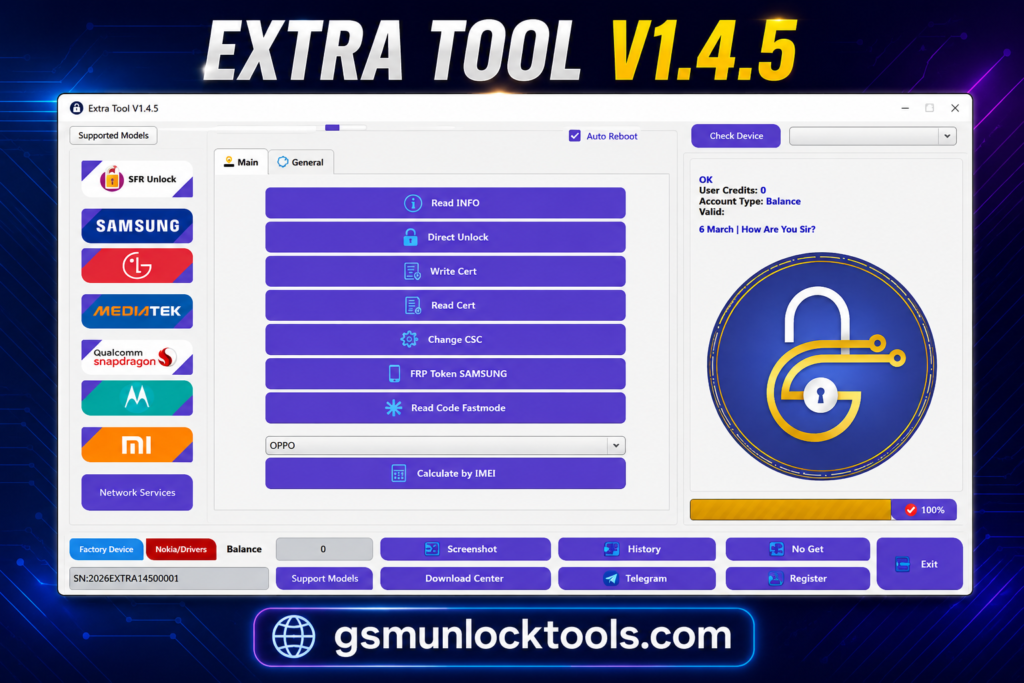
offers dedicated MediaTek servicing through supported modes like BROM, Download Mode, userdata management, and security-related functions for compatible MTK devices.
Qualcomm Device Services
Extra Tool works with compatible Qualcomm-powered Android devices using supported servicing modes and functions. It provides options for device maintenance, EFS/security data operations, network troubleshooting, and software repair depending on the model.
Security Data Backup & Restore
Extra Tool protects important device information before performing supported repair operations. It provides backup and restore capabilities for compatible EFS, security, and devices.
Bootloader & Userdata Management
Extra Tool performs supported bootloader unlock/relock and userdata operations on compatible devices. These functions are particularly useful for users handling software maintenance, testing, and device repair.
What’s New in Extra Tool V1.4.5?
- Expanded Multi-Brand Support
- More Samsung Servicing Options
- Improved Account Services
- Better Network Services
- Advanced MTK & Qualcomm Tools
- Enhanced Software Repair
- Wider Device Compatibility
Pros & Cons
| Pros | Cons |
| Supports MediaTek and Qualcomm devices | Not every feature works on every device |
| Supports multiple Android brands | Compatibility depends on the model and Android version |
| Includes FRP and account servicing options | Some features require specific device modes |
| Offers Samsung-specific repair features | Advanced functions may require technical knowledge |
| Supports firmware flashing and software repair | Incorrect operations can cause software issues |
| Includes network and SIM-related services | The security patch level can affect compatibility |
| Easy access to multiple servicing features | Device support may vary between tool versions |
How to Download Extra Tool V1.4.5?
- Download Extra Tool V1.4.5.
- Click on the download link.
- Wait for the download to complete.
- Extract all files to your Desktop
- Open the extracted folder
- Enable USB debugging when using ADB functions.
- Open the tool that is downloaded.
- Run the tool as admin.
- The tool will open on your PC screen.
- Enjoy using the tool.
System Requirements
| Requirement | Recommended |
| Operating System | Windows PC |
| Architecture | 32-bit / 64-bit |
| RAM | 2 GB or more |
| USB Connection | USB Port for Android Device |
| Drivers | Required device USB drivers |
| Storage | Sufficient free space for the tool and drivers |
Also check: Hunter Tool V4.6.5 Download – MTK & Qualcomm Latest Version [2026]
Conclusion
Extra Tool is a free Android servicing tool. Its wide device compatibility, multiple repair modes, and professional features make it a choice for Android maintenance, unlocking, and troubleshooting tasks. Install the tool, connect your Android device via USB, enter the required mode, and select the FRP Reset option to service supported devices.
FAQ’s
Does Extra Tool support Samsung devices?
Yes, Extra Tool provides multiple Samsung servicing features, including FRP-related services, Knox support, firmware operations, and repair functions for supported models.
Can Extra Tool repair IMEI problems?
includes IMEI and network repair options for supported MediaTek and Qualcomm devices.
Can Extra Tool remove screen locks?
provides PIN, password, and pattern lock servicing options for supported Android devices.
Does Extra Tool support Samsung Knox services?
Yes, it provides Knox Guard and other Samsung servicing options for supported Galaxy models.