
AMF Tool V1.2.5 Download for MTK & Qualcomm Latest Version (2026)
If your Snapdragon phone is stuck, locked, or affected by corrupted firmware files. AMF Tool is an easy way to perform common Android repair tasks, including FRP reset, Mi Account reset, EFS repair, and NV data backup. Download a lightweight Windows repair tool. It supports both 32-bit and 64-bit systems.
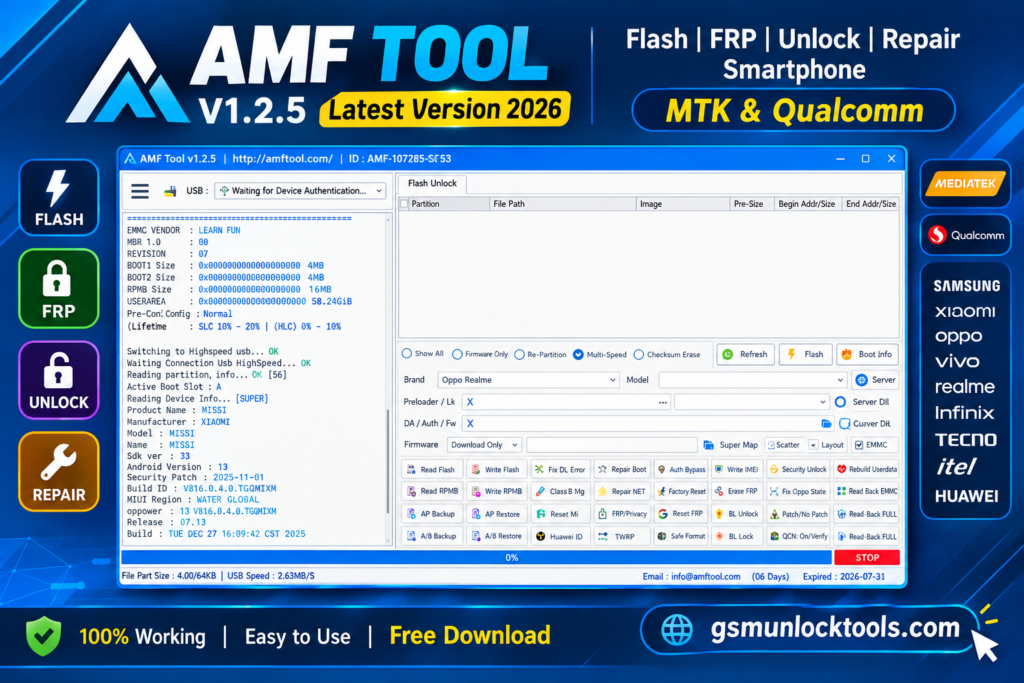
What is the AMF Tool?
AMF Tool is a Windows smartphone repair and servicing tool. It is designed to work with supported Android devices, especially Snapdragon-based phones. It provides multiple repair functions in one place, including FRP servicing, Mi Account servicing, EFS management, NV data backup, and other device repair operations.
Key Features Of AMF Tool
FRP Servicing
It performs supported FRP-related servicing tasks on compatible Android devices.
Mi Account Servicing
The Tool provides tools for supported Mi Account repair and servicing operations.
EFS Management
AMF Tool erases, restores, and manages EFS data when supported by the device.
NV Data Backup
It creates backups of supported NV data before performing repair operations.
Firmware Operations
It includes tools for supported firmware and software-related servicing.
Device Detection
AMF Tool automatically detects compatible phones connected to the Windows PC.
Snapdragon Support
The Tool is designed to work with a wide range of supported Qualcomm Snapdragon devices.
Multi-Brand Support
It provides servicing options for various supported smartphone brands and models.
Lightweight Utility
AMF Tool combines multiple servicing functions in a simple, easy-to-use way.
What’s new in AMF Tool?
- Improved Device Detection
- Expanded Device Support
- Faster Processing
- Better Tool Stability
- Bug Fixes
- Improved Firmware Support
- Enhanced Repair Functions
- Smoother User Interface
- Overall Performance
System requirements
| Requirement | Minimum / Recommended |
| Operating System | Windows 7, 8, 10, or 11 |
| Architecture | 32-bit or 64-bit |
| RAM | 2 GB minimum |
| Storage | 100 MB+ free space |
| Processor | Intel/AMD Dual-Core or better |
| USB | Working USB port for device connection |
| Drivers | Required device USB drivers |
| Internet | Recommended for downloads/updates |
How to Download, Install & Use the AMF Tool?
- Download Advanced AMF Tool.
- Click on the download link.
- Wait for the download to complete.
- Extract all files to your Desktop.
- Open the extracted folder.
- Enable USB debugging when using ADB functions.
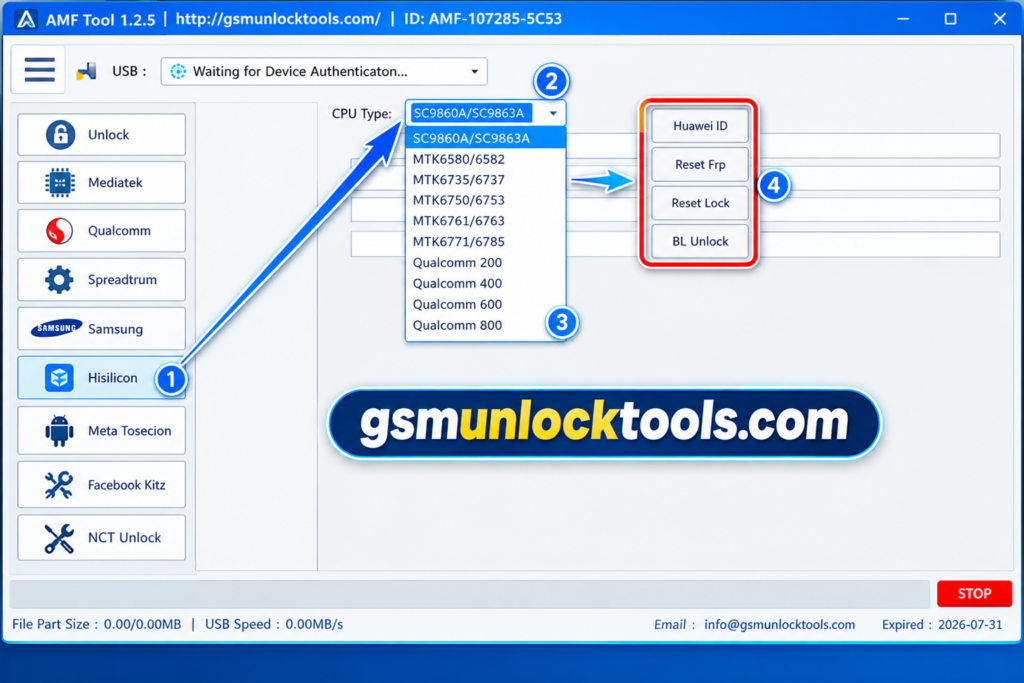
- Open the downloaded tool.
- Run the tool as admin.
- The tool will open on your PC screen.
- Enjoy using the tool.
Pros & Cons
| Pros | Cons |
| Supports a wide range of supported Android/Snapdragon devices | Compatibility can vary by device model and chipset |
| Multiple repair functions in one Windows tool | Some advanced operations require technical knowledge |
| Includes FRP, Mi Account, EFS, and NV-data-related functions | Incorrect repair operations can cause data loss or device issues |
| Works on both 32-bit and 64-bit Windows systems | Device-specific files/drivers may be required |
| Lightweight and convenient for mobile technicians | Results and available features may differ between devices/versions |
Also check: IMEI Write Tool R3.0.0001 Free Download for Windows [2026]
Conclusion
AMF Tool is a useful Windows-based smartphone servicing solution that combines multiple repair functions in one lightweight tool. With support for compatible Snapdragon devices, it can make common repair and maintenance tasks easier for technicians. Its features for FRP, Mi Account, EFS, NV data, and firmware-related servicing make it a convenient all-in-one option for supported devices. Overall, the tool can help simplify everyday mobile repair workflows.
FAQ’s
Which smartphone repair tasks can be performed with the AMF Tool?
The tool combines several servicing functions, including FRP-related operations, Mi Account servicing, EFS management, NV data backup, and other supported device repair tasks.
Does AMF Tool work with Qualcomm Snapdragon devices?
Yes, the tool is designed to support Qualcomm Snapdragon-based smartphones.
Can AMF Tool be used when a phone is not detected by Windows?
Device detection depends on the correct USB drivers, connection mode, chipset support, and device condition. Installing the appropriate drivers can help establish communication.
What is the purpose of EFS management in this Tool?
EFS-related functions are intended for supported servicing operations involving device configuration and identity-related data. A backup should be made before modifying EFS data.
Is technical knowledge required to use the AMF Tool?
Yes, Basic functions may be required, but advanced operations involving EFS, NV data, firmware, or account/lock servicing are performed by users with smartphone repair experience.
![Eagle GSM Tool V2 Latest Version Download for Windows [2026]](https://gsmunlocktools.com/wp-content/uploads/2026/08/eagle-gsm-tool-v2-768x768.png)