Mysterious-Dev Tool v1.3.2 Free Download Latest Version [2027]
Dealing with Android FRP locks, forgotten screen passwords, or firmware issues across different brands? Mysterious-Dev Tool helps mobile technicians handle Qualcomm EDL, MediaTek BROM, Samsung Exynos FRP, ADB, etc. The tool also supports Samsung language translation for Android 11–16 and Qualcomm/Unisoc COM port fixes, bringing multiple mobile servicing functions into one Windows tool.
What is the Mysterious Dev Tool?
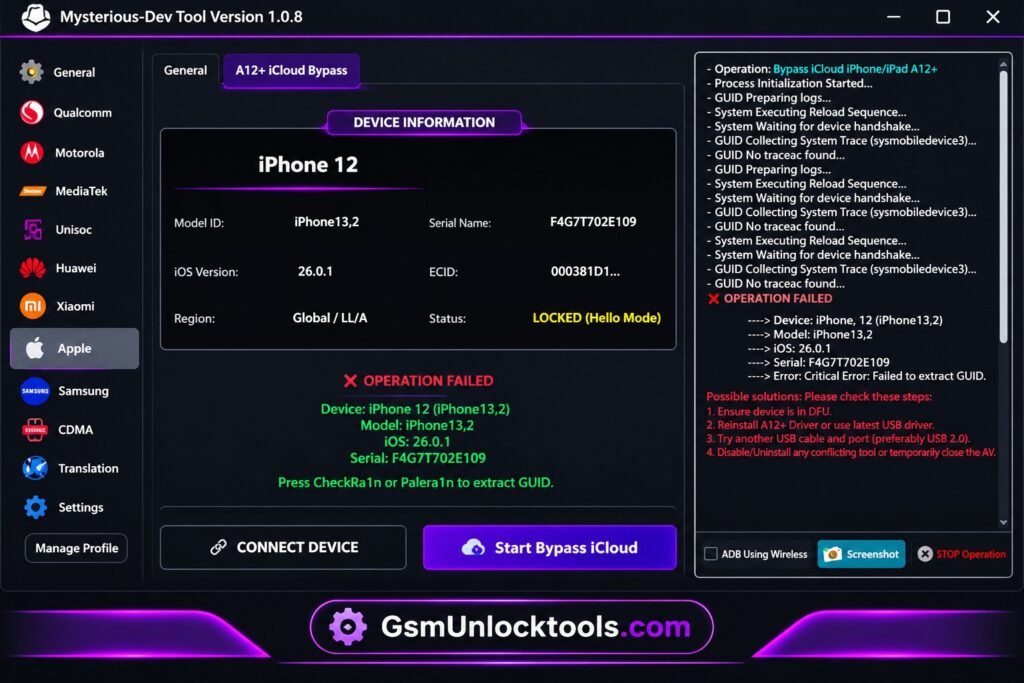
Mysterious-Dev Tool is a Windows-based mobile servicing tool for Android devices. The tool supports Samsung, Qualcomm, MediaTek, Huawei, Xiaomi, Apple, and more, with connections via ADB, Fastboot, EDL, Download Mode, and Emergency Mode. The tool provides solutions for flashing, IMEI, FRP, partition management, etc., and also reads device information, including the market name and codename.
Key Features of Mysterious-Dev Tool 2027
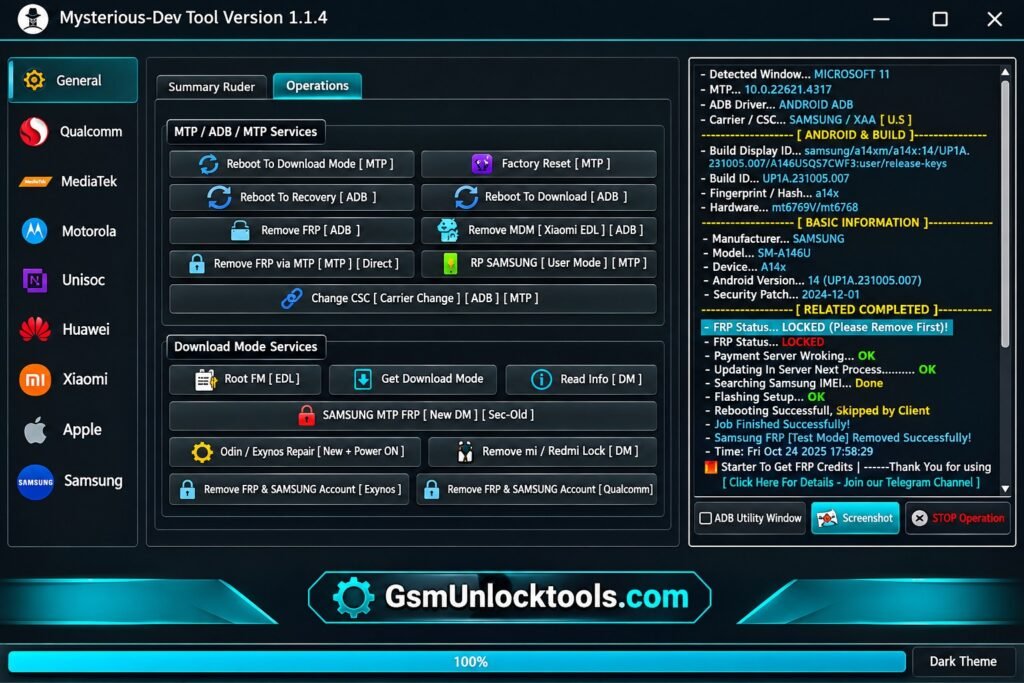
ADB & Application Manager
The tool helps to manage Android devices through ADB, read device information, handle applications, and perform debugging and servicing operations, making repairs fast and reliable.
Qualcomm EDL & Diag
It uses Qualcomm EDL and Diag modes for firmware flashing, partition management, diagnostic services, and troubleshooting operations.
MediaTek BROM & Preloader
The application works with MediaTek devices through BROM and preloader modes, including authentication bypass, flashing, reset, and repair operations.
Unisoc Device Support
The software supports Unisoc devices with flashing and Diag functions for reset, unlocking, servicing, and troubleshooting.
Samsung MTP Services
Use Samsung MTP services through a direct USB connection for device information, servicing, reset, and other operations.
Huawei Servicing
Technicians can perform Huawei software maintenance tasks, including firmware installation, device formatting, reset operations, and other servicing functions, by using Mysterious Dev Tool.
Motorola Flashing & Unlocking
The tool works with Motorola devices using available firmware flashing and unlocking functions for repair and software servicing operations.
SIM & Network Services
It helps to handle SIM unlocking and network services for Samsung and other devices experiencing mobile network-related issues.
IMEI & Partition Management
It allows access to IMEI repair functions and partition management options for different chipsets during mobile software servicing and troubleshooting.
FRP Removal
Remove Android FRP locks on Android devices using the one-click FRP option during servicing operations. This feature is useful for users who forget their Google verification password after factory resets.
What’s New in the Mysterious-Dev Tool?
- Improved Partition Access
- Firmware Compatibility Improvements
- Enhanced Tool Stability
- Wireless ADB Support
- Automatic Network Device Detection
- IP and MAC Address Reading
- Direct Connect for Paired Devices
- Samsung Translation Support (Android 11–16)
- Samsung Exynos FRP via ADB
- Qualcomm and Unisoc COM Port Fix Engine
- Emergency Crash Fixes
Download Information
| Information | Details |
|---|---|
| Tool Name | Mysterious-Dev Tool |
| Version | v1.3.2 |
| File Size | 200.5 MB |
| Platform | Windows |
| File Format | RAR |
| Password | None |
System Requirements
| Requirements | Minimum Specifications |
|---|---|
| Operating System | Windows 7 / 8 / 10 / 11 |
| Processor | Intel Dual-Core or equivalent |
| RAM | 4 GB |
| Free Storage | 500 MB |
| USB Drivers | Required |
| Internet Connection | Required for certain functions |
How to Download Mysterious-Dev Tool?
- Visit the Official Website: Open the Mysterious-Dev official download page in your browser.
- Find the Latest Version: Locate the available Mysterious-Dev Tool package and check its version details.
- Download the RAR File: Click the download option and save the archive to your Windows PC.
- Check File Size: Make sure the downloaded file matches the listed size of 200.5 MB.
- Scan the Archive: Use updated antivirus software to scan the downloaded file before extracting it.
- Extract the Package: Right-click the RAR archive and extract its contents using a trusted archive utility such as WinRAR or 7-Zip.
- Check the Setup Files: Open the extracted folder and locate the available setup or executable file before installation.
Pros and Cons
| Pros | Cons |
|---|---|
| Supports Qualcomm, MediaTek, Unisoc, and Samsung platforms. | Requires an active internet connection for license authentication and server operations. |
| Includes ADB, EDL, Diag, BROM, and Preloader options. | Some advanced operations require a paid subscription. |
| Provides FRP, SIM unlocking, and network services. | Not every function works with all device models. |
| Offers firmware flashing and partition management. | Incorrect flashing can cause software problems or data loss. |
| Includes IMEI repair and device information tools. | Requires compatible USB drivers for device connections. |
| Supports Huawei and Motorola servicing options. | Some operations require technical knowledge. |
| Provides automatic updates and new device support. | License activation is linked to the computer’s hardware ID. |
| Includes Samsung language translation features. | Stable internet is needed for advanced server-based functions. |
Also check: TFT MTK Module Tool v7.0.0 Free Download Setup Latest Version [2027]
Conclusion
Mysterious-Dev Tool is a useful solution for mobile technicians handling Android software and servicing tasks. The tool supports Qualcomm, MediaTek, Unisoc, Samsung, Huawei, and Motorola devices with features like FRP removal, firmware flashing, ADB, EDL, Diag, and partition management. Consequently, before using the tool, check your device model, chipset, Windows compatibility, and software version to ensure the available functions work correctly.
FAQ’s
Which Android versions does Mysterious-Dev Tool support?
Mysterious-Dev Tool is reported to support Android 12 to 15. Compatibility may vary depending on the device model and available servicing functions.
Which chipsets are supported by Mysterious Dev Tool?
The tool supports Qualcomm, MediaTek, Unisoc, and SPD chipsets for different flashing, unlocking, diagnostic, and repair operations.
Does Mysterious Dev support Samsung FRP removal?
Yes, it includes Samsung FRP removal options through supported ADB, MTP, and Download Mode connections. Available methods depend on the device and security patch.
Can Dev Tool flash firmware?
Yes, it provides firmware flashing options for supported Qualcomm, MediaTek, Unisoc, Huawei, and Motorola devices.
Does Mysterious Tool require an internet connection?
Yes, an internet connection is required for license verification, server communication, and certain advanced servicing operations.
Is the Mysterious-Dev free to use?
The official version requires an active subscription for professional operations. Some server-based services also require additional credits.