Pandora Tool V9.25 Free Download for Windows Latest Version [2027]
When you encounter firmware errors, FRP locks, or Android software issues. Pandora Box Tool
provides an all-in-one mobile repair solution for MediaTek and UNISOC devices. Easily flash firmware, perform factory resets, and run FRP operations. It supports compatible devices, including selected Google Pixel models, depending on the software release, chipset, and Android version. With high-speed connectivity, automatic updates, and dedicated firmware support, Pandora Tool makes professional mobile repairs faster and easier.
What is the Pandora Tool?
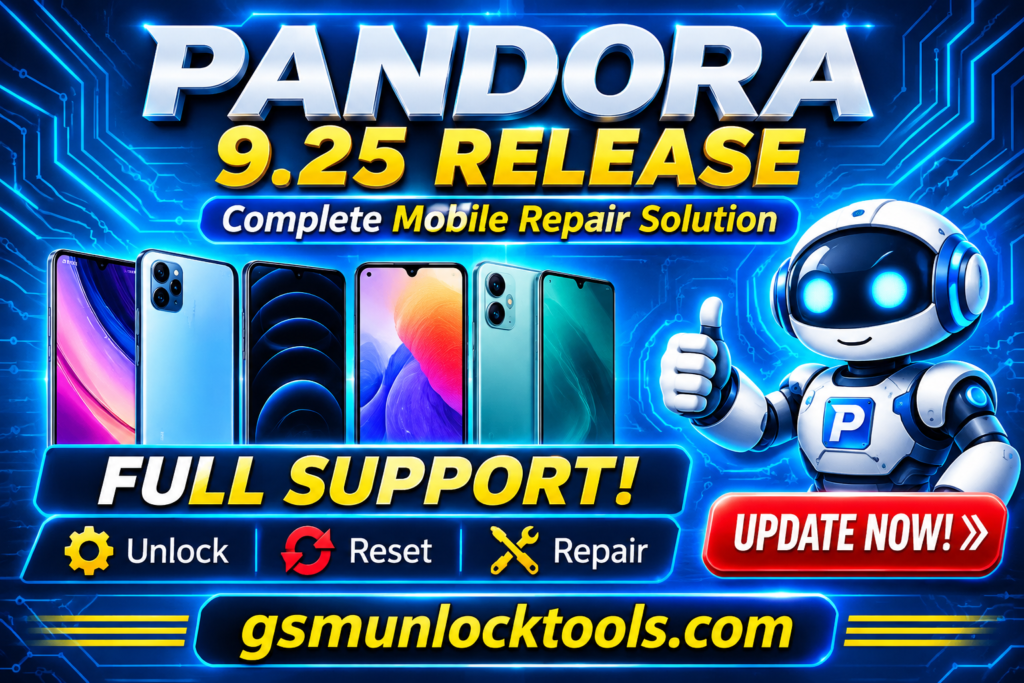
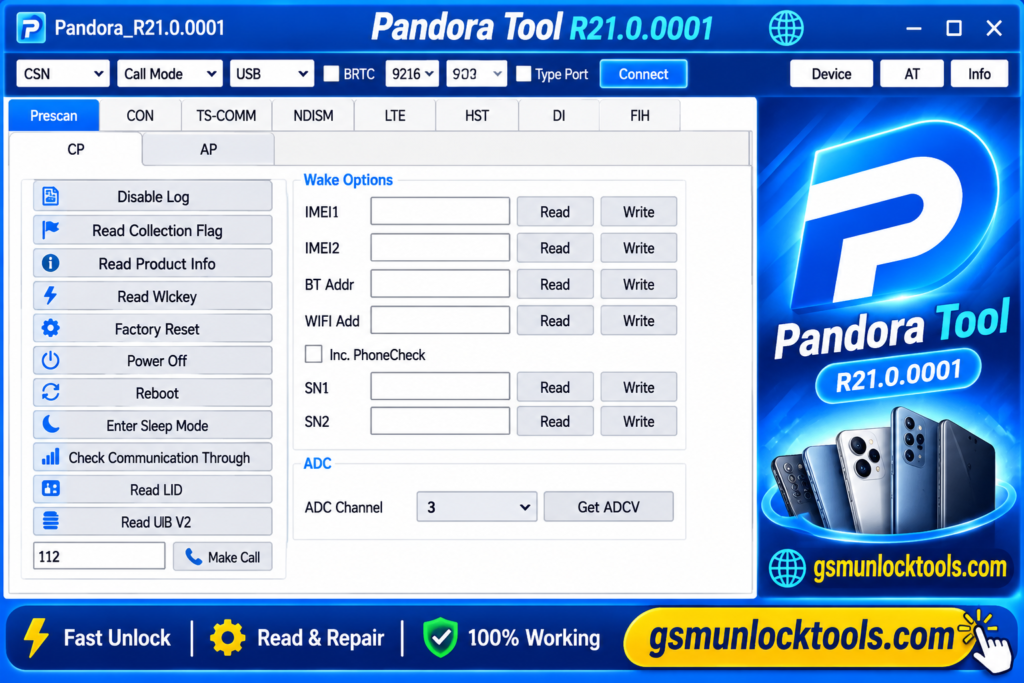
Pandora Tool is a professional mobile phone repair and servicing solution, designed for smartphones and tablets powered by MediaTek and UNISOC chipsets. It helps technicians with firmware flashing, factory resets, FRP operations, IMEI repair, and advanced software for Motorola. With powerful hardware, user-friendly software, high-speed connectivity, and regular updates, Pandora Box simplifies complex mobile repair tasks.
Key Features of the Pandora Tool
Factory Reset & Data Formatting
The tool performs factory resets and supported data formatting operations to resolve software and configuration problems. These functions can help restore compatible devices.
IMEI Repair Functions
The Tool provides supported IMEI-related servicing options for compatible devices. These functions help technicians with network identity and device software repair issues.
Fastboot & OTA Firmware Flashing
The tool introduces OTA firmware flashing through Fastboot for supported MediaTek and Qualcomm devices. This provides firmware installation options for compatible smartphones.
Automatic Software Updates
The Tool includes an automatic update mechanism that helps technicians access the latest software improvements and supported device additions. Regular updates can add new functions and compatibility improvements.
High-Speed Hardware Connectivity
The tool features a durable aluminum enclosure, with optimized device connectivity and port speeds. Its cables and power adapter provide a professional hardware setup.
What’s New in the Pandora Tool?
- OTA firmware flashing via Fastboot for MTK and Qualcomm devices.
- New Huawei and Honor DLOAD firmware update support.
- Full flash reading support for UNISOC T107.
- Improved ADB and Fastboot operations.
- Added new OPPO, Realme, and OnePlus models.
- Enhanced Motorola device servicing.
- Improved Qualcomm and Kirin chipset support.
- Updated firmware flashing and partition handling.
- Fixed bugs and improved software stability.
- Optimized overall performance and device compatibility.
System Requirements
| Component | Minimum / Recommended Requirements |
| Operating System | Windows 7, 8, 10, or 11 |
| Processor | Intel Core i3 or equivalent AMD processor |
| RAM | 4 GB minimum (8 GB recommended) |
| Storage | 2 GB of free disk space |
| USB Port | USB 2.0 or USB 3.0 |
| Display | 1366 × 768 resolution or higher |
| Drivers | Compatible USB and chipset drivers |
| Internet Connection | Required for updates and online activation |
| Software | Latest Pandora Tool version |
How to Download & Install the Pandora Tool?
- Visit a trusted source to download the Pandora Tool.
- Find and download the latest Pandora Tool software version.
- Extract the downloaded ZIP file if required.
- Run the setup file with administrator privileges.
- Follow the installation instructions and install the required USB drivers.
- Restart your computer if necessary.
- Connect Pandora Box hardware to your PC using the supplied USB cable.
- Launch Pandora Tool and complete the activation using a valid license.
- Connect your supported smartphone and allow the software to detect it.
- Select the appropriate chipset, device model, and servicing function.
- Create a backup before performing major repair operations.
- Follow the on-screen instructions and wait for the process to complete.
- Restart the device and verify that everything is working correctly.
Pros & Cons
| Supports multiple smartphone brands. | Requires dedicated Pandora Box hardware. |
| Compatible with MTK and UNISOC chipsets. | Some features require paid activation. |
| Advanced firmware flashing capabilities. | Not all functions support every device. |
| FRP, factory reset, and IMEI servicing options. | Newer devices may have security restrictions. |
| Regular software updates and improvements. | Requires compatible USB drivers. |
| Dedicated firmware support area. | Advanced operations require technical knowledge. |
| High-speed hardware connectivity. | Some functions require root access. |
| User-friendly software interface. | Incorrect firmware can cause device issues. |
Also check: HELIOS TOOL V1.0.0 Free Download Setup Latest Version [2027]
Conclusion
Pandora Box Tool is a powerful professional mobile servicing solution for technicians working with MediaTek and UNISOC devices. With features like firmware flashing, FRP servicing, factory reset, IMEI repair, and multi-brand support, it simplifies complex smartphone repair tasks. Regular updates, dedicated hardware, and an easy-to-use interface make Pandora Tool a valuable choice for mobile repair professionals. Overall, it offers a comprehensive solution for efficient Android software servicing and troubleshooting.
FAQ’s
Which chipsets does Pandora Tool support?
Pandora Tool primarily supports MediaTek and UNISOC chipsets, with additional Qualcomm and Kirin functions in selected versions.
Which mobile brands are supported by Pandora Tool?
It supports various brands, including Samsung, Xiaomi, Oppo, Vivo, Huawei, Motorola, Lenovo, Meizu, ZTE, and other compatible devices.
Is Pandora Tool free to download?
The software may be available for download, but using its full functionality generally requires original Pandora Box hardware and valid activation.
Does Pandora Tool require an internet connection?
An internet connection is generally required for software updates, online activation, and certain support resources.
Does Pandora Tool support Huawei and Honor devices?
Yes, selected versions support Huawei and Honor servicing features, including DLOAD firmware update operations.
One Comment