Griffin Unlocker Tool Latest Version 2026 – Free Download & Features
It becomes hard for technicians to provide Android service when they have to use different programs to get device info, ADB, Fastboot, FRP, firmware, and software services. This is why the Griffin Unlocker Tool allows users to perform mobile servicing through a single interface on their Windows system.
What is the Griffin Unlocker Tool?
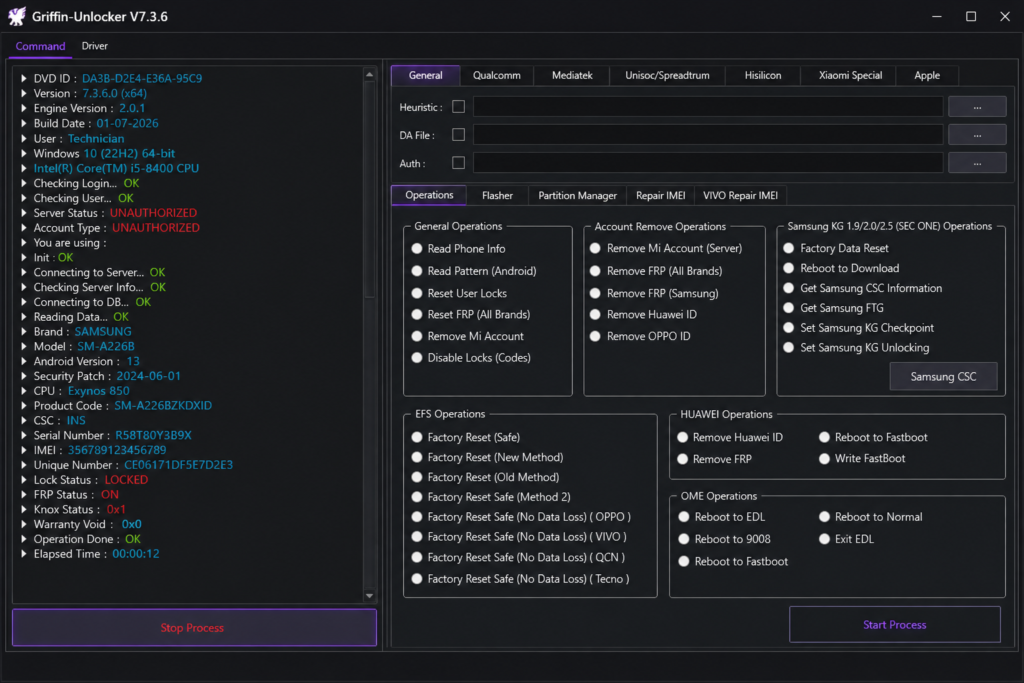
Griffin Unlocker Tool is a PC utility intended to assist with Android mobile servicing for supported mobile devices running Windows OS. This program offers multiple features associated with device detection, information reading, working with ADB and Fastboot, FRP servicing, etc. The set of capabilities can be different for each specific device model, chipset, Android version, security patches, and connection types.
Key Features Of Griffin Unlocker Tool
Information on the Device
The Griffin Unlocker Tool is capable of extracting information available for the device, including the model of the phone, the chipset, the version of the Android OS, the build number, the serial number, and other pieces of software information.
ADB Functions
Griffin Unlocker Tool provides ADB functions for compatible Android devices. Technicians can detect connected phones, read device information, reboot into Recovery or Bootloader Mode, install APK files, and perform other supported ADB servicing tasks from one interface.
Fastboot Functions
The Fastboot section allows technicians to communicate with compatible devices in Fastboot mode. It can provide options to read device information, reboot the phone, check supported bootloader information, and perform available Fastboot servicing operations.
FRP Functions
The Griffin Unlocker Tool consists of features related to FRP for compatible devices. They are designed specifically for professional repair of phones affected by Factory Reset Protection. The tool is dependent on the phone model, Android version, security patches, and chipset.
Samsung Functions
Griffin Unlocker Tool provides Samsung-related servicing options for supported models. Technicians can detect Samsung devices, read available information, access supported Download Mode functions, and perform other available software servicing operations.
MediaTek Functions
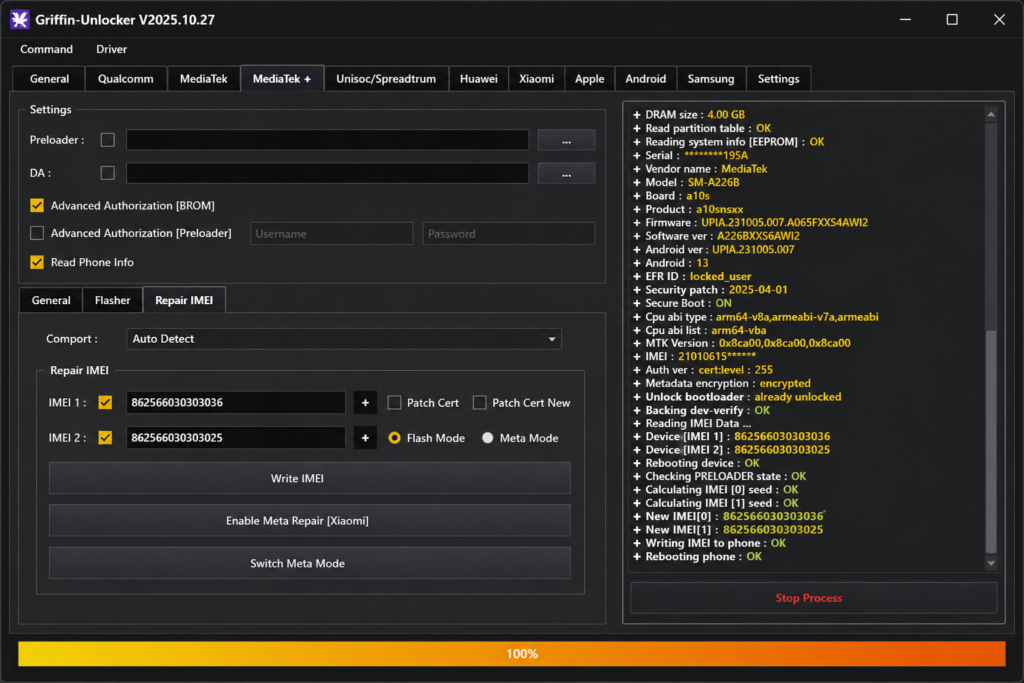
The tool provides MediaTek-related functions for compatible devices. Depending on the model and security level, technicians can use supported connection modes to read device information and perform available servicing operations.
Qualcomm Functions
Griffin Unlocker Tool supports Qualcomm-based devices through available servicing modes. It can help technicians detect supported phones, read device information, and perform compatible software servicing tasks.
Firmware Functions
Griffin Unlocker Tool can provide firmware-related options for supported devices. Technicians can work with compatible firmware packages and perform available software servicing operations according to the device configuration.
What’s New in the Latest Version?
- Improved Android device detection
- Updated ADB and Fastboot functions
- Improved Samsung device support
- Improved MediaTek compatibility
- Improved Qualcomm support
- Updated FRP servicing functions
- Better device information reading
- Updated firmware-related operations
- Improved connection stability
- Better error handling and process monitoring
- Improved compatibility with newer Android versions
Pros & Cons
| Pros | Cons |
| Combines multiple Android servicing functions in one Windows interface. | Some features work only with supported device models. |
| Provides useful device information and software servicing options. | Compatibility can vary according to Android version and security patch. |
| Helps technicians reduce the need for multiple separate utilities. | Some advanced features may require a paid license or activation. |
How to download the Griffin Unlocker Tool?
- Download the Griffin Unlocker Tool from the source.
- Launch the setup or the tool software program into the Windows computer.
- Install the USB drivers for Android, MediaTek, Qualcomm, or Samsung mobile phones.
- Plug in the appropriate Android mobile phone to the PC with the help of the appropriate USB Cable.
- Ensure USB Debugging is turned ON for the execution of ADB commands.
- Choose the right brand name or service module from the drop-down menu.
- Input the appropriate mode of the phone, such as ADB, Fastboot, or Download mode, and more.
- Let the tool detect the connected device.
- Proceed with the servicing process.
System Requirements
| Requirement | Minimum |
| Architecture | 32-bit / 64-bit |
| RAM | 4 GB |
| Storage | 500 MB+ |
| .NET Framework | 4.0+ |
| USB Drivers | Android / MediaTek / Qualcomm Drivers |
| Connection | USB Port for Android Device |
| Internet | Required for some online functions |
Also check: DFT PRO Tool v8.1.0 Download for Windows – Latest Version [2026]
Conclusion
Griffin Unlocker Tool consolidates many Android servicing features under one Windows interface. Using ADB, Fastboot, Samsung, MediaTek, Qualcomm, FRP, information about the device, and firmware options, it can help to perform regular mobile servicing and software operations. Its unified interface may prove handy for technicians who deal with various Android devices with various chipsets. Still, available functions will vary depending on the device, its Android version, security patch, chipset, and connection method.
FAQ’s
Does Griffin Unlocker Tool support ADB?
Yes. Griffin Unlocker Tool provides ADB-related functions for supported Android devices, including device detection, information reading, APK installation, and reboot options.
Does Griffin Unlocker Tool support Fastboot?
Yes. The tool supports Fastboot functions for compatible Android devices, including available device information and supported servicing operations.
Does Griffin Unlocker Tool support MediaTek devices?
Yes. The tool provides MediaTek-related functions for compatible devices through supported connection and servicing modes.
Does Griffin Unlocker Tool require USB drivers?
Yes. Appropriate USB drivers are normally required for communication between the tool and the Android device. The required driver depends on the device and connection mode.