TMT Pro Tool v3.0.0.7: Download the Latest Version 2026 for FRP & Unlock
Are you facing FRP locks, boot loops, AUTH errors, and partition issues that make servicing your phone time-consuming? TMT Pro Tool v3.0.0.7 brings together MediaTek AUTH, FRP, MiCloud, Factory Reset, bootloader, and NVRAM/NVDATA backup functions, providing technicians with a practical Windows solution for supported MTK Android devices.
What is TMT Tool Pro?
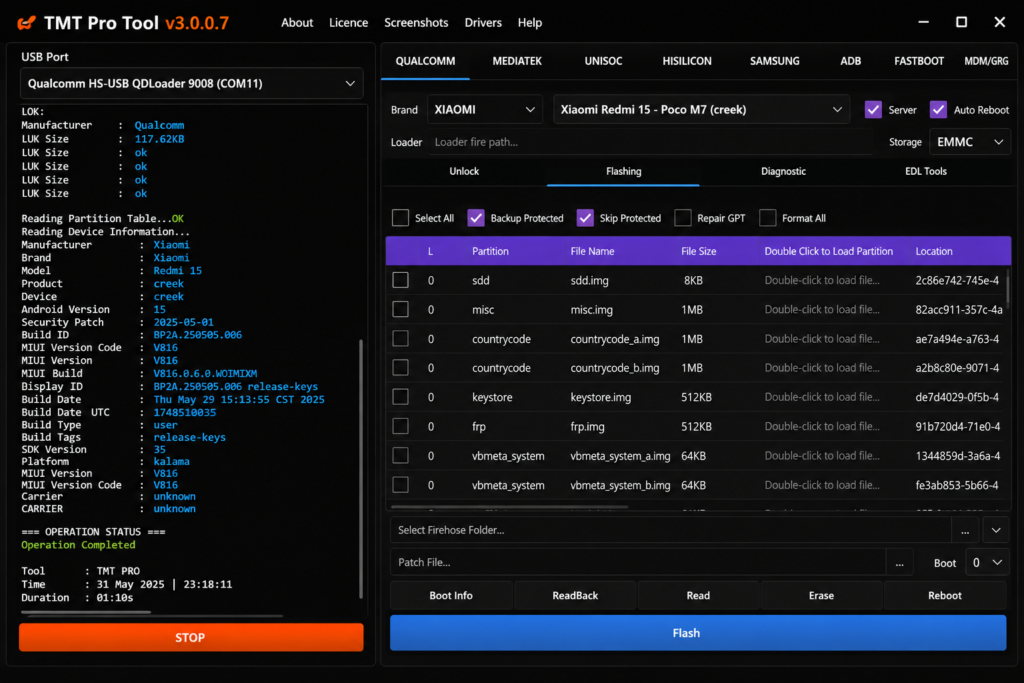
TMT Tool v3.0.0.7 is a Windows Android servicing tool used for MediaTek (MTK) smartphones. It helps technicians detect devices, manage partitions, flash firmware, handle FRP, and use bootloader functions. It also supports ADB, Fastboot, and Download Mode for device communication. The tool can install MediaTek USB drivers and back up important partitions such as Boot, Preloader, NVDATA, and NVRAM. Its simple interface makes Android repair tasks easier.
Key Features of TMT Tool
Android Reset & Format Functions
TMT Tool supports Factory Reset, Userdata Format, and screen-lock removal for Android devices. These functions can help technicians fix boot loops, system hangs, and forgotten Pattern, PIN, or Password issues.
MediaTek AUTH
MediaTek AUTH Functions allow technicians to use the Disable AUTH options on MediaTek (MTK) devices. This feature can help the tool connect with compatible smartphones and perform required servicing tasks more easily.
FRP & MiCloud Servicing
FRP & MiCloud Functions help technicians service Android and Xiaomi devices. The tool offers options for Google Account/FRP removal, as well as MiCloud-related operations.
Multi-Brand Android Device Support
TMT Tool supports Android brands such as Samsung, Xiaomi, Redmi, OPPO, Vivo, Realme, Tecno, and Infinix. Support can vary by model, chipset, and Android version.
Android Boot Partition Operations
Boot Partition Writing helps technicians write the Boot partition on Android devices for root or unroot operations. Support depends on the device model and installed firmware.
Pros & Cons
| Pros | Cons |
| Supports MediaTek servicing | Device support is model-dependent |
| FRP and MiCloud functions | Requires some technical knowledge |
| AUTH options | Some tasks can erase user data |
| Factory Reset feature | Incorrect partition work may cause errors |
| Bootloader tools | Security updates may change compatibility |
System Requirements
| Requirement | Minimum / Recommended |
| Operating System | Windows 7, 8, 10, 11 |
| Architecture | 64-bit recommended |
| Processor | Intel or AMD Dual-Core or better |
| RAM | 4 GB minimum; 8 GB recommended |
| Storage | At least 2 GB of free space |
| USB Driver | Android USB Drivers; MTK drivers for MediaTek devices |
| USB Connection | Working USB port and quality data cable |
| Internet | Required for some online/login features |
| Device Support | Depends on the model, chipset, firmware, and Android version |
| Password | 123 |
Also check: Mr Auth Tool 2026: Ultimate FRP Removal & Xiaomi EDL Features
How to Download & Use TMT Pro Tool?
- Download the Tool: Get TMT Pro Tool V3.0.0.2 from a reliable source.
- Extract Files: Use WinRAR or 7-Zip if the download is compressed.
- Install MTK Drivers: Install the required MediaTek USB drivers.
- Open the TMT Tool: Run it with the required Windows permissions.
- Connect Phone: Use a good USB cable to connect the supported device.
- Scan Port: Click Scan Port and check the device connection.
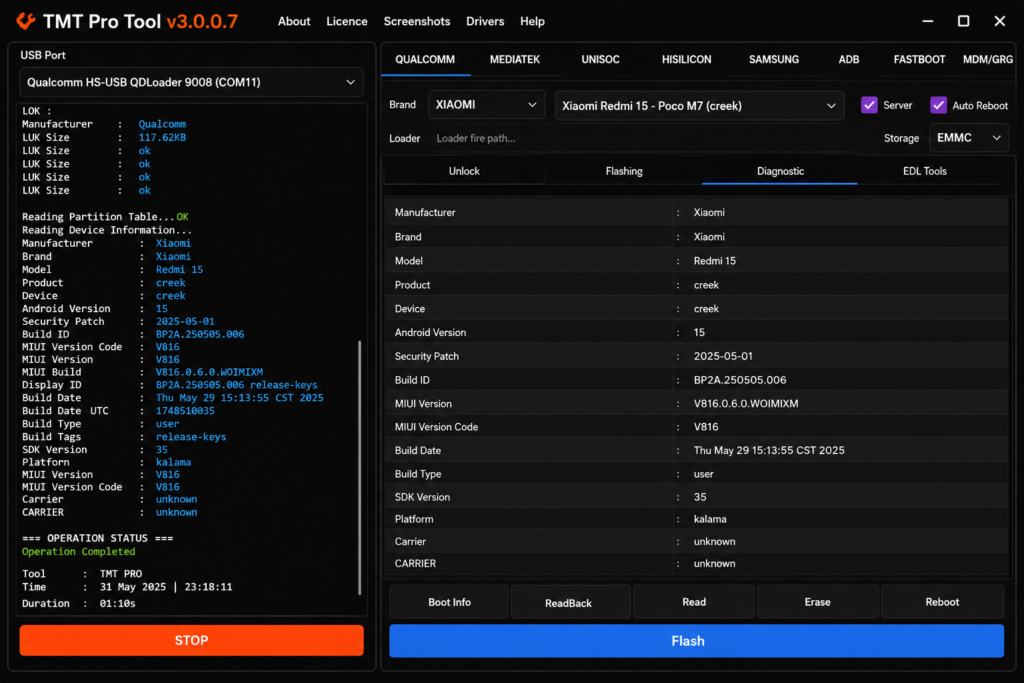
- Read Device Info: Confirm the detected model and connection details.
- Choose Function: Select the required FRP, Factory Reset, MiCloud, backup, or boot option.
- Check Support: Make sure the function matches the device model and firmware.
- Start Operation: Begin the process and avoid disconnecting the USB cable.
Conclusion
TMT Tool is a Windows MediaTek servicing tool for Android devices. It includes features for FRP, AUTH, MiCloud, Factory Reset, bootloader tasks, partition backup, and MTK driver support. It can be useful for technicians handling common Android software and servicing tasks.
FAQ’s
What is TMT Pro Tool V3.0.0.2 used for?
TMT Pro Tool is used for Android servicing tasks such as FRP removal, Factory Reset, Bootloader management, DM-Verity repair, and partition backup on supported devices.
Does TMT Tool support NVRAM and NVDATA backup?
Yes. The tool provides NVRAM and NVDATA backup and restore options for supported MediaTek devices.
Can TMT Tool fix DM-Verity errors?
Yes. DM-Verity repair is listed as a supported function for compatible devices and software configurations.
Can TMT Tool unlock or relock the bootloader?
Yes. Bootloader Unlock and Relock options are available for supported MediaTek devices.
Does TMT Tool support every Android phone?
No. Support depends on the device model, chipset, firmware, Android version, and security level.
Does TMT Tool require an internet connection?
Some TMT Pro Tool functions require internet access for login, authentication, and updates, depending on the version and service used.