FRT Tool v1.7.5 Free Download Latest Version [2026]
If you’re facing Android device FRP locks, bootloop errors, or firmware issues. FRT Tool offers an all-in-one Android servicing solution for compatible MediaTek and Qualcomm smartphones. It is designed for mobile technicians and users. This tool provides essential repair functions, including FRP reset, factory reset, device formatting, firmware flashing, and reading device information. It brings multiple device repair solutions together in one convenient application.
What is the FRT Tool?
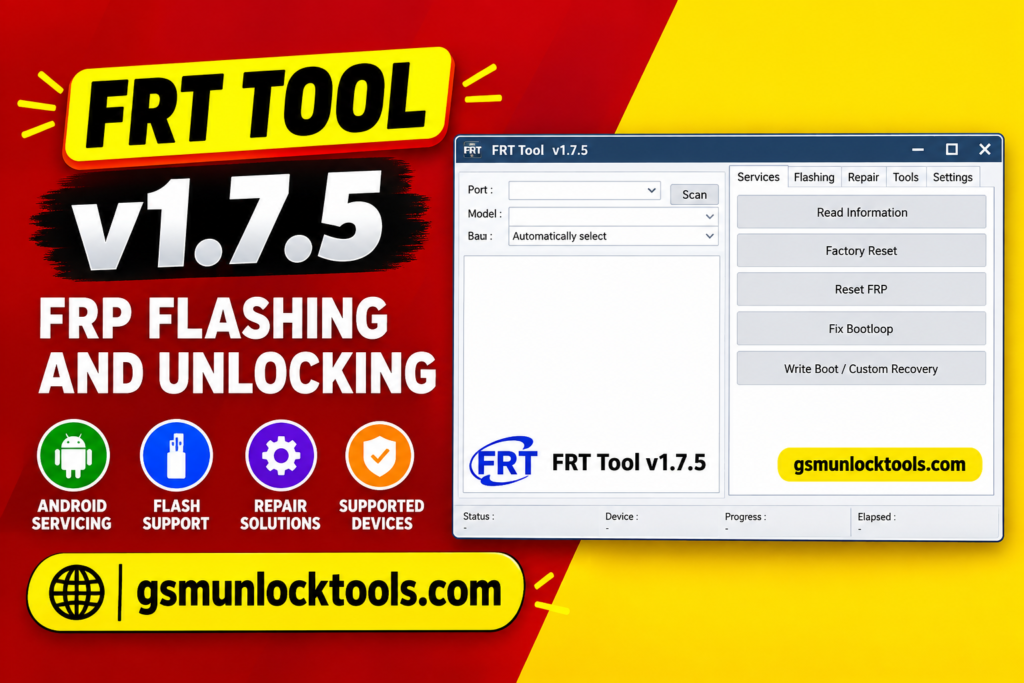
FRT Tool is also known as Flash Repair Tool. It is a Windows-based Android servicing tool. It is developed for mobile repair technicians and users. It helps perform different software-related operations on MediaTek and Qualcomm chipsets. The tool provides options for reading device information, performing factory and hard resets, handling supported FRP issues, flashing firmware, and managing selected device partitions. It also includes firmware extraction and RPMB management functions for supported devices.
Key features of the FRT Tool
FRP Reset
It includes an FRP reset function for supported Android devices. It helps users and technicians address Factory Reset Protection issues.
Factory Reset & Hard Reset
The tool provides factory reset and hard reset options for compatible smartphones. These functions can help resolve certain software issues and restore supported devices. Resetting a device may erase personal data.
MTK Read Crypto Key
FRT Tool includes an MTK Read Crypto Key function for supported MediaTek smartphones. This feature provides additional servicing capabilities for compatible devices and chipset configurations.
OFP Firmware Extraction
The Tool provides Qualcomm and MediaTek OFP firmware extraction options. These functions help technicians extract supported firmware packages for further servicing.
RPMB Operations
The tool includes selected RPMB management functions, such as backup, writing, and erasing supported RPMB data. These are advanced operations that require proper device compatibility.
What’s new in the FRT Tool?
- Updated Android servicing functions
- MediaTek Read Crypto Key support
- Qualcomm OFP firmware extraction
- MediaTek OFP firmware extraction
- Added Super IMG and Super Meta packing options
- Expanded firmware backup and flashing functions
- Advanced partition management options
- Additional IMEI and device information services
- Factory reset, hard reset, and FRP servicing options
System Requirements
| Requirement | Details |
| Operating System | Windows 7 / 10 / 11 |
| Architecture | 64-bit recommended |
| RAM | 4 GB minimum |
| Recommended RAM | 8 GB |
| Storage | 1–2 GB free space |
| Processor | Intel / AMD Dual-Core or better |
| USB Connection | Required |
| Drivers | Compatible Android USB drivers |
| Internet Connection | Required for online functions, if applicable |
How to Download & Install the FRT Tool?
- Download the FRT Tool from a trusted source.
- Click on the download link.
- Wait until the download is complete.
- Extract all files to your Desktop.
- Open the extracted folder.
- Enable USB debugging when using ADB functions.
- Open the tool that is downloaded.
- Run the tool as an administrator.
- The tool will open on your PC screen.
- Enjoy using the tool.

Pros & Cons
| Pros | Cons |
| Supports MediaTek and Qualcomm chipsets | Compatibility varies by device model |
| Multiple Android servicing functions | Some functions require technical knowledge |
| Includes firmware flashing options | Incorrect firmware can damage software |
| Supports firmware backup and extraction | Compatible USB drivers are required |
| Provides RPMB management functions | Advanced operations carry data-loss risks |
| Includes multiple reset options | Some features may require activation |
Also check: SamFw FRP Tool V6.0.1 Free Download for Samsung FRP [2026]
Conclusion
FRT Tool is a multi-functional Android servicing tool. It provides various repair and maintenance options for supported MediaTek and Qualcomm smartphones. It includes features such as FRP reset, factory reset, hard reset, firmware flashing, device information reading, OFP extraction, and RPMB management. Overall, it offers several Android servicing functions in one Windows application.
FAQ’s
Can FRT Tool reset FRP?
Yes, it includes an FRP reset option for supported devices. Its availability depends on the device model, security version, and authorization.
Can I flash firmware using FRT Tool?
Yes, the Flasher section includes firmware flashing, device information reading, backup, and partition erase functions for compatible devices.
Does FRT Tool support RPMB operations?
Yes, selected versions include RPMB-related functions, such as backup, writing, and erasing. These advanced operations require appropriate technical knowledge.
Which Windows versions support FRT Tool?
FRT Tool is distributed as a Windows-based application. Windows 7, Windows 10, and Windows 11 are commonly listed as compatible environments, although compatibility may vary.