A.N.TOOL v4.6 Free Download Setup Latest Version [2027]
Having trouble servicing different Android brands with separate tools? A.N.TOOL brings Qualcomm, MediaTek, Samsung, Xiaomi, Unisoc, and Kirin support together with ADB, Fastboot, FRP-MTP, Odin flashing, and partition management in one Windows application.
What is A.N.TOOL?
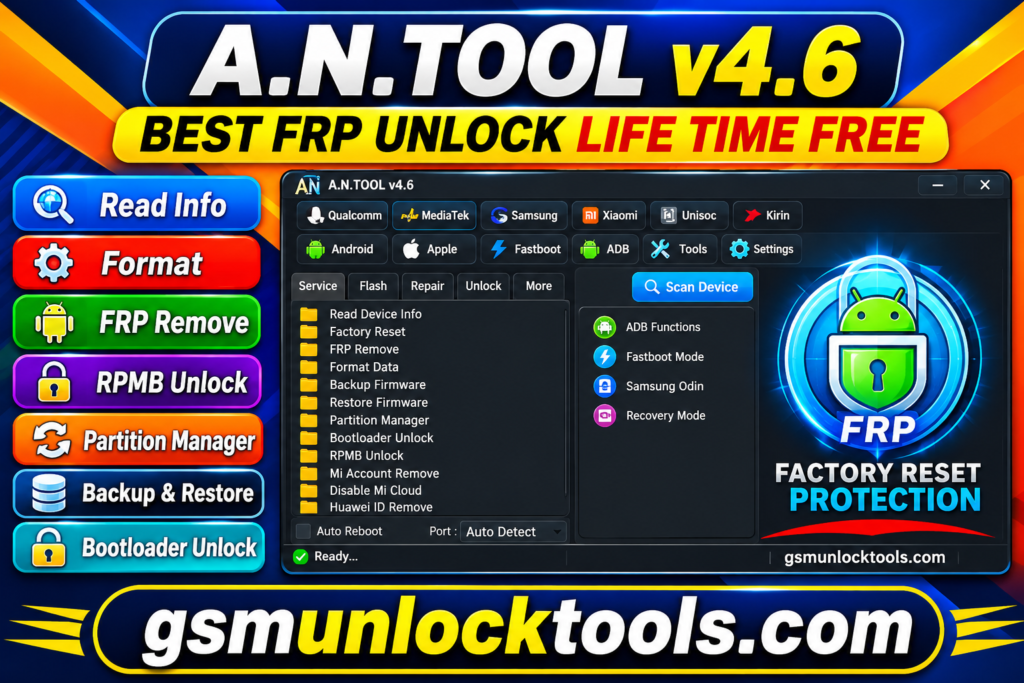
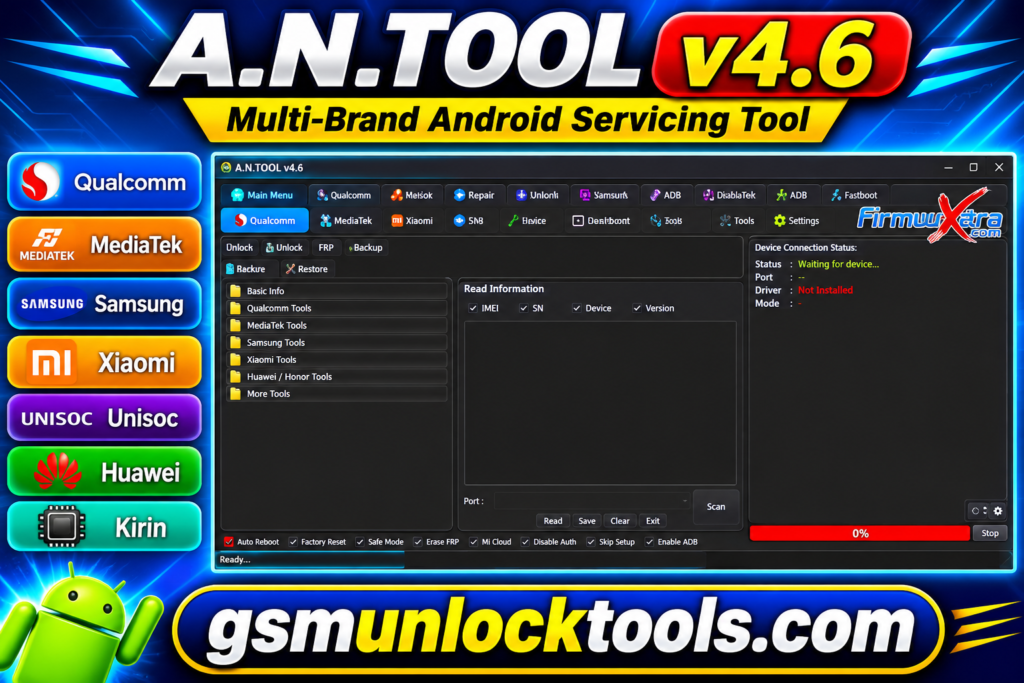
A.N. Tool is a multi-brand mobile servicing software for Android and Apple devices. The tool supports Qualcomm, MediaTek, Samsung, Xiaomi, Unisoc, Exynos, and Kirin chipsets. It includes ADB, Fastboot, FRP-MTP, Samsung Odin, firmware, Xiaomi, etc., recovery options for servicing tasks. A.N. Tool supports brands like Samsung, OPPO, Huawei, Honor, Infinix, TECNO, Nokia, and more, making it a versatile tool for servicing.
Key Features of A.N.TOOL
Qualcomm Servicing
The tool supports Qualcomm device servicing with model and loader selection, security partition backup, firmware flashing, restoration, and erase operations.
Xiaomi Recovery Tools
A.N.TOOL provides Xiaomi recovery options for MediaTek and Qualcomm devices, helping technicians access brand-specific recovery and servicing functions.
Samsung Odin & MTP
You can flash Samsung firmware using BL, AP, CP, CSC, Home CSC, and PIT files in Odin and MTP modes.
MediaTek & Unisoc Support
It allows handling MediaTek and Unisoc devices through preloader, BROM, META mode, and custom download agent options for servicing operations.
FRP-MTP & ADB Functions
The A.N.TOOL provides MTP and ADB functions for Huawei, Oppo, Vivo, Motorola, OnePlus, and Lenovo devices during servicing operations.
Fastboot & Partition Manager
It allows technicians to view partition details, manage A/B slots, format userdata, and work with individual partitions through Fastboot mode.
Apple Device Information
The tool displays Apple device details, including product name, device type, iOS version, model number, serial number, and activation status.
Exynos Tools
It provides Exynos servicing functions, including factory reset, FAT formatting, and device-specific operations for Exynos 1280 and Odin workflows.
Kirin Tools
The application includes Kirin devices through Fastboot and Factory Fastboot modes, with additional Test Point options available for the chipset.
EDL 9008 Mode
Supports Qualcomm EDL 9008 operations, including factory reset, FRP reset, and MiCloud servicing on Qualcomm devices.
What’s New in the A.N.TOOL?
- Updated Windows x86 & x64 Builds
- Newer Android 14–16 QR ADB Methods
- Samsung Android 16 FRP Support
- Updated Samsung MTP & Knox Functions
- Expanded Qualcomm Servicing
- Updated MediaTek BROM & META Tools
- Unisoc PAC Flash & DIAG Tools
- Kirin OEMinfo Servicing
- Expanded Multi-Brand Model Support
System Requirements
| Component | Suggested Requirements |
| Operating System | Windows 10 / 11 |
| Architecture | 32-bit / 64-bit |
| Processor | Intel Dual-Core or equivalent AMD |
| RAM | 4 GB minimum |
| Storage | 1 GB free space |
| USB Connection | USB Data Cable |
| USB Drivers | Qualcomm, MediaTek, Samsung, Unisoc |
| Internet | Required for online functions |
How to Download and Install A.N.TOOL?
- Download the A.N Tool package from a trusted Website.
- Extract the downloaded ZIP archive using WinRAR or 7-Zip.
- Open the extracted folder and find the setup or application file.
- Install the required USB and device drivers if needed.
- Launch A.N Tool and check that the software opens correctly.
- Connect your Android or Apple device using a USB data cable.
- Select the correct brand, model, and servicing mode.
Download Information
| Information | Details |
| Tool Name | A.N Tool |
| Version | v4.6 |
| File Name (32-bit) | A.N.TOOL-V4.7-2026-09-20-win-x86.zip |
| File Size (32-bit) | 284 MB |
| File Name (64-bit) | A.N.TOOL-V4.7-2026-09-20-win-x64.zip |
| File Size (64-bit) | 285 MB |
Pros and Cons]
| Pros | Cons |
| Supports multiple mobile brands in one application. | Not all functions work with every device model. |
| Includes Qualcomm, MediaTek, Unisoc, Exynos, and Kirin tools. | Requires compatible USB and chipset drivers. |
| Provides Samsung Odin firmware flashing options. | Advanced operations require technical knowledge. |
| Includes ADB, Fastboot, and MTP utilities. | Some operations depend on Android versions and security patches. |
| Offers partition management and firmware backup options. | Incorrect flashing or formatting can cause data loss. |
| Supports Apple device information reading. | Requires a Windows computer and USB connection. |
| Includes QR Code and IT Admin setup options. | Some functions may require specific device modes. |
| Provides additional mobile servicing utilities. | Compatibility should be checked before each operation. |
Also check: SK Unlocker Tool V23 Free Download Setup 100% Working Latest Version [2027]
Conclusion
A.N.TOOL is a multi-brand servicing software for Android and Apple devices. The tool combines Qualcomm, MediaTek, Samsung, Xiaomi, Unisoc, Exynos, and Kirin tools with ADB, Fastboot, Odin, firmware flashing, etc. It helps technicians to handle different mobile servicing tasks from one place. Consequently, before using any function, check device compatibility, install the correct drivers, and select the proper model and operating mode.
FAQ’s
Is A.N.TOOL free to download?
A.N Tool has different release packages and licensing options. Check the official download page for the current version and activation details.
Which devices does A.N.TOOL support?
It supports selected Android devices from Samsung, Xiaomi, Oppo, Vivo, Huawei, Motorola, Infinix, Tecno, and other brands.
Does A.N.TOOL support Qualcomm and MediaTek?
Yes, it includes Qualcomm and MediaTek servicing options, such as firmware flashing, FRP, factory reset, and partition management.
Why is A.N.TOOL not detecting my phone?
Check the USB data cable, install the correct device drivers, select the proper connection mode, and reconnect your phone.
Does A.N.TOOL support Samsung Odin firmware flashing?
Yes, its Samsung section supports firmware files such as BL, AP, CP, CSC, Home CSC, and PIT for compatible devices.
Can the A.N.TOOL perform FRP removal?
Yes, it provides FRP-related functions through supported ADB, MTP, Qualcomm, MediaTek, and other device-specific modes.