Alriqi Soft Tools V2 Free Download for FRP Latest Version [2026]
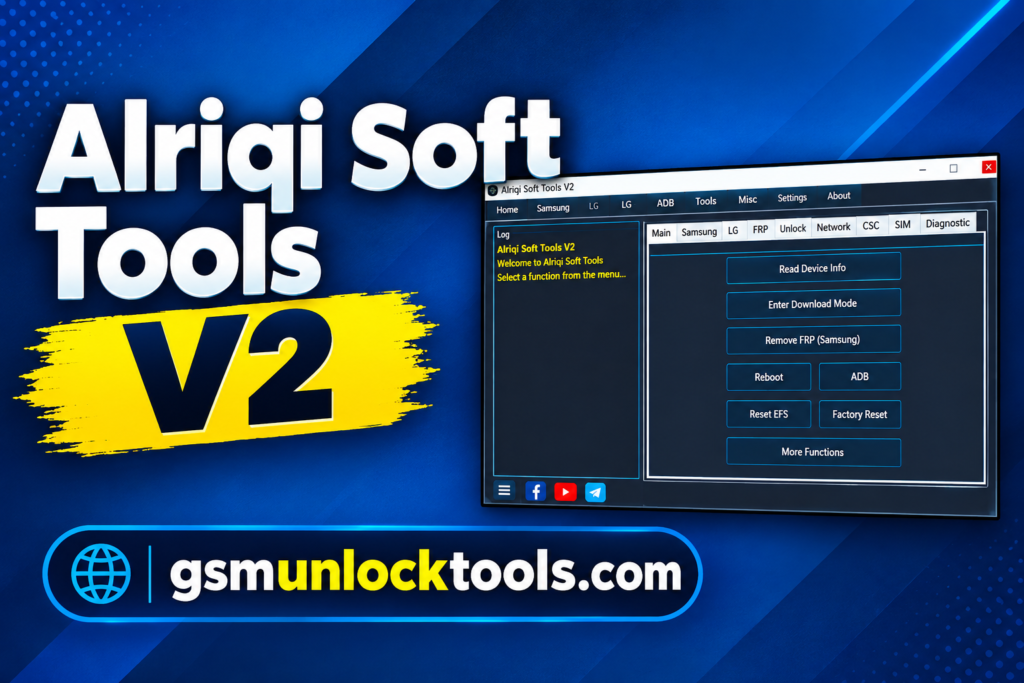
When you need to manage Android servicing tasks such as Samsung FRP servicing, ADB commands, CSC settings, Arabic language options, network functions, or LG device operations, Alriqi Soft Tools V2 provides several utilities in one Windows-based tool. It is mainly designed for supported Samsung and LG Android devices and combines different functions for device management, software servicing, diagnostics, localization, and ADB operations.
What is Alriqi Soft Tools?
Alriqi Soft Tools is a Windows-based Android servicing tool developed for supported Samsung and LG smartphones. It brings multiple servicing options into a single interface, including Samsung FRP functions, ADB operations, CSC settings, Arabic language and keyboard support, network utilities, diagnostics, and app management.
Available functions vary by device model, Android version, firmware, and security level.
Key Features of Alriqi Soft Tools
Samsung FRP Tools
Alriqi Soft Tools provides Samsung FRP-related servicing options for supported devices. These functions are useful for authorized device servicing involving Factory Reset Protection.
Samsung Arabic and Localization Tools
The tool includes options for Arabic language, Arabic keyboard, and other localization settings on supported Samsung phones. These functions can help configure supported devices for Arabic language use.
LG ADB Functions
For compatible LG Android devices, Alriqi Soft Tools provides ADB-based functions. These options allow technicians to communicate with supported phones, read available device information, execute supported commands, and perform certain software-related tasks.
CSC and SIM Functions
The CSC and SIM section includes supported options for Samsung software configuration and network-related settings. The available functions may depend on the phone model, firmware version, carrier, and regional configuration.
Diag and Network Functions
Alriqi Soft Tools also includes diagnostic and network-related utilities. Depending on the supported device, users may find options for Diag Mode, network settings, APN configuration, and other connectivity-related operations.
What’s New in Alriqi Soft Tools V2?
- Improved Samsung FRP servicing options for supported devices
- Added and improved ADB-based functions
- Better compatibility with selected Samsung Android 9–13 devices
- Improved Arabic language and keyboard options
- Added CSC and SIM-related functions
- Improved Diag Mode operations
- Added additional network and APN utilities
- Improved LG ADB functions
System Requirements
| Requirement | Details |
| Operating System | Windows 7, 8, 10, or 11 |
| Processor | Intel or AMD processor |
| RAM | 2 GB or more |
| Storage | At least 500 MB of free space |
| USB Port | Required for connecting Android devices |
| Drivers | Compatible Samsung, LG, ADB, and USB drivers |
How to Download & Install Alriqi Soft Tools?
- Download the Alriqi Soft Tools V2 package from a trusted source.
- Extract the downloaded archive if it is compressed.
- Install the required Samsung, LG, ADB, and USB drivers.
- Connect the supported Android phone to your Windows PC.
- Enable the required connection mode, such as ADB or a supported diagnostic mode.
- Open Alriqi Soft Tools.
- Select the Samsung or LG section according to your device.
- Choose the required servicing function and follow the instructions shown by the tool.

Pros & Cons
| Pros | Cons |
| Supports selected Samsung and LG Android devices | Compatibility varies between device models |
| Combines several servicing functions in one tool | Some functions depend on Android version and security level |
| Includes Samsung FRP-related options | Correct USB drivers may be required |
| Provides ADB and device-management utilities | Advanced operations require technical knowledge |
| Includes Arabic language and localization features | Not every feature works with every Samsung or LG device |
| Offers CSC, SIM, network, and diagnostic-related functions | — |
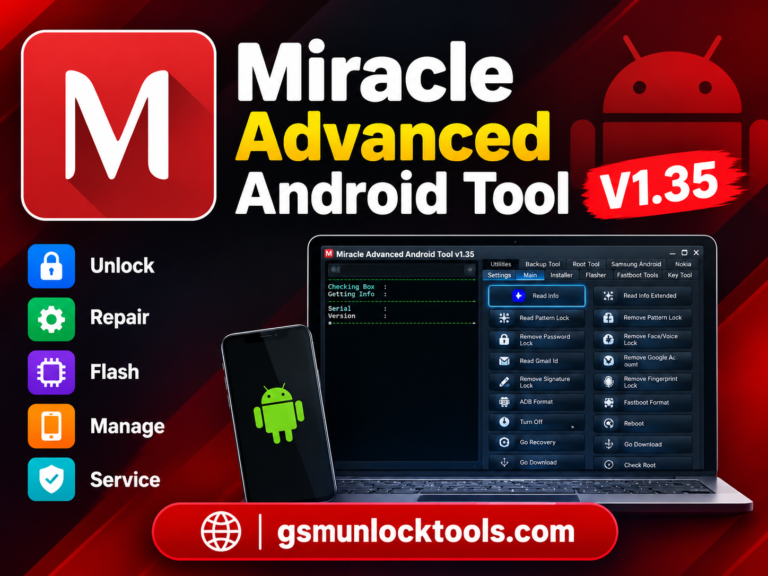
Also check: Miracle Advanced Android Tool V1.35 Free Download for windows [2026]
Conclusion
Alriqi Soft Tools V2 is a Windows-based Android servicing utility that brings several Samsung and LG functions into one interface. It includes options related to FRP servicing, ADB operations, CSC and SIM settings, Arabic language support, network configuration, diagnostic functions, and device management.
The actual features available can depend on the supported phone model, Android version, firmware, security patch, and connection mode. Before using any advanced function, users should confirm compatibility with their specific device and use the tool only for authorized servicing.
FAQ’s
Does Alriqi Soft Tools support Samsung FRP?
Yes, Alriqi Soft Tools includes FRP-related servicing functions for selected Samsung devices. Support depends on the device model, Android version, and security level.
Does Alriqi Soft Tools support LG phones?
Yes, the tool provides ADB-based functions for selected LG Android devices. The available options depend on the supported model and software version.
Does it support the Arabic language?
Yes, Alriqi Soft Tools includes Arabic language support, an Arabic keyboard, and localization-related options for supported Samsung devices.
Does Alriqi Soft Tools require USB drivers?
Yes. Appropriate Samsung, LG, ADB, or other required USB drivers are important for establishing a proper connection between the phone and a Windows computer.
Is Alriqi Soft Tools free?
The availability and licensing can vary depending on the specific release and distribution source. Users should check the original release information before assuming that a particular package is completely free.