SP MDT Tool v6.2316.00 Free Download Setup for Windows [2027]
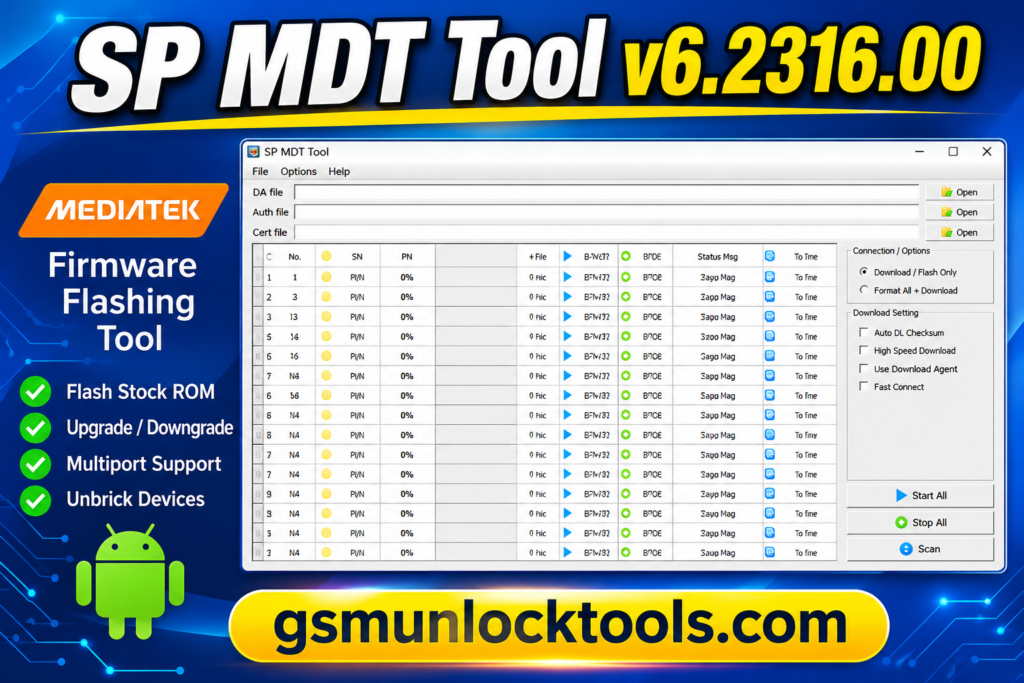
When a MediaTek smartphone is stuck on the boot logo, bricked after a failed update, or experiencing firmware problems. SP MDT Tool is a Windows-based firmware flashing utility for flashing compatible stock ROMs on MediaTek smartphones and tablets. It supports scatter firmware loading, software upgrades and downgrades, and multiport flashing, allowing technicians to service multiple compatible devices through one interface.
What is the SP MDT Tool?
SP MDT Tool is a Windows-based firmware flashing utility developed for compatible MediaTek smartphones and tablets. It allows users to install stock firmware using scatter files, update or restore device software, and flash multiple devices simultaneously through its multiport interface. SP MDT Tool is particularly useful for mobile repair centers handling firmware errors, boot-loop problems, and software-related device failures.
Key Features of the SP MDT Tool
Stock Firmware Flashing
Allows technicians to install stock firmware on compatible MediaTek smartphones and tablets. It helps restore device software and resolve certain firmware-related problems.
Scatter File Support
Supports loading scatter files to identify device partitions and firmware locations. This helps configure the correct firmware files before starting the flashing process.
Multiport Flashing
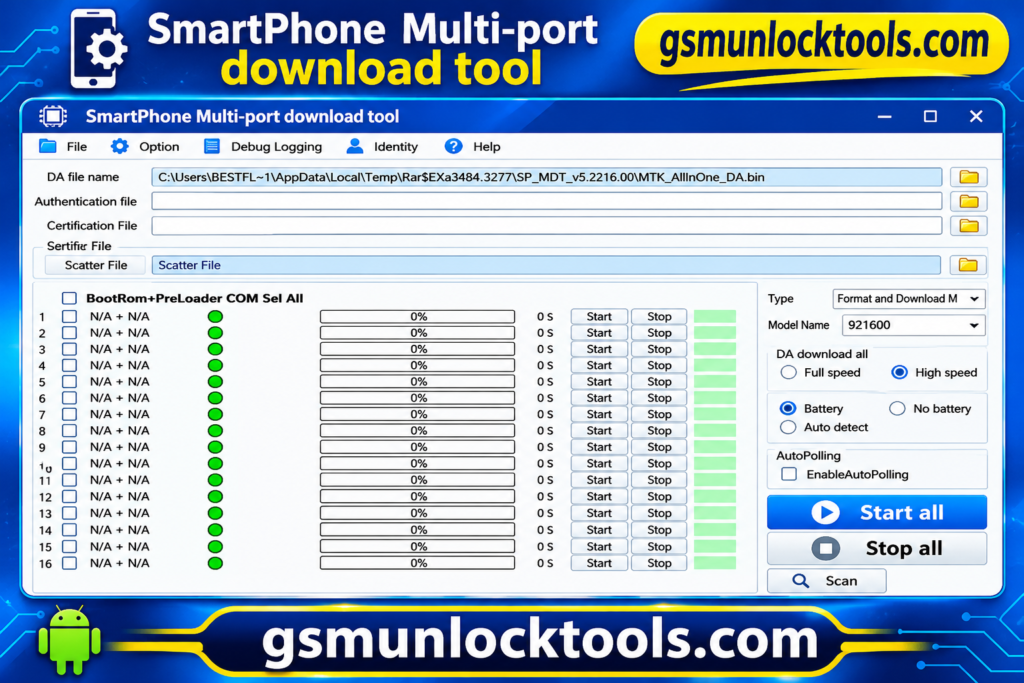
Allows multiple compatible MediaTek devices to connect through its multiport interface. This feature is useful for repair centers handling several devices simultaneously.
Firmware Upgrade and Downgrade
Provides firmware installation options for supported MTK devices. Technicians can use compatible firmware packages to upgrade or restore earlier software versions.
Device Unbricking
Helps recover certain MediaTek devices affected by failed firmware updates or software-related boot problems. Recovery depends on the device condition and correct firmware availability.
Preloader Support
Includes preloader-related configuration and flashing options for compatible devices. These settings require careful handling because incorrect preloader operations can prevent a phone from booting.
Progress Monitoring and Logs
Displays flashing progress, connection status, and operation information. Technicians can monitor the process and identify errors through the tool interface.
What’s New in the SP MDT Tool?
- The V5 edition continues to support scatter-based firmware packages.
- The tool supports multiport flashing of multiple compatible MTK devices.
- It includes configuration options for Download Agent files.
- It supports authentication files for compatible secured devices.
- Certification file options are included where required.
- Different V5 and V6 editions support different firmware formats.
- The latest releases offer improved firmware servicing workflows for supported MediaTek smartphones and tablets.
System Requirements
| Requirement | Details |
| Operating System | Windows 7, 8, 10, or 11 |
| Processor | Intel or AMD, 32-bit or 64-bit |
| RAM | 2 GB minimum recommended |
| Storage | At least 1 GB of free disk space |
| Architecture | 32-bit and 64-bit support |
| USB Connection | Working USB port and data cable |
| Drivers | Compatible MediaTek USB drivers |
| Firmware | Compatible MTK scatter or XML firmware package |
How to Download & Install the SP MDT Tool?
- Download SP MDT Tool V6.2316.00 from a trusted source.
- Extract the downloaded ZIP package using WinRAR or 7-Zip.
- Install the required MediaTek USB drivers on your Windows PC.
- Open the extracted folder and launch the tool
- Extract the compatible MediaTek stock firmware package.
- Click the Scatter File button and select the correct file.
- Configure the required Download Agent and other settings for your device.
- Connect your powered-off MediaTek smartphone to the PC using a USB cable.
- Scan and select the detected device COM port.
- Click Start All to begin the firmware flashing process.
- Wait until the tool displays the PASS status.
- Disconnect the device and restart your smartphone.
Pros & Cons
| Pros | Cons |
| Supports MediaTek smartphone and tablet firmware flashing. | Limited to compatible MediaTek devices. |
| Supports scatter-based firmware packages. | Requires correct firmware files for each device. |
| Offers multiport flashing functionality. | Multi-device flashing requires proper port configuration. |
| Supports firmware upgrades and downgrades. | Incorrect firmware can cause device failure. |
| Includes Download Agent and authentication file options. | Some devices require authorized DA and authentication files. |
| Provides memory testing options. | Advanced functions require technical knowledge. |
| Offers separate V5 and V6 editions. | Firmware format support varies by version. |
| Helps recover certain software-related boot problems. | Cannot repair hardware-related faults. |
Also check: QGDP Tool v3.2.6 Free Download for Windows Latest Version [2027]
Conclusion
SP MDT Tool is a useful Windows-based firmware flashing utility designed for compatible MediaTek smartphones and tablets. It supports stock ROM installation, scatter and XML firmware, multiport flashing, and software recovery for selected devices. With its firmware management features, SP MDT Tool can help mobile technicians handle common software-related problems efficiently. Before flashing, always verify device compatibility and use the correct firmware package to avoid data loss or device damage.
FAQ’s
Which devices are supported by SP MDT Tool?
SP MDT Tool is designed for compatible MediaTek-powered smartphones and tablets. Device compatibility depends on the chipset, firmware package, and tool version.
What firmware formats does SP MDT Tool support?
The V5 edition is associated with scatter-based firmware, while the V6 edition supports XML-based firmware packages. Always select the correct version for your firmware format.
Is SP MDT Tool free to download?
Several third-party websites provide SP MDT Tool setup packages for free. Always verify the download source and scan the files before installation.
What files are required to use SP MDT Tool?
You need the appropriate firmware package for your device, along with compatible USB drivers. Depending on the tool edition, you may also need scatter or XML configuration files and authorized Download Agent files.
Is SP MDT Tool safe to use?
It can be used for supported firmware operations when the correct files and settings are selected. Incorrect firmware or preloader settings may cause data loss or prevent the device from booting.

One Comment