Best Flash Tool V1.7 By Boss: Free Download Latest Version [2026]
Android phones can get stuck on the logo, enter boot loops, show FRP locks, fail during firmware installation, or develop software issues that make flashing and repair difficult for beginners and mobile technicians. Best Flash Tool by BossV provides a practical Windows-based solution by bringing device detection, firmware flashing, FRP servicing, screen-lock operations, IMEI repair, and chipset-based functions into one interface, with support for popular brands such as Samsung, Xiaomi, Vivo, OPPO, Realme, Infinix, Tecno, Itel, and Huawei, while working with MediaTek (MTK), Qualcomm, and Spreadtrum/Unisoc platforms.
What is the Best Flash Tool?
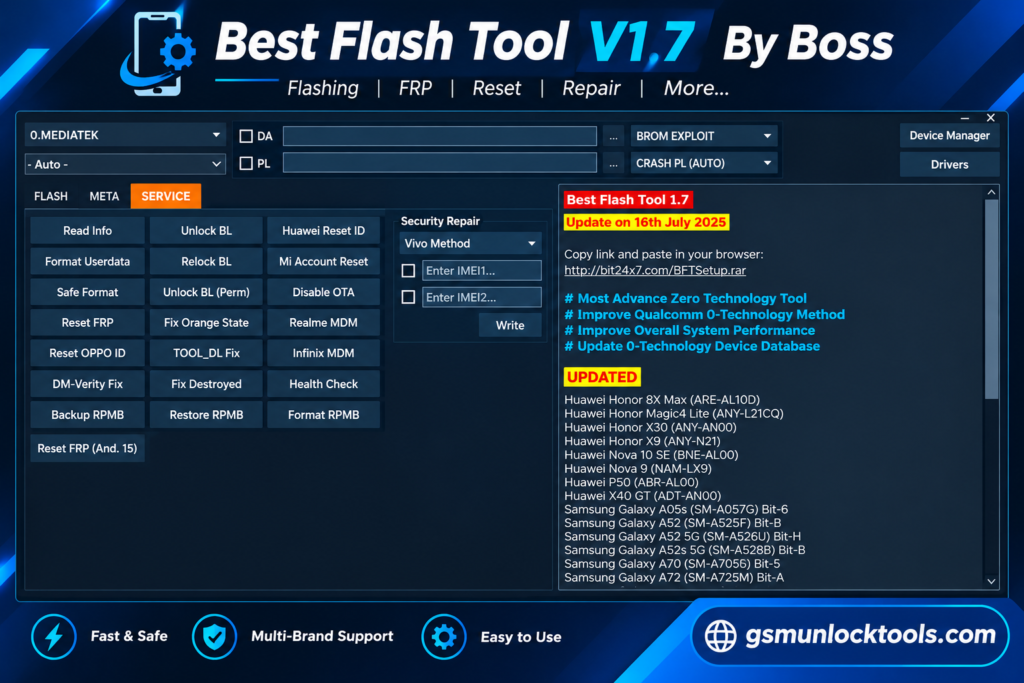
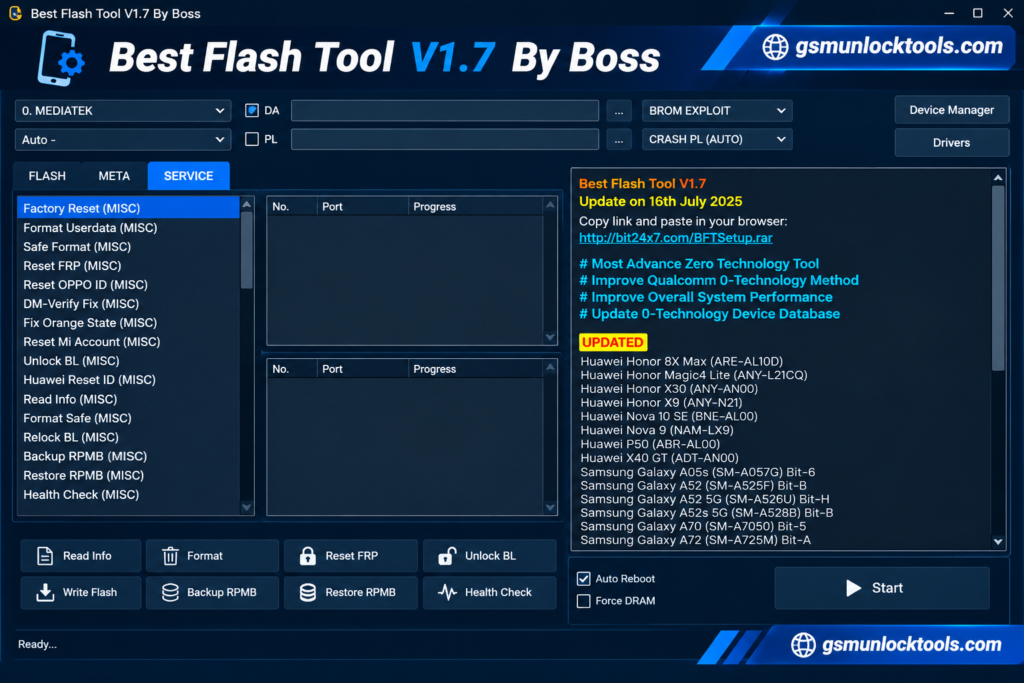
Best Flash Tool by Boss is a Windows software created for Android servicing workflows where technicians need to identify a connected device and select the appropriate operation for its chipset and model. Instead of focusing on a single repair function, the software combines different servicing modules within one workspace, allowing users to work with supported Samsung, Vivo, OPPO, Xiaomi, Realme, Infinix, Tecno, Itel, and Huawei devices. Its workflow includes Universal Auto Connect, model search, automatic Qualcomm detection, Vivo Qualcomm boot support, Samsung K/G-related servicing, and SPD Boot V2. At the same time, compatibility with MTK, Qualcomm, and Spreadtrum/Unisoc platforms gives technicians a broader working range.
Key Features of Best Flash Tool V1.7
Firmware Flashing
Flash compatible stock firmware to address software errors, boot loops, and stuck-logo problems. It can help restore supported Android devices after firmware-related failures.
FRP Lock Servicing
Provides FRP-related servicing options for supported Android devices after a factory reset. The available methods and security-patch compatibility depend on the device model.
Screen Lock Reset
Includes servicing options for supported PIN, pattern, and password locks. Available operations can vary by brand, chipset, Android version, and security level.
Device Information Reading
Read important device details such as model, IMEI, chipset, and Android version. This information helps technicians identify the phone before starting a servicing operation.
One-Click Operations
Provides simplified workflows for selected servicing tasks, reducing the need for repeated manual commands. This makes supported operations easier to manage during routine repair work.
Automatic Device Detection
Automatically detects compatible connected devices and helps identify their servicing platform. This can save time when working across different Android brands and chipsets.
Qualcomm & MTK Support
Works with supported Qualcomm and MediaTek (MTK) devices for different Android servicing operations. Additional Spreadtrum/Unisoc support expands compatibility across supported models.
Model Search
The integrated model search helps technicians quickly locate supported phones within the tool. It can make device-specific servicing workflows easier to navigate.
System Requirements
| Requirement | Details |
| Operating System | Windows 7, 8, 10, or 11 (64-bit recommended) |
| RAM | At least 4 GB |
| USB Cable | Good-quality USB cable |
| Power Supply | Stable power supply recommended |
| Login Username | TrialUser |
| Login Password | fj6Y732M7j4c703N |
Also check: BFT Tool v1.8 Download Latest Version 2026 (100% Working)
Supported models
- MTK, Qualcomm, Unisoc, and SPD devices
- Samsung
- Asus
- Huawei
- Infinix
- Itel
- Jio Phones
- Lava
- Lenovo
- Motorola
- Nokia
- Oppo
- Realme
- Techno
- Vivo
- Wiko
- Xiaomi
- ZTE
How to Download the Best Flash Tool By Boss?
- Download the latest BFT Tool setup from the download section.
- Extract the ZIP/RAR file using a suitable archive utility.
- Install the required USB drivers for proper device communication.
- Run the setup as Administrator and complete the installation.
- Launch Best Flash Tool by Boss after installation.
- Connect your Android device in the required service mode.
- Select the appropriate operation and follow the tool’s on-screen instructions.
Pros & Cons
| Pros | Cons |
| Easy-to-use interface | Windows only |
| Supports multiple Android brands | Compatibility varies by model |
| Supports MTK, Qualcomm, and SPD/Unisoc | Correct firmware is required |
| Automatic device detection | USB drivers must be installed |
| Firmware flashing and repair functions | Incorrect operations may cause software issues |
| Useful for beginners and technicians | Some features may depend on the tool version |
Conclusion
Best Flash Tool by Boss (BFT Tool) is a useful option for Android servicing, especially for technicians who need to work with supported devices across different chipsets. Its firmware flashing, FRP servicing, screen-lock reset, device information reading, and automatic detection features can help simplify common software repair workflows. The tool is worth considering when you need a Windows-based utility for supported Samsung, Vivo, OPPO, Xiaomi, and other Android devices. However, always check model compatibility, use the correct firmware, and follow safe servicing practices before starting any operation.
FAQ’s
Is Best Flash Tool by Boss free?
The availability of BFT Tool may depend on the version and source. Check the download package and included information before installing or using the tool.
What devices does Best Flash Tool by Boss support?
BFT Tool supports various Android brands and models, including Samsung, Xiaomi, Vivo, OPPO, Realme, Infinix, Tecno, Itel, and Huawei, with compatibility varying by chipset and model.
How can I fix the “Failed to check for new version” error?
This error can occur because of an outdated version, a network problem, or an unavailable update server.
Does Best Flash Tool by Boss remove FRP lock?
BFT Tool includes FRP-related servicing functions for supported devices. The available method depends on the phone model, chipset, Android version, and security patch.
Is Best Flash Tool by Boss safe to use?
The tool should be used carefully with compatible firmware, proper USB drivers, and the correct device model.

![Sony Flash Tool V0.9.36.0 Free Download Latest Version [2026]](https://gsmunlocktools.com/wp-content/uploads/2026/09/Sony-Flash-Tool-V0.9.36.0-768x576.png)